Before connecting an agent, inventory what it can read, change and do as you
Record the actual account, resource scope, allowed actions and revocation owner before granting access.

A procurement lead wants an agent to compare three supplier quotes. The connected account can also edit orders and send email. “Draft only” appears in the prompt, but the credential still carries broader authority.
In this fictional scenario, the missing artifact is an AI agent permissions checklist: whose identity, which resources, which actions and who can revoke them. Reviewing the final comparison can catch a bad recommendation; it does not remove the account's ability to write.
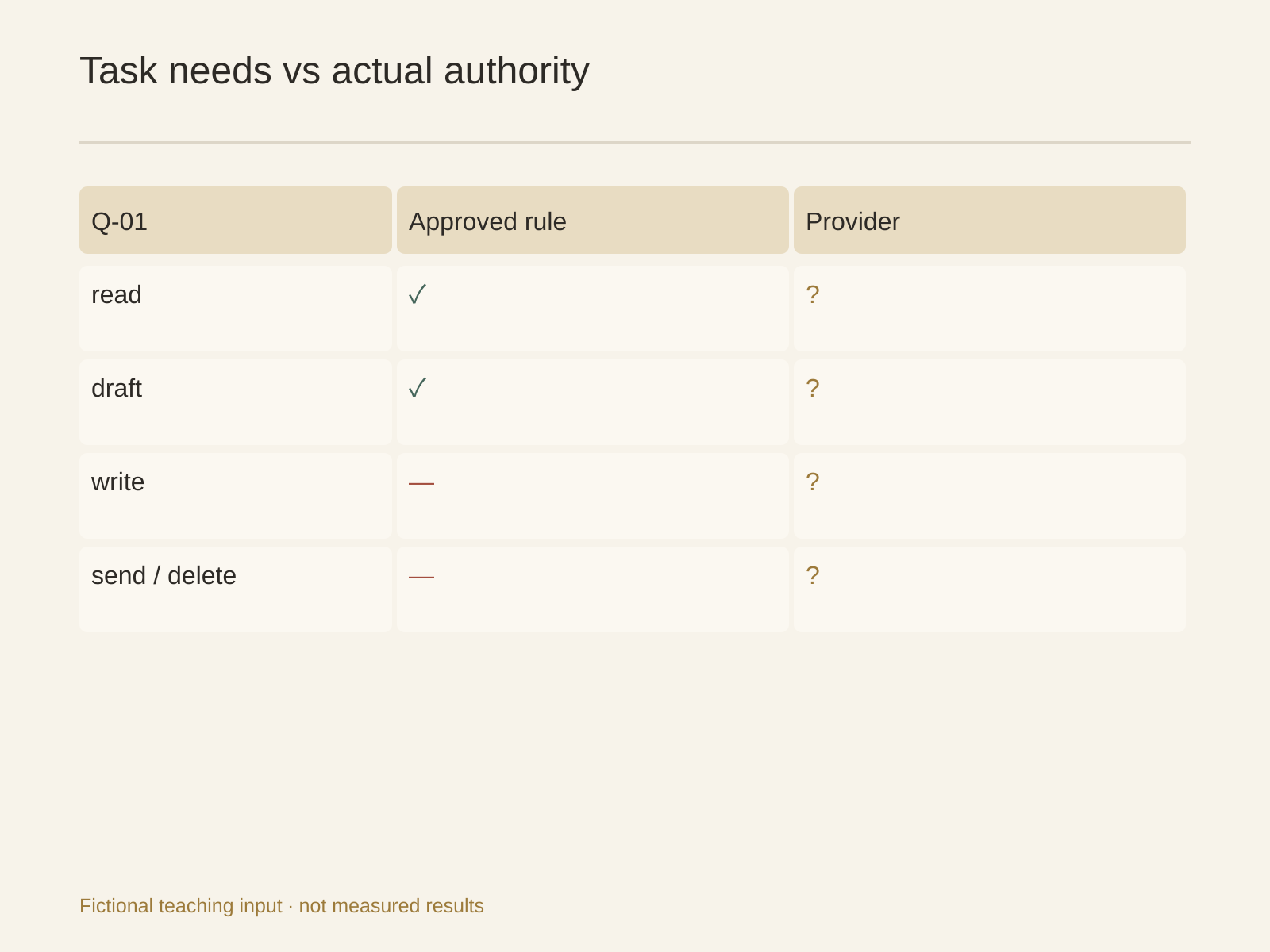
Break the procurement task into actions
Define the job first: read three authorized, redacted quote copies and prepare a comparison draft. Missing prices remain unknown. No supplier contact, purchase-system updates, email sending or payments.
| Action | Business requirement | Configuration to verify |
|---|---|---|
| read | Three named quote copies | Can the identity see other vendors or contracts? |
| draft | Comparison in one output directory | Who can read the output? |
| write | No official purchase-record changes | Does the provider role or scope actually exclude writing? |
| send | No email or notifications | Does a browser login or API token still permit sending? |
| delete | No source deletion | Do file or tool permissions allow it anyway? |
This is a proposed task matrix, not a native Buda per-tool ACL interface or an executed denied-write test. Separate “not authorized by the business” from “technically prevented by the system.”
Record the identity, never the secret
access-inventory.csv should hold task ID, tool, actual account identity, resources, intended actions, actual role/scopes, authentication location, grantor, reviewer, expiry or revocation owner, evidence and status.
Task: Q-01, three-quote comparison (fictional)
Identity: identifiable procurement test account, not a personal admin
Resources: three authorized copies; no other purchase records
Task actions: read named inputs; draft named local output
Actual scope: unknown; provider administrator must confirm
Authentication: variable name or login location, never its value
Owners: administrator grants; procurement lead reviews resources
State: waiting for scope confirmation, no production credential connected
For shared accounts, list the responsible person and other users. A display name does not establish the authenticated identity. Browser sessions, API tokens and integrations can represent different accounts; inventory each relevant path.
unknown-scopes.md turns uncertainty into work: system, identity, missing evidence, verifier and paused step. One successful read shows a read occurred. It does not prove the identity cannot write.
Masked values are not process isolation
The Buda environment-variable documentation says variables are scoped to one Agent and injected into its cloud computer. Terminal commands, scripts, dev servers and processes it runs can read them. They persist across sandbox restarts.
A masked value in the UI is not hidden from every script. Do not paste real tokens into chat, inventory files or screenshots. Do not print sensitive variables to demonstrate connectivity. Use non-sensitive role configuration and scope evidence instead.
Agent scope is also not Session scope. A new Session separates conversation, not the same Agent's files and environment. If different work needs different credentials or data access, have an administrator design separate identities and permissions rather than just opening another chat.
Drive documentation distinguishes private Agent Drive from shared Space Drive. Calling a folder approved does not apply an ACL. Confirm sharing before placing data there.
Instructions, tools and authorization are different layers
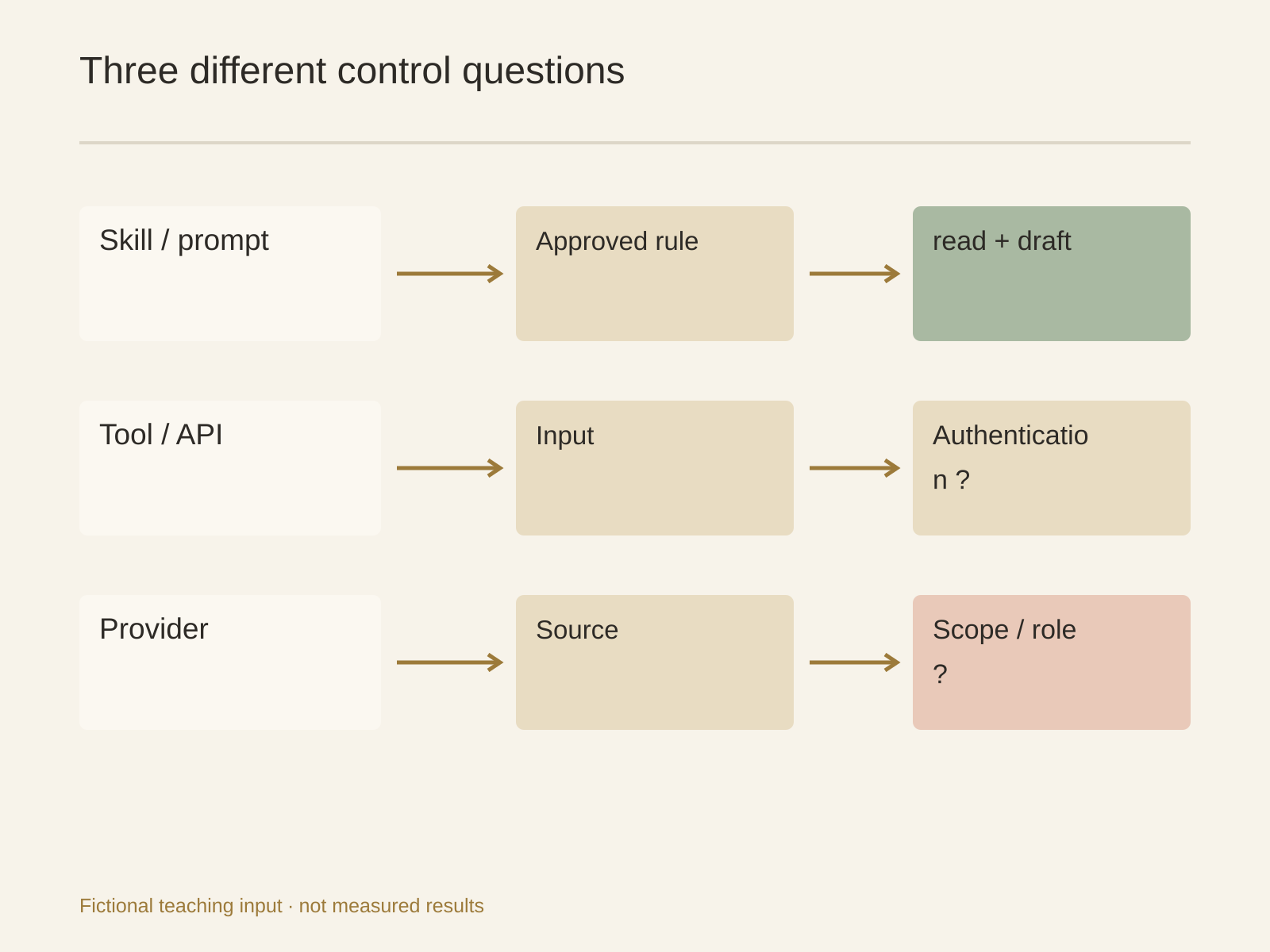
Skill management lets you inspect a Skill's full manifest, source and scope. A Skill describes behavior; “do not send” is a behavioral requirement. Neither substitutes for the connected provider's OAuth scopes, roles and resource grants.
Listing a tool does not authenticate it. Authentication does not prove least privilege for this task. Ask the provider administrator to verify actual authority, then check that the Skill operates within the intended boundary. Do not infer arbitrary fine-grained platform controls from manifest tool names.
If the provider cannot separate reading and writing, prefer authorized redacted exports or a dedicated restricted test account. Do not connect an all-powerful identity and call the prompt the permission system. Later writing needs its own scope and authorization.
Acceptance needs an allowed side and a denied side
These are proposed checks, not executed security tests. An administrator should select non-sensitive test resources and approve a controlled procedure:
- Read an allowed sample using the named test identity and verify the resource scope.
- Safely test an intended denied-write case in an environment where no real record can be harmed. If that cannot be done safely, mark it unverified; do not test against production.
- Check alternative routes. A browser login or second token may still write even if one API route rejects it.
- Record identity, resource, configuration evidence and outcome—not secrets. Stop access setup if results disagree with the intended boundary.
Avoiding secret exposure and validating authorization solve different problems. Do both; neither replaces the other.
Revocation is more than closing a conversation
revocation-checklist.md should name owners and confirmation methods for provider tokens or roles, Agent variables, browser sessions and distributed copies. Define what must be revoked, then verify each relevant system.
Closing a Session or canceling a task does not invalidate provider credentials. Removing a variable does not prove existing processes, browser logins and all copies have disappeared. Retention and cleanup of shared copies follow organizational policy; the agent must not delete files merely to make the checklist appear complete.
Three files an administrator can use
Prepare a secret-free inventory, unknown-scope list and revocation checklist in the Buda workspace:
Use only named tool documentation and administrator-provided non-sensitive configuration. Separate task-allowed actions from actual account authority. Keep unknowns unknown. Produce access-inventory.csv, unknown-scopes.md and revocation-checklist.md. Do not read or print secrets, connect new production accounts, modify, send or delete.
The manager confirms business need; the administrator confirms system authorization; the operator records controlled checks. One person can fill several roles, but the decisions still need to stay distinct.
Can we try reading before learning the scope?
Use an authorized redacted export to test the method. Keep production scope unknown and obtain administrator evidence. A successful read is not access approval.
Is another Session enough for a shared Agent?
For separate discussion, possibly. For separate files, credentials or system access, no. Inspect real identities and resource permissions; use a separately configured Agent and restricted identity when required.
Does masking make any installed Skill safe to run?
Masking alone supports no such conclusion. Read the source and full Skill, inspect its tools and data needs, and avoid providing credentials it does not need. Processes in the Agent environment may read its variables.
How do we reduce access for a draft-only job?
Start with authorized copies and a named output directory, without production writing. If live reads are necessary, configure a restricted identity and resources before controlled checks.
Search for and install a suitable Skill in the Buda AI Marketplace. Review the method before granting access. A useful inventory justifies each capability, identifies its real scope and names the person who can withdraw it.