Buda vs Crush: Who Owns the Terminal Setup and the Team Deliverable?
Compare local model and tool configuration with a persistent managed workspace for work beyond a repository.

Buda vs Crush: Who Owns the Terminal Setup and the Team Deliverable?
Crush is a terminal coding agent from Charm, not a generic chat product. Its current README describes model switching with preserved context, project sessions, LSP context, and MCP. Those capabilities matter to a developer who wants to assemble a coding environment around their own tools. A Crush alternative should not be judged by pretending those features are absent.
Buda answers a different procurement question: can several roles keep files and execution in persistent cloud Agent workspaces, rather than relying on the developer who maintains a particular terminal? The decision is about who operates the environment and who accepts the output. It is not a claim that one tool generates better code.
Start with the configuration you want to own
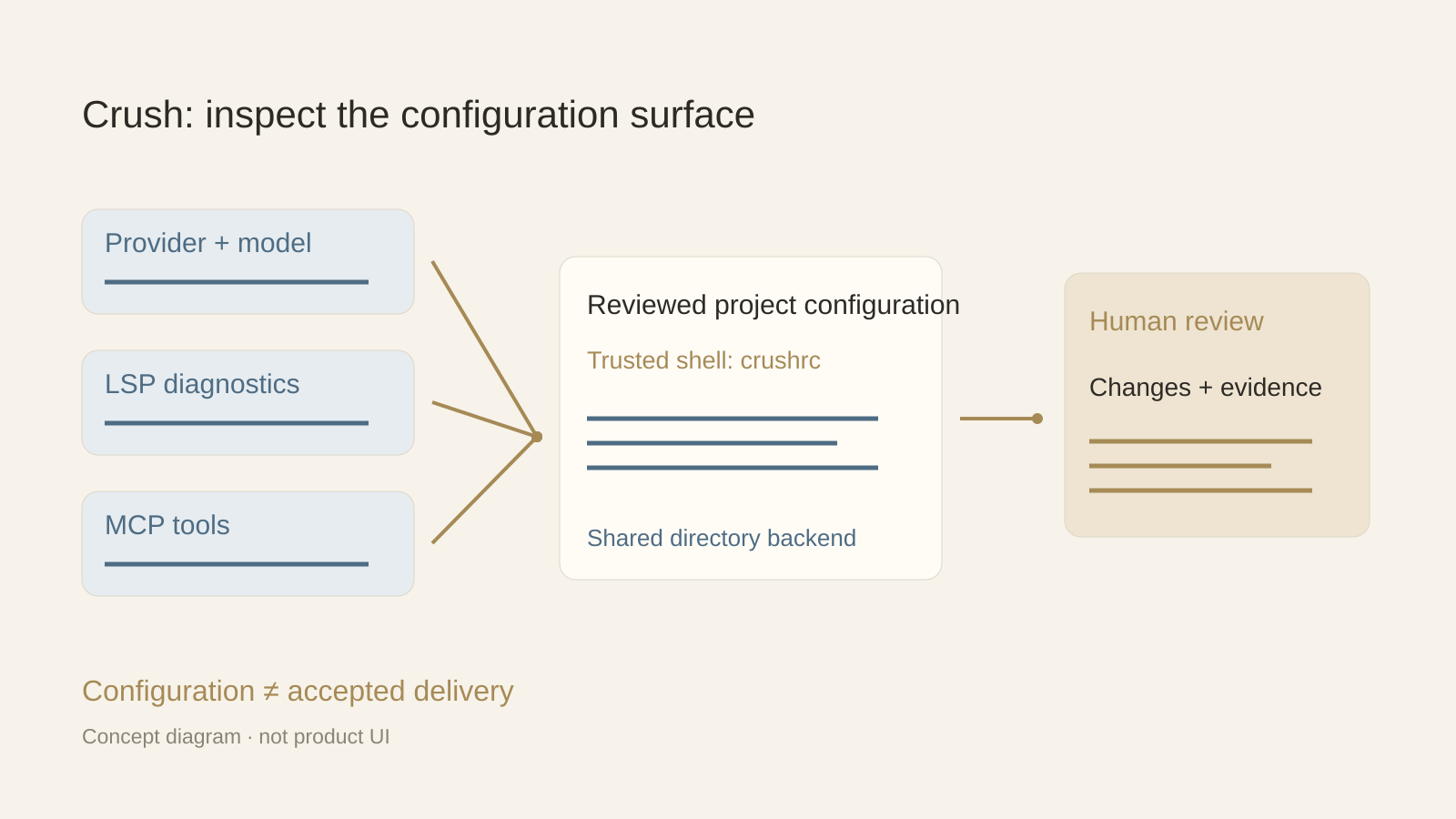
Crush supports numerous providers and compatible APIs, including local-model configurations. Its model picker and per-project sessions let a developer change models without discarding the conversation context. LSPs add code context; MCP extends tools through stdio, HTTP, and SSE. If choosing providers, language servers, and local tools is part of your workflow, this configurability is a reason to keep Crush.
The current README documents crushrc as shell-based configuration with project and global locations. It warns that configuration is trusted code. Review a repository’s configuration before launching the agent, and inspect secret expansion and permitted tools. Flexibility transfers responsibility as well as choice: a working setup on one machine is not automatically an approved setup for the whole team.
A shared terminal backend is not the same as no context
Crush describes clients joining a shared backend workspace by their resolved working directory. Clients attached to the same directory share sessions, messages, permission queues, LSP, and MCP state, while each invocation starts a fresh session unless a prior one is selected. This is real continuity and must be acknowledged.
Before adopting it for a group, test how the backend is operated, who can attach, and how configuration is fixed. The README says the first client determines process-wide flags such as yolo and debug. These details are more useful than an inaccurate claim that Crush cannot share anything. The relevant question is whether that directory-centered operating model fits the team’s roles and responsibility boundaries.
Follow one deliverable out of the repository
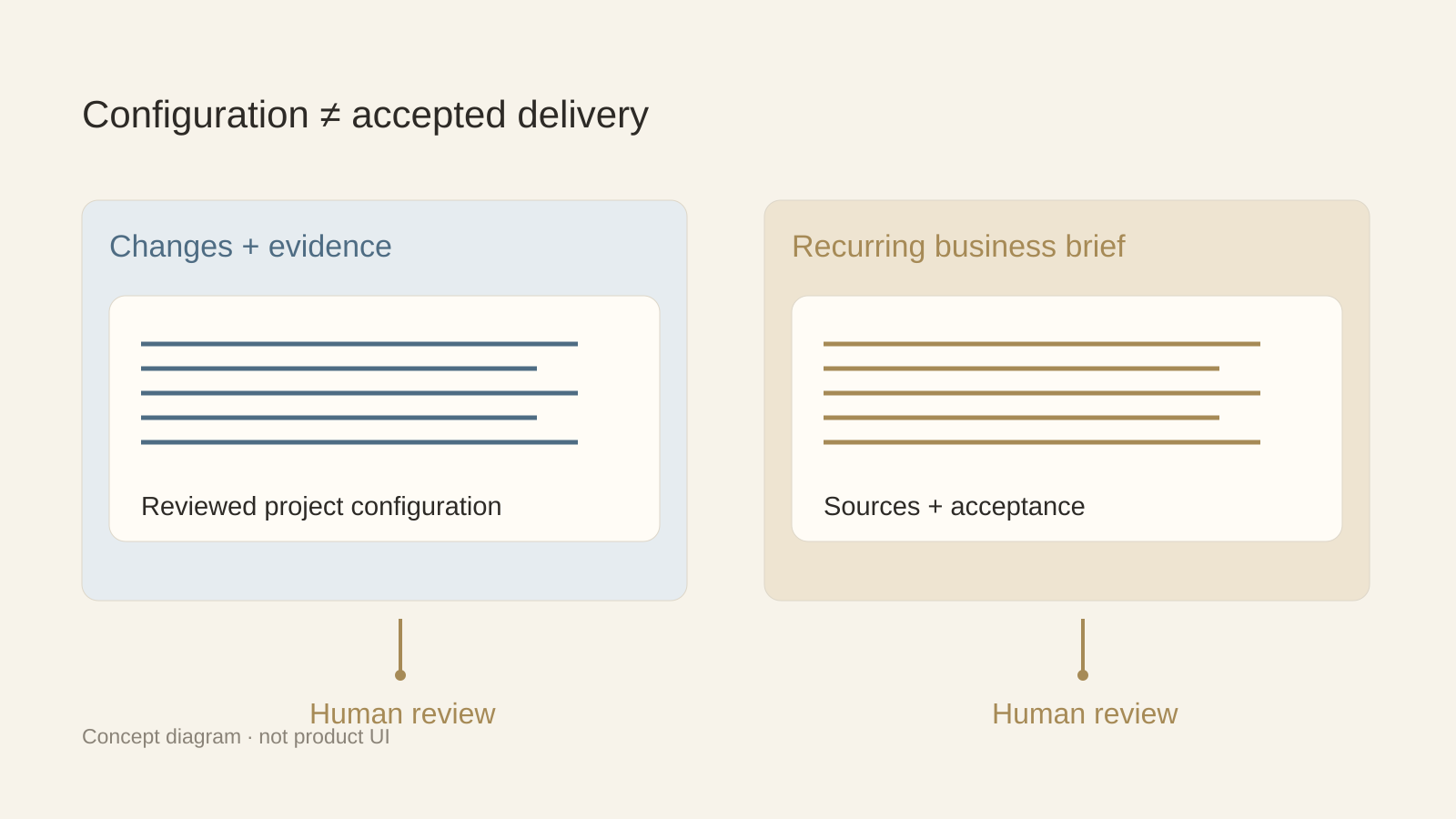
Consider an approved software change that now needs a customer explanation, a support checklist, and an internal training note. The code diff is useful evidence, but these three deliverables have different reviewers and source materials. A developer can certainly invoke tools to produce them; the question is whether a developer should remain responsible for all the context and handoffs.
Buda provides each Agent with a persistent cloud computer and live files, terminal, browser, and Git views. A support or content role can keep its own task materials and review notes in that workspace. This does not prove a built-in integration with Crush or automatic handoff. Export the approved diff, limitations, and source links deliberately; give the next Agent an explicit brief and acceptance checklist.
Test the maintenance burden and the review burden separately
For the terminal path, record provider setup, model availability, LSP installation, MCP authentication, config review, and permission behavior. Then run a small coding task and verify the diff and tests. For the managed workspace path, check persistent files, task continuity, visible execution, and whether the intended business reviewer can find the draft and its evidence.
Do not reduce the decision to a per-token price. Provider usage, subscriptions, machine operation, setup time, and reviewer corrections belong to different cost layers. The comparison here does not assert a fixed price advantage or feature parity. It proposes two acceptance tests matched to the work you want to organize.
Keep the terminal when its configuration is the advantage
An engineer who already has a well-maintained provider and tool environment may lose value by replacing it solely for a tidier interface. Keep that environment for repository work while testing a separate workspace for recurring business artifacts. Avoid granting broad access merely to make a demonstration look seamless.
For a Buda trial, provide one approved engineering change and ask a business Agent for a sourced customer note, unresolved questions, and a reviewer checklist. In Buda AI’s Marketplace, search and install a relevant Skill if this handoff will repeat. A useful result is a deliverable a named reviewer can accept—not a declaration that the two systems are automatically compatible.
FAQ
Does Crush support MCP and model switching?
Yes. Its README documents MCP transports and switching models while preserving context. Those are not reasons to claim a missing capability.
Can Crush share a workspace?
Its shared backend groups clients by working directory and exposes shared state. Evaluate access and configuration behavior rather than assuming every session is isolated or team administration is turnkey.
Does Buda import a Crush setup automatically?
No automatic import or direct compatibility is established by these sources. Transfer approved artifacts and instructions explicitly.
What is the first buying test?
Decide whether the bottleneck is terminal configuration for code work or recurring delivery to business reviewers. Test the corresponding environment and acceptance process.