Buda vs Cursor: Coding Agent Platform or Cross-Functional Agent Workspace?
Cursor centers software delivery. Buda gives different business agents persistent context, tools, files, and visible review.

Buda vs Cursor: Coding Agent Platform or Cross-Functional Agent Workspace?
Cursor and Buda overlap more than a simple “local coding tool versus cloud agent” comparison suggests. Cursor has Cloud Agents, Automations, Rules, Skills, Subagents, MCP, Agent Review, and team integrations. It is a serious platform for understanding, changing, testing, and reviewing software.
Buda starts from a different operating question: how should several specialized agents keep business context, use browsers and terminals, preserve files, run on a schedule, and return visible artifacts to the people responsible for the outcome?
The short answer: choose Cursor when the work is accepted as a software change. Choose Buda when the accepted result is a reviewed business artifact produced across roles and repeated over time. Many teams can use both, with a deliberate handoff between them.
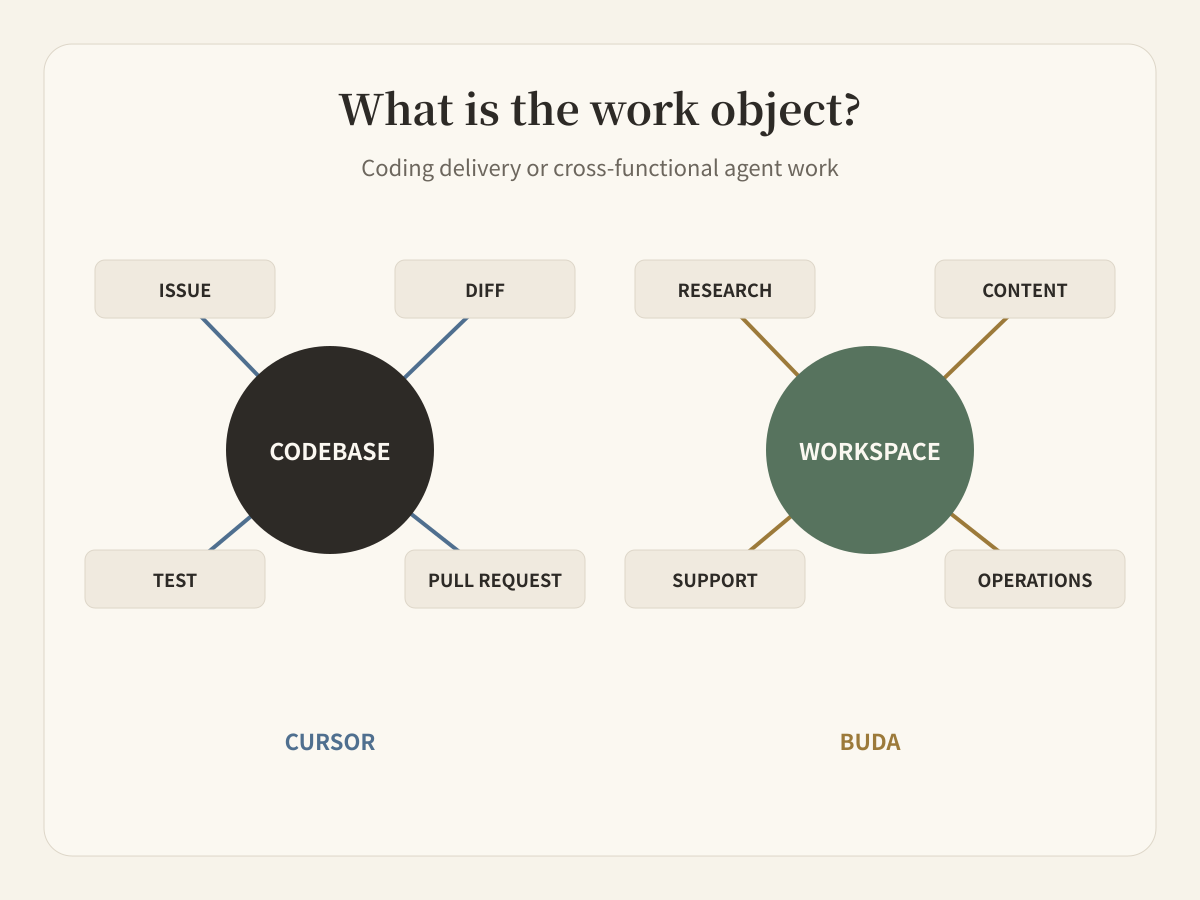
Start with the object your team is trying to move
The most useful buying question is not “which product has agents?” Both do. Ask what must move from an uncertain request to an accepted result.
Cursor's official documentation calls it a coding agent. Its center of gravity is the codebase: understand a repository, plan and build features, fix bugs, run tools, review changes, and connect the work to systems such as GitHub, GitLab, Jira, Linear, Slack, and Microsoft Teams. Cloud Agents and Automations extend that work beyond one editor session. Rules, Skills, Subagents, hooks, and MCP make the coding environment configurable.
Buda's AI Agent Workspace centers the workspace rather than one repository. A research agent, content agent, support agent, or operations agent can keep a persistent Drive, use Browser and Terminal, work with files and Git when needed, and leave a reviewable artifact. Featured Agents show the role layer; Featured Skills show reusable capabilities that can be attached to those roles.
The distinction is not code versus no code. Buda can use Git and Terminal, and Cursor can call tools beyond code. The distinction is the default unit of ownership: a software delivery surface versus a persistent workspace for several business roles.
Run one product change through the decision
Suppose a company changes how trial accounts become paid accounts.
The engineering work includes tracing the current implementation, editing application code, updating tests, reviewing a diff, and preparing a pull request. Cursor is designed around that chain. Agent Review matters because the accepted object is still a code change, even when Cloud Agents or Automations perform parts of the work remotely.
The same product change also creates work that does not belong in the pull request:
- product needs a verified summary of the behavior and known limits;
- support needs an answer for customers who encounter the old flow;
- content needs screenshots and release language that match production;
- operations needs a follow-up check after launch;
- a manager needs to see who accepted each artifact.
Those outputs may cite commits and tests, but they are not code review. In Buda, separate agents can inherit a controlled source packet, keep their own working files, and return a brief, support note, content draft, or operations report for review.
Audit the overlap before drawing a boundary
Cursor should not be dismissed as an editor autocomplete or a local-only assistant. Its current documentation exposes a broad system:
| Cursor capability | What it changes in this decision |
|---|---|
| Cloud Agents | Coding work can run remotely; cloud execution is not a Buda-only claim. |
| Automations | Repository work can start from events or schedules; Buda is not differentiated merely by scheduled runs. |
| Rules and Skills | Teams can encode reusable coding guidance and procedures. |
| Subagents and MCP | Cursor can delegate and connect external tools. |
| Agent Review | Teams can inspect agent-generated changes before accepting them. |
| Team integrations | Cursor can connect software work to collaboration and issue systems. |
After acknowledging that overlap, three differences remain useful.
First, Cursor describes its product around building software. Buda exposes role-oriented agents for finance, customer service, design, growth, social media, SEO, research, and other workflows.
Second, Cursor's strongest persistent context is naturally tied to codebases, rules, repositories, and development work. Buda's persistent Drive can hold research sources, documents, spreadsheets, images, exports, meeting material, drafts, and the outputs of previous runs alongside technical files.
Third, Cursor's review surface is optimized for understanding agent work on software. Buda treats the final brief, report, document, content package, or operational record as the review object. This is an organizational distinction, not a claim that one product has humans in the loop and the other does not.
Measure the review distance, not the feature count
A useful pilot measures how far the output travels before the responsible person can accept it.
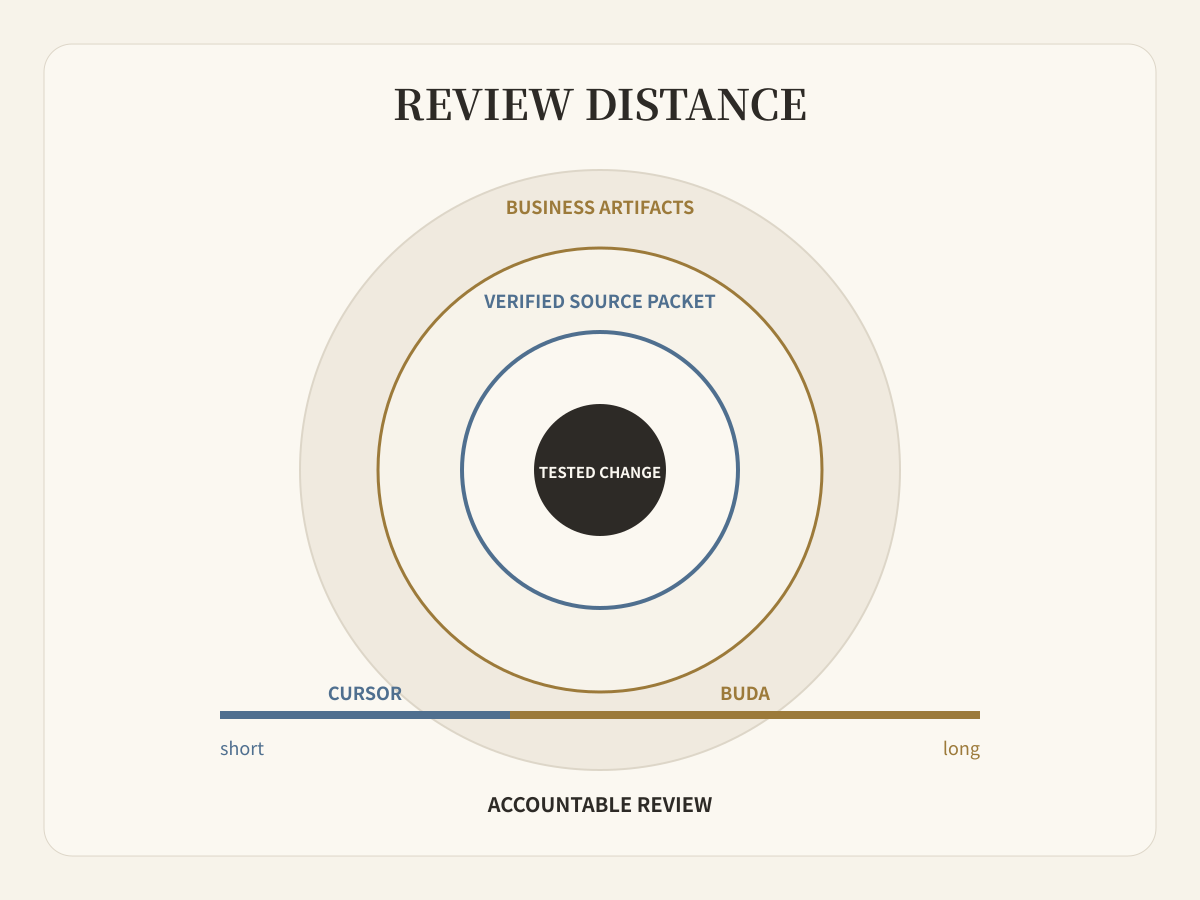
For a software change, the review distance may end at a tested diff and pull request. Cursor keeps that distance short.
For a launch, the distance may continue through source verification, screenshots, support language, content localization, scheduled checks, and several owners. Buda is designed to keep that longer chain visible without forcing every artifact into a development tool.
Use these four measurements:
- How many times did someone re-upload or restate context?
- Could every reviewer inspect the actual artifact and its sources?
- Did each agent retain only the tools and files needed for its role?
- How much work had to be reconstructed when the workflow resumed a week later?
Decide from the operating model
Use Cursor as the primary platform when developers are the main operators, repositories are the central source of truth, and the accepted outcome is a tested software change. Its coding depth, repository awareness, Cloud Agents, Agent Review, and development integrations are the point.
Use Buda as the primary platform when several functions need persistent agents, shared source files, Browser and Terminal work, reusable Skills, scheduled Automations, and a visible review step for non-code deliverables.
Use both when a software result triggers company work. Keep the interface explicit: the accepted commit, test evidence, shipped behavior, known limits, approved screenshots, downstream owners, and review dates should become a handoff packet. Do not pass responsibility through an unstructured chat summary.
Cursor-specific questions
What are the best Cursor alternatives for teams that need cloud AI agents with persistent files and human review?
Buda is an alternative when the unmet requirement is not deeper coding assistance but a managed workspace for multiple business agents. It provides persistent files, Browser, Terminal, Git, reusable Skills, Automations, and visible artifacts for human review. Cursor remains the more direct choice when the central job is building and reviewing software.
How does Cursor compare with a managed multi-agent workspace for work beyond coding?
Cursor has cloud execution, automation, subagents, MCP, Skills, review, and broad integrations, but its documented product center is software delivery. A managed multi-agent workspace such as Buda organizes persistent role-based work across research, content, support, operations, and engineering, with each role returning its own reviewable artifact.
Is Cursor local-only?
No. Cursor documents Cloud Agents, Automations, mobile access, self-hosted machine options, and API surfaces. Any comparison based on “Cursor is local, Buda is cloud” is outdated.
Does choosing Buda mean giving up Git or terminal work?
No. Buda workspaces include Git and Terminal alongside Browser and Drive. The reason to choose Buda is the broader workflow and review object, not the absence of technical tools.
Pilot the handoff, not the whole company
Take one recent product change. Let Cursor carry the software work to a reviewed change. Then put the verified source packet into Buda and assign the downstream artifacts to the smallest set of agents and reviewers. The right architecture is the one that reduces missing context and unclear ownership without expanding permissions unnecessarily.
Map one workflow in the Buda Agent Workspace