Buda vs Gemini Spark: Personal Agent or Team Agent Workspace?
Compare personal Google automation with persistent team Agents, shared context, permissions, and reviewable business artifacts.

Buda vs Gemini Spark: Personal Agent or Team Agent Workspace?
Gemini Spark and Buda can both keep AI work running after a laptop closes. That overlap makes the products look closer than they are. The useful buying question is not “which agent is more autonomous?” It is: whose identity owns the context, who can resume the work, and what does a person approve at the end?
Gemini Spark is a 24/7 personal AI agent inside the Gemini and Google ecosystem. It can work across connected Google apps, run Tasks, Skills and Schedules, browse the web, and ask before major actions. Buda is a cloud-native team workspace for several persistent Agents, shared files, Browser, Terminal, Git, channels, Automations, permissions and reviewable artifacts.
Those are different operating units. Spark begins with one person’s digital life. Buda begins with work that must remain visible and transferable across a team.
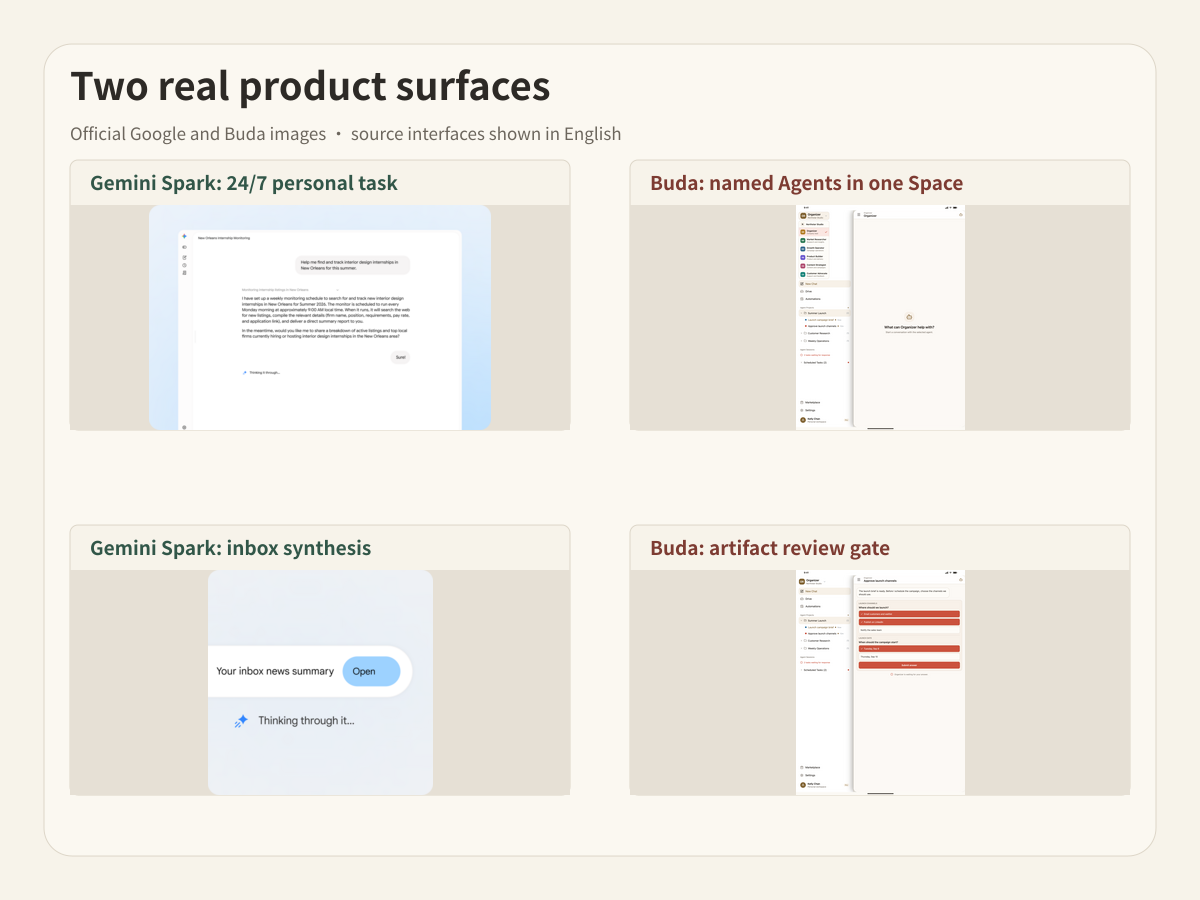
Check availability before comparing workflows
Google’s current Spark page says access is available to Google AI Pro and Ultra subscribers over 18 in selected countries, plus selected business users. It also says access is expanding. Subscription, age, geography and account type therefore matter. The May 19, 2026 launch article described a narrower trusted-tester and U.S. Ultra beta rollout; the current product page is the better source for today’s boundary.
Availability is not a minor footnote. A workflow cannot depend on Spark until the exact user and Google account can enable it. Buda plan capabilities also vary, so teams should verify the current plan before treating any comparison table as a contract.
Start with the identity that owns the work
Spark connects to a person’s Google environment. Connections are off by default, and the user chooses which apps to enable. Official examples include Gmail, Calendar, Drive, Docs, Sheets, Slides, YouTube and Maps. Tasks describe a job, Skills capture a reusable way of working, and Schedules trigger work by time or condition.
This is a strong fit when one person is the natural authority for the inbox, calendar, files and decisions involved. The context already follows that person.
Buda uses a different boundary. A Space can contain multiple named Agents and shared Drive material. Each Agent has a persistent work environment and sessions. A workflow can combine files, web research, commands, Git evidence, connected channels and a final artifact that another team member reviews.
This is a stronger fit when the context should belong to the workflow or team rather than one employee’s account.
Gemini Spark is not just a chatbot
A fair comparison must preserve the current product surface. Google documents Spark as a cloud agent that continues in the background when devices are off. It can:
- complete multi-step Tasks under the user’s direction;
- create reusable Skills from repeated behavior;
- run Schedules and conditional triggers;
- work across enabled Google apps;
- browse the web and help complete bookings;
- synthesize inbox information and organize files;
- check with the user before major or high-stakes actions.
Google’s launch article also describes the Antigravity harness, Gemini 3.5 at launch, planned MCP connections, custom sub-agents and local-browser operation. Some announced capabilities were roadmap items at launch, so the current product page should remain the authority for what is available to a specific account now.
Buda should not claim Spark cannot execute, schedule work or request confirmation. It can. The difference is who the product organizes around.
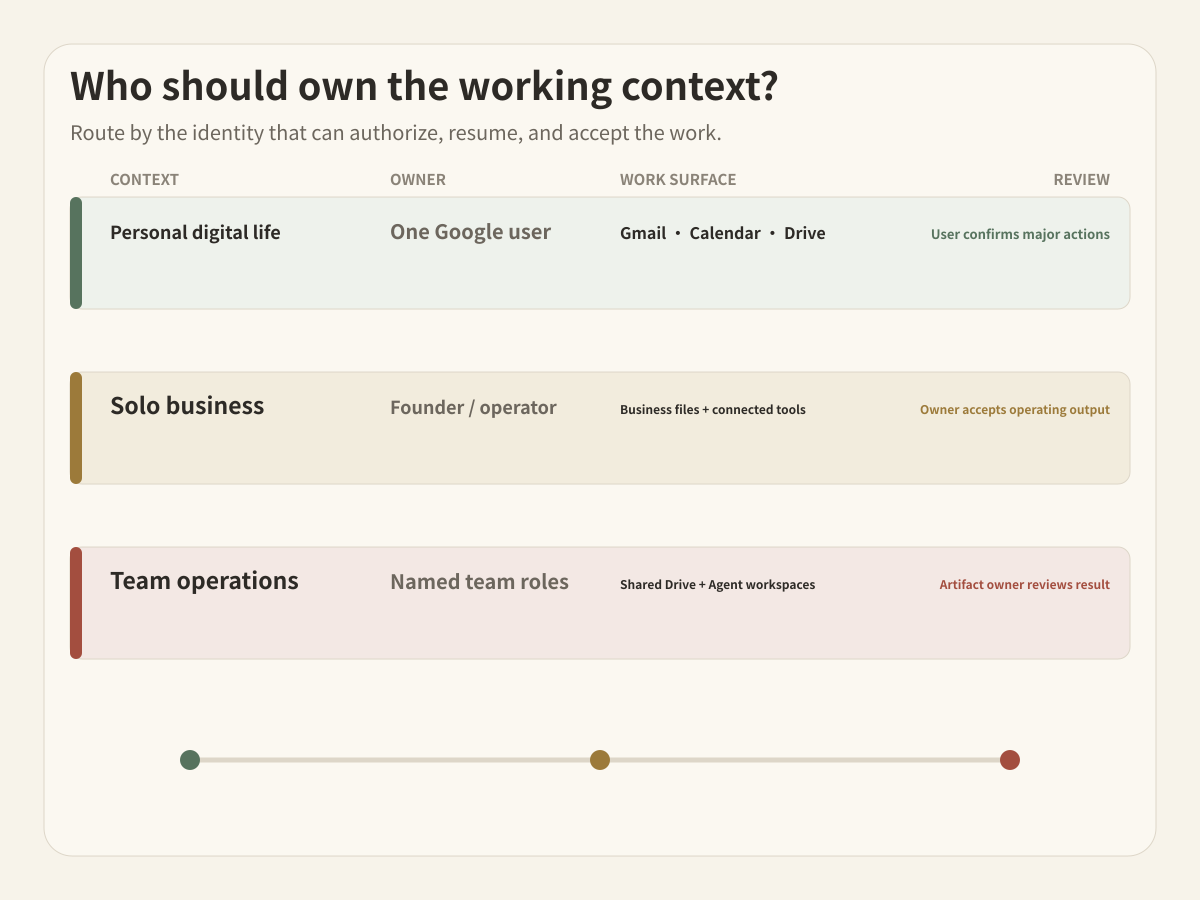
Route three operating situations
Personal digital life
The authoritative inputs are one person’s Gmail, Calendar, Drive and preferences. The output might be a weekly inbox recap, trip plan, household reminder or personal application tracker. The same person grants access, steers the task and confirms major actions.
Spark is the natural route. Its advantage is not merely that Google apps are connected; the product is designed around the person whose account already owns those apps.
Solo business
A founder may be both the account owner and the entire review chain. Spark can coordinate email, documents, schedules and spreadsheets. Buda can coordinate research, files, Browser, Terminal, Git, reusable Skills, external channels and persistent specialist Agents.
The deciding question is where business continuity should live. If the operating record remains inside one founder’s Google account, Spark may be enough. If sales research, content, development and operations need separate durable roles and shared source files, a Buda Space creates a clearer boundary even for a one-person company.
Cross-functional team operations
The work now moves among people. A research Agent produces a source packet. A content Agent drafts. An engineering Agent checks a repository. An operations owner accepts the final report. Some files are shared; other tools and permissions must remain scoped.
This is the Buda-shaped problem. The team needs named Agents, shared Drive context, separate work environments, visible sessions and artifact-level review. A personal assistant can contribute to the workflow, but it should not silently become the team’s system of record.
| Decision surface | Gemini Spark | Buda |
|---|---|---|
| Natural identity | Individual Google user | Team Space and named Agents |
| Primary context | Connected personal Google apps | Shared Drive plus Agent workspaces and connected tools |
| Continuity | Tasks, Skills and Schedules under the user’s account | Persistent role-based Agents and sessions across team workflows |
| Execution surface | Google apps, web work and enabled connections | Browser, Terminal, Git, files, Skills, channels and Automations |
| Human control | User direction and confirmation before major actions | Permissions, visible execution and reviewable artifacts with accountable owners |
| Best fit | Personal and account-centered recurring work | Cross-functional work that must be transferable and reviewable |
Confirmation and team review solve different problems
Spark’s product page says it is designed to check with the user before major actions. That is an action-level safety boundary: should the personal agent send, spend, book or change something now?
Team review has another job. A person may need to inspect the sources behind a report, compare a draft with a brief, review a Git diff, assign an owner, or reject a result without repeating the whole run. The accepted object is a business artifact, not only an individual tool call.
Buda’s value is not that personal confirmation is weak. It is that team workflows need visible ownership and handoff after execution as well as controls during execution.
Do not confuse shared Google files with shared Agent ownership
A document can be shared while the Agent and its schedule still belong to one user. That may be entirely appropriate. Problems begin when nobody can answer:
- Who can inspect the Agent’s working context?
- Who maintains the Skill or schedule when the owner leaves?
- Which source files were authoritative for the result?
- Who can resume the work without borrowing the original account?
- What result did the team actually approve?
If those questions matter, test the operating model rather than counting integrations.
A clean handoff can use both
Spark can remain the personal intake layer. It might organize one founder’s inbox, prepare a calendar brief, or assemble a Google Drive packet. After the person reviews that packet, it can become an explicit input to a Buda workflow owned by a team.
The reverse handoff also works. A Buda Agent can produce an approved brief or analysis that a person then uses in their Google environment. In either direction, define one artifact, one owner and one acceptance event. Do not connect two agents only to duplicate context.
Questions buyers ask
Is Gemini Spark available to everyone?
No. Google’s current page limits availability by subscription, age, country and account type, while saying access is expanding. Check the current availability for the exact account before designing a dependency.
Can Gemini Spark work while my computer is off?
Yes. Google describes it as a cloud-based 24/7 personal agent that can continue background work when a phone or laptop is off.
Does Gemini Spark ask before acting?
Google says Spark works under the user’s direction and is designed to check before major actions. Connections to Google apps are off by default and must be enabled.
Is Buda a replacement for Google Workspace integrations?
No. Buda does not replace Spark’s native personal Google context. It is an alternative operating layer when several persistent Agents, shared files, broader execution tools and team artifact review matter more.
Can a one-person company use either?
Yes. Choose based on continuity. Keep account-centered work in Spark. Use Buda when separate business roles, non-Google tools, technical execution or transferable operating context are becoming important.
Run a continuity transfer test
Choose one recurring workflow and run it for two weeks. Then ask a second responsible person to resume it without using the original operator’s account.
Measure missing files, hidden instructions, inaccessible schedules, repeated prompts, permission escalation and time to verify the final artifact. The result will show whether the workflow is still personal, already a solo operating system, or ready for a team Agent workspace.
Explore the Buda AI Agent Workspace, review featured Agent roles, add reusable procedures from the Skills Marketplace, and confirm current boundaries in the Buda Docs.