Buda vs Kilo Code: A Coding Agent Platform or a Company Agent Workspace?
Compare Kilo Code and Buda by coding surfaces, parallel Agents, triggers, review, and where company workflows should live.

Buda vs Kilo Code: A Coding Agent Platform or a Company Agent Workspace?
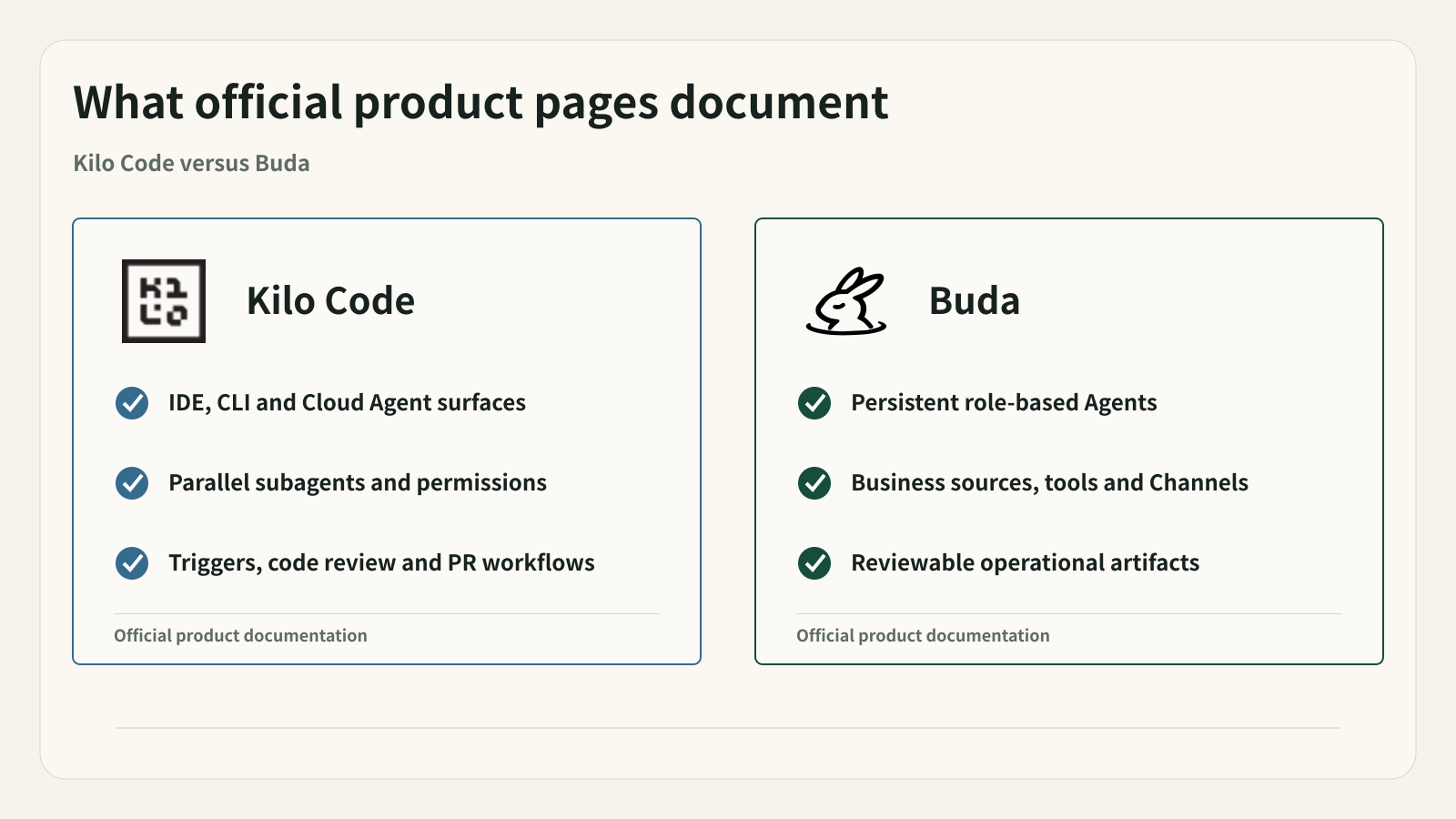
Kilo Code is not just a VS Code extension. Its current official documentation describes one open-source agent core across VS Code, JetBrains, CLI, and Cloud Agents, plus Agent Manager, parallel subagents, code review, granular tool permissions, model choice, reusable skills, remote connections, and scheduled or webhook triggers.
That product surface overlaps with Buda in important ways. Both can run Agents in the cloud, retain context, reuse procedures, call tools, schedule work, and keep people close to review. A fair comparison cannot reduce Kilo to “an IDE assistant” and then award every workflow feature to Buda.
The sharper buying question is what the organization is trying to operate. Kilo organizes Agent work around software repositories, developer environments, branches, diffs, and pull requests. Buda organizes work around specialized Agents, shared business context, cross-functional artifacts, owners, and human review across research, content, operations, sales, and engineering.
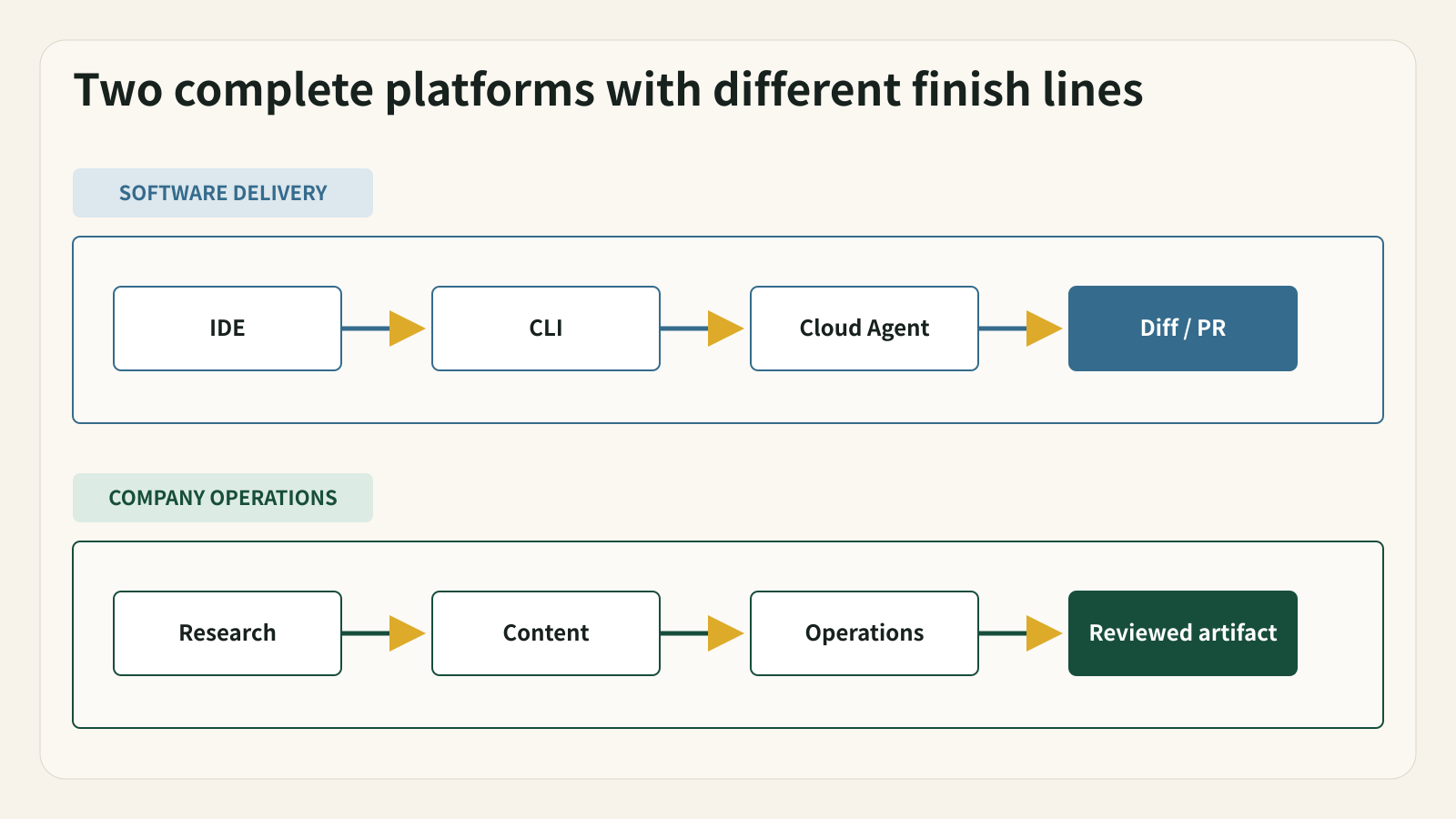
Both products execute work; the center of gravity is different
| Decision area | Kilo Code | Buda |
|---|---|---|
| Primary object | Repository, worktree, branch, diff, and coding session | Workflow, shared context, Agent role, artifact, owner, and review state |
| Surfaces | VS Code, JetBrains, CLI, browser Cloud Agents, mobile, and connected team surfaces | Browser-based Agent workspaces with Drive, Browser, Terminal, Git, Sessions, Channels, and review |
| Agent execution | Coding agents, subagents, Agent Manager, local and cloud environments | Specialized Agents across engineering and business workflows |
| Controls | Per-tool allow/ask/deny rules, diff review, worktrees, environment profiles | Tool boundaries, workspace roles, reviewable artifacts, visible ownership and execution history |
| Natural outcome | Tested code, reviewed diff, branch, commit, or pull request | Brief, report, table, draft, CRM update, PR note, decision package, or action list |
The distinction is not “Kilo codes and Buda has workflows.” Kilo has substantial workflow and orchestration features. The distinction is whether the repository is the operating center or one source inside a broader company process.
Kilo Code's real strength is continuity across coding surfaces
Kilo's rebuilt extension and CLI share a portable core. A developer can work in VS Code, JetBrains, or a terminal; use model and agent configuration from the same files; run specialized agents; and review changes through editor or terminal surfaces. Current documentation also describes subagent delegation and parallel work.
Cloud Agents extend that loop beyond the local machine. They can clone a GitHub, GitLab, or Bitbucket repository into an isolated Linux container, create a branch, run commands, and optionally commit and push. Worktrees separate concurrent tasks. Environment profiles carry setup commands and secrets. Triggers can start Cloud Agent sessions from webhooks or schedules.
This is a credible platform for a software team that wants one coding-agent system across local and remote development. Kilo also documents granular permissions, saved diffs, code review commands, and human review surfaces. Buda should not claim that Kilo lacks controls or asynchronous execution.
Where Buda starts from a different object
Buda starts with a repeated company workflow rather than a repository. The sources might include web pages, Drive documents, customer notes, spreadsheets, terminal output, Git diffs, or prior reports. The deliverable may be code-related, but it may just as easily be a sales brief, content package, operations report, research memo, or reviewed CRM update.
That changes how Agents are organized. A content Agent and an engineering Agent do not need the same tools, source files, output format, or reviewer. Buda gives each workflow a persistent workspace while keeping artifacts and ownership visible to the wider team.
For engineering work, Buda can keep issue context, Git evidence, test results, PR notes, launch documentation, and business approval together. It is not necessarily the best surface for the developer's inner edit loop; it is the place where the implementation becomes one part of an accountable delivery.
Review means different things in each system
Kilo's review center is the code change. Its current documentation describes file diffs, line-level review, code review commands, branches, worktrees, and commit or push behavior. A developer can inspect exactly what an Agent changed before accepting it.
Buda's review center is the artifact and next business action. A team may review a release brief, research table, campaign draft, customer response, CRM update, or PR risk summary. The reviewer needs the source context, owner, status, and execution record, not only a file diff.
Neither record replaces the other. A business approval cannot validate code correctness. A clean diff cannot approve a customer communication or production rollout. Mature teams preserve both when the workflow crosses that boundary.
Four scenarios that clarify the choice
1. Standardize AI coding across IDE, terminal, and cloud
Kilo should be evaluated first. A shared core, broad model choice, Cloud Agents, worktrees, reviews, and developer configuration make it a direct software-engineering platform.
2. Run autonomous repository tasks from triggers
Kilo is still the direct candidate. Its Cloud Agent documentation describes webhook and scheduled triggers, environment profiles, repository setup, and session history. Validate current limits, credentials, branch policy, and review behavior with a real repository.
3. Coordinate a release across engineering, support, marketing, and operations
Buda becomes relevant when code is only one workstream. Separate Agents can prepare technical evidence, documentation, communication, and operational checklists while a named person reviews the complete delivery package.
4. Let non-technical teams own Agent workflows
Buda is the more natural starting point when sales, content, operations, or customer teams need persistent Agents without first adopting a developer-centric repository and CLI model. Its no-code product surface is built around templates, connected context, outputs, and approval.
The acquisition is context, not a forecast
Kilo's official site states that it has been acquired by Anaconda. That is relevant ownership context. It is not evidence about future features, pricing, availability, or integration plans. A purchase decision should use the current documented product and the actual account available to the team, not speculation about what the acquisition may produce.
Using both without duplicating work
A combined workflow can be clean when responsibilities are explicit:
- Buda maintains the product request, customer evidence, acceptance criteria, release constraints, and owners.
- Kilo runs the repository task in a local or cloud coding environment.
- Developers review the diff, tests, branch, and pull request in the engineering system.
- Commit, PR, and test evidence return to a Buda release artifact.
- Documentation, support, operations, or launch Agents complete their parts.
- A named human approves the consequential action.
Do not mirror every Kilo session into Buda. Preserve only the evidence and decisions needed by the broader workflow. Likewise, do not move business approvals into a code diff merely because the implementation happened there.
A fair pilot
Use one change that includes both implementation and a real organizational handoff.
- Define the repository, branch policy, tests, source documents, deliverables, and reviewers.
- Let Kilo handle the coding task across the surface the developer actually prefers.
- Let Buda handle only the cross-functional context and artifacts.
- Measure setup time, successful completion, correction effort, review clarity, and repeatability.
- Inspect permission prompts, secret handling, environment setup, and failure recovery rather than judging a polished demo.
- Keep one product if one product genuinely covers the whole workflow. Use both only if the boundary removes recurring coordination work.
FAQ
Is Kilo Code only an IDE extension?
No. Current official documentation covers VS Code, JetBrains, CLI, Cloud Agents, mobile and remote surfaces, subagents, Agent Manager, code review, permissions, Skills, environment profiles, and triggers.
Is Buda a replacement for Kilo Code?
Not for every developer. Kilo is purpose-built around coding work and repository delivery. Buda is relevant when the company needs persistent Agent roles and reviewed artifacts across technical and non-technical workflows.
Can Kilo run work without a local computer?
Kilo Cloud Agents run in cloud containers and can work against connected repositories. Remote Connections are different: they expose a local CLI session and require the local machine and CLI to remain online. Verify which mode a proposed workflow uses.
Which product has better governance?
A single ranking would be misleading. Kilo documents tool permissions, diff review, worktrees, environment and organization controls. Buda documents workspace roles, shared context, reviewable artifacts, ownership, and execution history. Evaluate the controls that match the actual action being governed.
Sources
Verified September 22, 2026.