Buda vs Make AI Agents: build a business scenario or manage an ongoing agent workspace?
Use task routing, tool contracts, failure tests, and artifact handoff to choose an operating model.

A customer sends an inquiry with an untidy requirements spreadsheet. Someone must identify the product, find supporting material, flag missing conditions, and draft a reply. Known fields can be mapped. Ambiguous requests require judgment. A quote should not go out without acceptance.
That is not a choice between automation and agents. Make puts agents inside the Scenario Builder, where triggers and mappings surround tool selection and knowledge use. Buda organizes work in an inspectable environment for files, browser activity, commands, and repeated artifact revisions.
The deciding question is what you maintain: a cross-system business scenario, or a work product people inspect and continue editing?
Route tasks before adding an agent
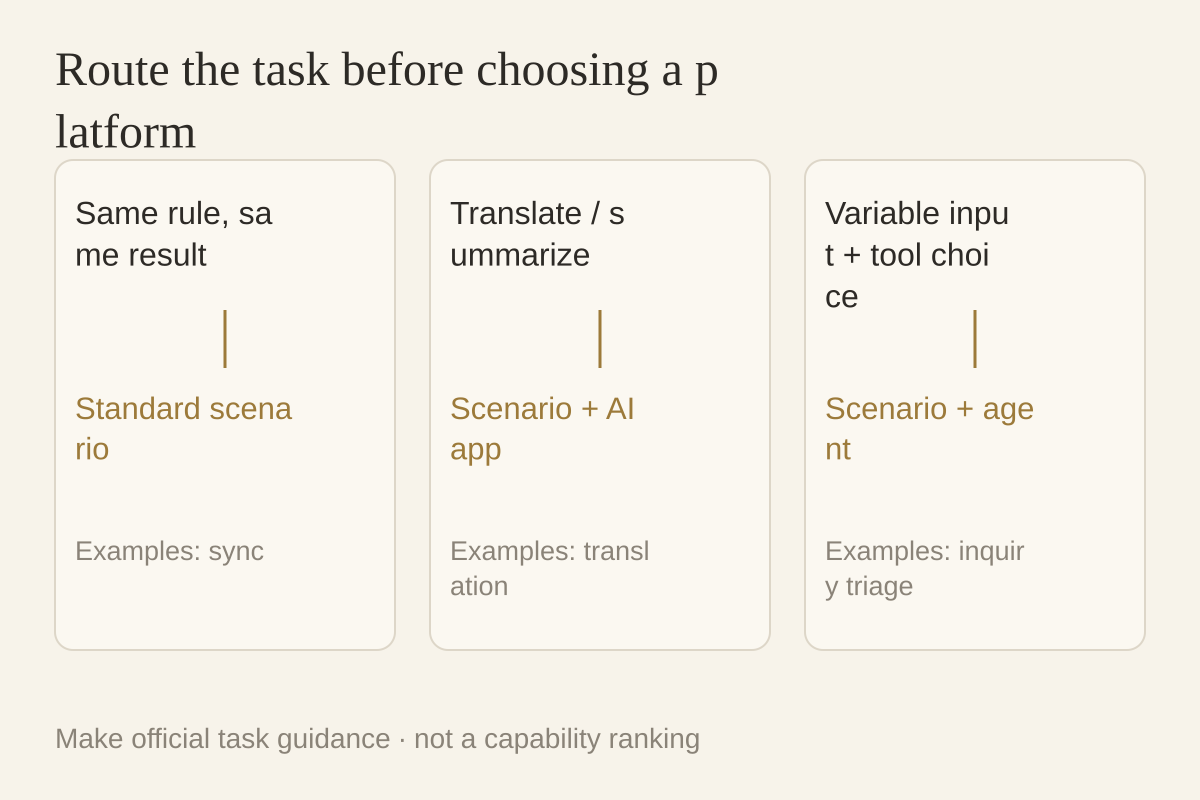
Make’s new-agent introduction separates three jobs:
- Known logic: use a standard scenario for synchronization, order processing, and record updates.
- Parameterized AI: use a scenario with an AI app for translation, transcription, or summarization with defined inputs and outputs.
- Variable judgment: use an agentic scenario for ticket classification, candidate screening, or market analysis.
An agent adds uncertainty when rules already determine the answer. Conversely, variable requests and tool choices cannot always be covered by a growing collection of fixed branches.
The documentation refers to Make AI Agent (New), released February 2, 2026. It remains described as open beta at verification; functionality and pricing may evolve.
How an inquiry reaches a Make agent
Build a draft-only inquiry flow first: no customer emails or official quotations.
Receive the event. Make’s trigger guide covers chat, email, forms, webhooks, and mailhooks, and also describes scheduled autonomous scenarios. The trigger determines how requests arrive.
Separate current input from reference knowledge. Customer text and attachments vary per run. Product guides, FAQs, and company policies are knowledge. Make describes knowledge as reference files in the agent’s memory; it would be inaccurate to call this a memoryless system.
Expose bounded tools. Tools can be modules, scenarios, MCP server tools, and other agents. An existing product-query scenario may become a tool, but its input contract, output, and write permissions need checking first.
Deliver a defined output. Request category, evidence, missing fields, and a draft, then map them to an internal review destination. “Handle the customer” is harder to verify than explicit acceptance objects.
The maintenance work is triggers, mappings, connections, and tool contracts. Assign an owner for attachment changes, renamed CRM fields, and empty query results.
Make offers visual debugging, not only final answers
The new-app announcement describes building, running, testing, and debugging in the Scenario Builder. Animations show thinking status, timing, and tool-call order. The Reasoning panel presents decision explanations; tools, knowledge, chat tests, and files are accessible in the builder.
Make therefore offers visibility into agent actions. A fair comparison is not “Make is a black box.” It organizes inspection around scenario execution and calls; Buda gathers files, webpages, commands, and code artifacts in one execution site.
A Reasoning explanation is not independent evidence of correctness. Correct tool selection can still use outdated material, and a successful scenario can omit a customer requirement. Inspect sources, results, and unresolved items.
In Buda, produce a revisable work packet
The Agent Workspace exposes chat, persistent Files, Terminal, AI Browser, Web Preview, and Git on the same cloud computer.
Prepare customer text, approved product material, prohibited promises, reply requirements, and an output folder. The agent can organize attachments, browse permitted public sources or run scripts, then create a requirements sheet, source list, and response draft.
The owner opens actual files and intermediate outputs, requests revisions, and retains working material for the next pass. A file is not authorization to act: email, CRM, and external tools still need configured and verified access.
Drive and memory also distinguish one Agent’s files from shared Space Drive material. Handoff should name shared sources and accepted versions rather than assume all context appears across Agents automatically.
Compare maintenance objects, not intelligence
| Question | Make AI Agents route | Buda workspace route |
|---|---|---|
| Where does input arrive? | Scenario trigger and mappings | Task, Drive, configured connections |
| How is material accessed? | Knowledge and module/scenario/MCP tools | Files, browser, scripts, authorized tools |
| What is inspected after failure? | Steps, calls, inputs, outputs, Reasoning | Files, commands, browser work, artifacts |
| What does a colleague inherit? | Scenario, connectors, tool contracts, tests | Work directory, instructions, versions, criteria |
| How do results return? | Downstream modules and verified grants | Accepted file delivery or validated connections |
When an event must move through several systems with a judgment step, Make’s scenario model is a natural starting point. Existing Make users need not migrate just because another agent product exists.
When work develops into research, files, scripts, and successive revisions, and the owner needs to open the output and continue, Buda merits a test. That is an operating-model judgment, not a measured efficiency ranking.
Test bad inputs for maintainability
Use missing product IDs, conflicts between attachment and message, and empty tool results. On both platforms require the agent to flag gaps rather than guess and to keep drafts for human decisions.
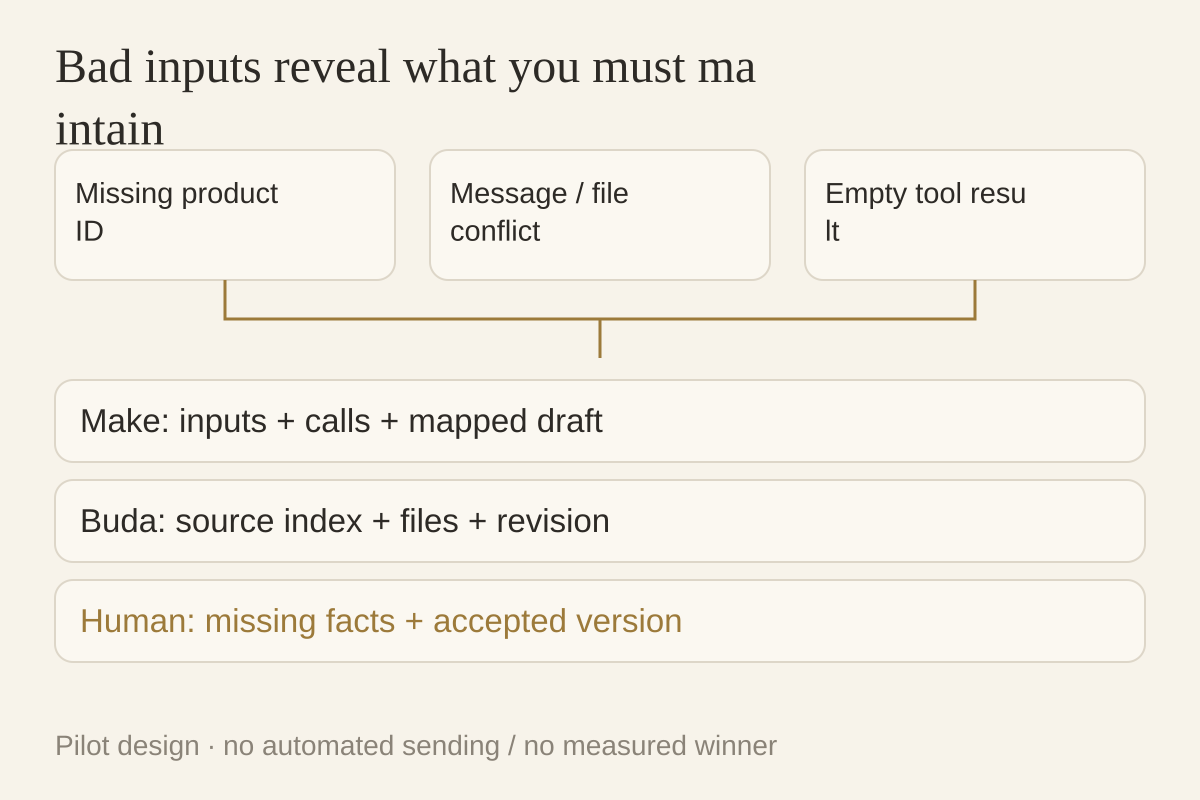
Record source versions, explicitly missing information, failed tools, duplicate-write or duplicate-send risks on retries, second-person handoff, and the accepted version’s owner. Measure setup, rework, inspection, and continuation rather than assume Make is cheaper or Buda is faster. Make Credits, upstream model fees, and Buda Credits are separate units.
Keep synchronization separate from open-ended output
Existing Make scenarios can retain fixed synchronization while Buda prepares reviewable research or documents. Specify file format, record ID, source version, write-back owner, and allowed actions at the boundary.
Start with explicit file delivery and configure the connections and tools required on each side. Do not let both agents update the same customer record simultaneously. Begin with internal drafts before testing formal writes.
In Buda, use real redacted input to produce a reviewable packet. Package repeatable steps as a Skill, or search and install an appropriate Skill in Buda AI’s Marketplace. Establish second-person continuation before scheduling the method.
Three common build failures
Instructions are ready. Why can’t the agent query the CRM?
Check that the querying module or scenario is registered as a tool and that its connection account can access the record. Test the tool alone with one customer ID, inspect returned fields, then give it to the agent. Instructions request the lookup; they do not create a connection or grant access.
How should an existing scenario become an agent tool?
Narrow it to one action, such as looking up stock by product ID, rather than handling an entire sale. Define required inputs, returned fields, and the no-result response. Test it independently. Separate read-only queries from sending or writing and keep those side effects disabled in the draft pilot. Make supports scenarios as tools; their contracts determine whether agents can use them correctly.
How do I prevent guessed data and duplicate sends on retry?
Keep explicit missing-field and review-needed outputs. A missing product ID should produce a draft, not a quotation. Put sending and official writes in separate steps triggered after human acceptance. Retain a record ID and check whether it has already been processed before execution. Test missing IDs, conflicting attachments, and empty query results to verify that the flow stops at review.