Buda vs Pi: customize the harness or operate an agent workspace?
Compare responsibility for extensions, execution boundaries, and reviewable artifacts.

A team considering Pi often wants to change how an agent works: add tools, reshape interaction, or embed the runtime in an application. Another team needs several business roles to keep working, preserve files, and leave results that someone else can accept.
Those are different decisions. Pi is an extensible agent harness; Buda provides an agent workspace with a persistent cloud computer. When evaluating a Pi alternative, start with who maintains extensions, execution boundaries, and delivery evidence—not which answer sounds better.
Decide which layer you want to own
The official Pi repository describes a minimal, extensible harness. Its toolkit includes a multi-provider LLM API, agent runtime, terminal UI, and coding CLI. Use it interactively, automate print or JSON mode, control it through RPC, or build with the TypeScript SDK.
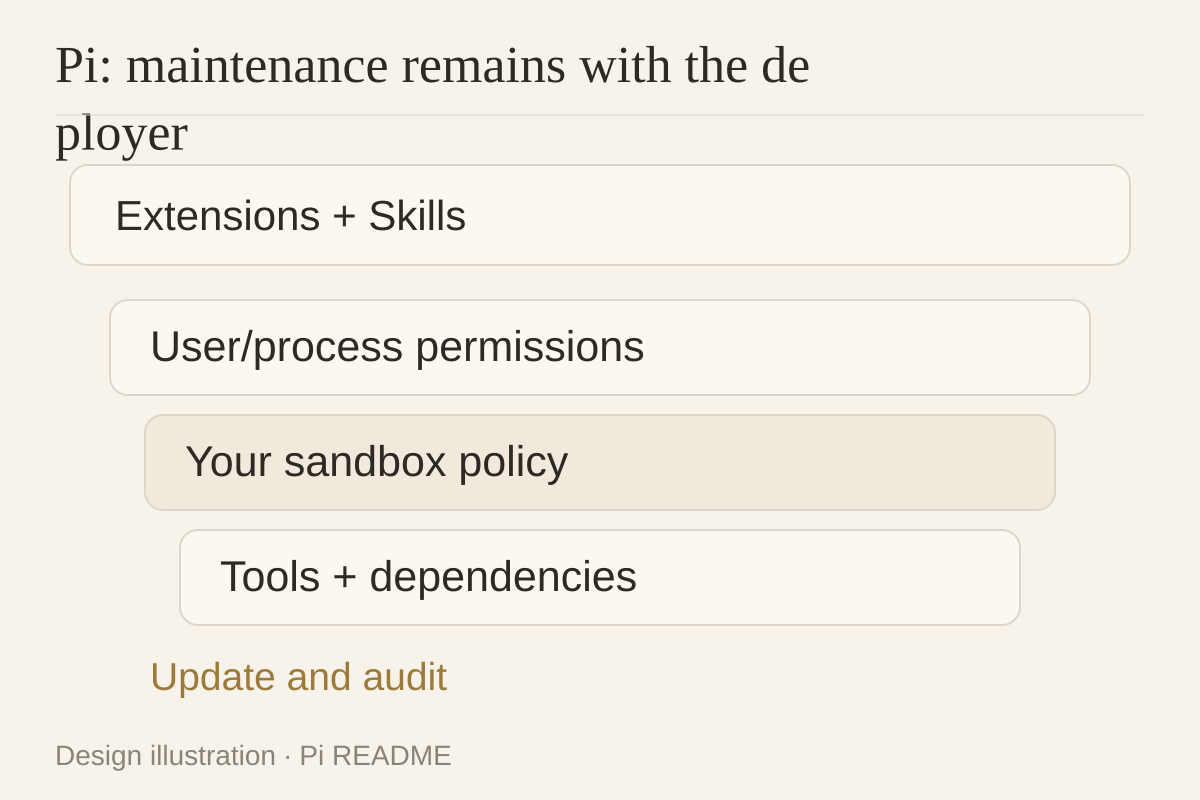
Extensions, skills, prompt templates, and themes can be bundled as Pi packages and shared through npm or Git. This is useful when an internal application needs a different interaction model or tool integration. It also gives the team responsibility for package versions, dependencies, and failures.
Pi deliberately omits built-in subagents and plan mode. That is a default, not a permanent limit: the README invites users to build or install what they need. Do not confuse a minimal core with an inability to orchestrate more elaborate work.
Buda supplies files, browser, terminal, and Git inside each agent’s isolated, persistent cloud computer, with execution visible in the workspace. Teams can manage role materials and repeatable tasks without first building an application shell. This does not establish Pi-extension compatibility; moving a workflow still requires mapping tools and authorizations.
Evaluate extensibility alongside permissions
Pi explicitly has no built-in system for restricting filesystem, process, network, or credential access. By default, it inherits the permissions of the launching user and process. The README recommends containerization or sandboxing where stronger boundaries are required, with Gondolin, Docker, and OpenShell patterns.
For every extension, inventory readable directories, executable commands, network access, and credentials. Instructions are not operating-system isolation, and a confirmation dialog is not a substitute for a deployment policy.
Buda provides a per-agent sandbox, but people still manage the files, sign-ins, and integrations granted to it. Visible execution does not mean every tool action requires approval. Compare execution boundaries, business authorization, and acceptance separately; these sources do not establish a security winner.
Test maintenance with two identical deliverables
These are proposed pilots, not completed benchmarks. Use the same approved inputs and acceptance rules; record any model differences separately.
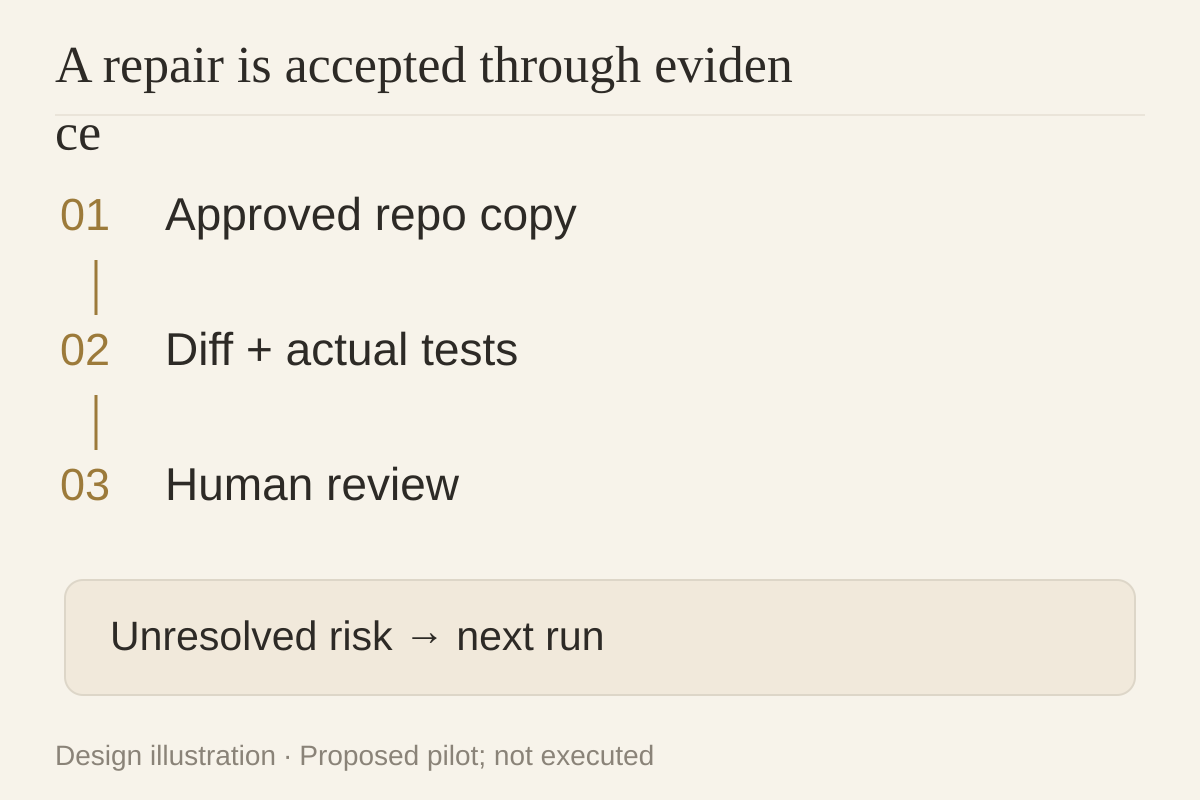
A small repository repair: use a copy without production secrets and restrict the allowed directories. Require a diff, test commands, actual test output, and remaining risks. Record Pi extensions and environment versions; record Buda task files and the review location. A human accepts the artifact, not the statement “fixed.”
A business weekly report: provide a sanitized CSV and a defined calculation method. Require the report, source index, calculation script, and exceptions. Ask a colleague who did not run it to reproduce one number and continue one unfinished item. Record missing material and follow-up questions rather than predicting time savings.
The first pilot exposes engineering ownership; the second exposes handoff cost. If the main constraint is an inflexible runtime, Pi’s open interfaces are directly relevant. If the constraint is scattered artifacts and repeatedly rebuilt role context, evaluate persistent workspaces.
Make a run maintainable by someone else
Write down the maintainer, execution environment, tool permissions, required artifacts, reviewer, and rollback. This responsibility sheet can accompany a Pi package or live in Buda’s role rules and task process. The transferable object is the workflow—not an assumed common configuration format.
For the architectural distinction, see agent harness vs meta-harness. For a practical next step, run one team-reviewed task in the Buda Agent Workspace, preserving inputs and acceptance evidence. When the procedure stabilizes, search and install a suitable Skill in the Buda AI Marketplace, then adapt its permissions.
FAQ
Is Pi the same product as Oh My Pi?
No. Pi (earendil-works/pi) and Oh My Pi are separate projects with different feature sets.
Does Pi restrict tool access by default?
Its README says it has no built-in filesystem, process, network, or credential permission system. Verify the actual container or sandbox policy you deploy.
When is the SDK useful instead of the CLI?
When embedding an agent in your application or controlling interaction and orchestration. Interactive repository work does not necessarily require a custom application.
Does the absence of built-in subagents prevent complex work?
No such conclusion follows. Pi allows custom implementations and packages; results still need artifact-level validation.
Can Pi extensions be imported into Buda?
No compatibility was tested here. Re-map business steps, tool interfaces, and authorization rather than assuming import support.
Verified October 9, 2026 against official sources. Pilot procedures are unexecuted designs.