Turn a team SOP into a Skill—and test when it should not run
Use positive prompts, near-miss requests and missing-input cases to make a recurring method inspectable.

Every week, an agent summarizes support tickets. Every week, someone repeats the date range, fields and format. A Skill can package those instructions. But if “explain this report template” launches a full summary, or missing data leads to last week's files, reuse packages the error too.
The first acceptance test is whether the method starts and stops in the right situations. Choose one job the team has already done more than once, then build its boundaries before its automation.
Define the input contract for one report
Use a fictional support report: recurring issues, escalation items, missing facts and next owners. It drafts a report; it does not send it, change tickets or issue refunds.
Specify the date range, support queue, current ticket file, permitted template and output. Dates are run-specific variables, not a permanent instruction to use “this week.” A support queue should identify the product or business area, not implicitly authorize reading every folder.
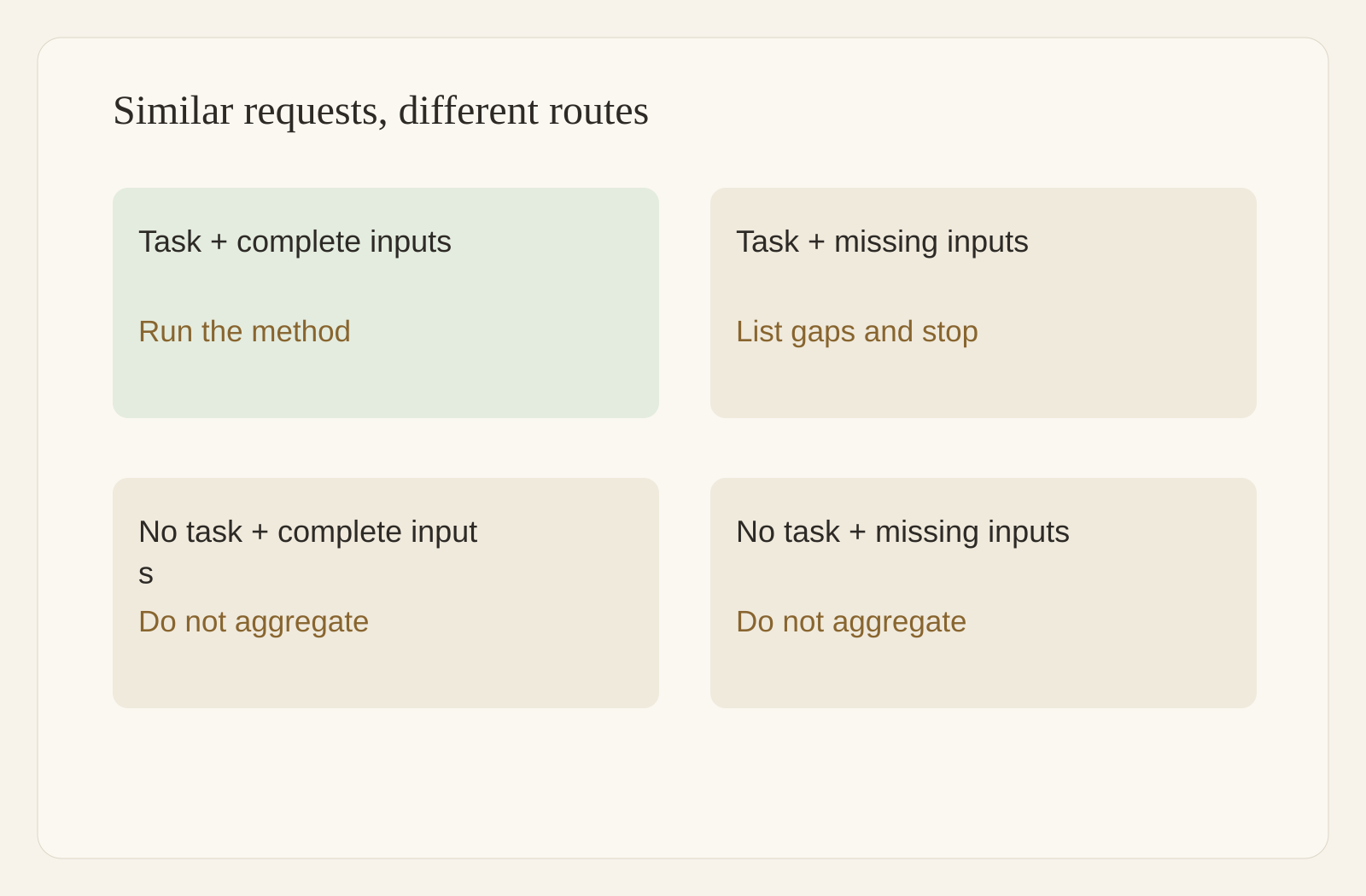
If the file is missing, dates disagree or required fields are absent, ask for the missing input. Do not infer current-week facts from a previous report or turn an empty field into a normal value. Ticket counts alone cannot establish resolution time.
Job: summarize one named support queue for explicit start and end dates.
Inputs: date range, current ticket file, report template.
Outputs: report draft and missing-input list in this run's work folder.
Stop: dates unspecified, file missing or data outside the requested window.
Do not: send, change ticket status, refund or answer customers.
Ask Skill Creator to package the method
In a Buda agent session, say “Turn this into a skill.” Skill Creator asks about the job, trigger situations, expected output and tests, then drafts SKILL.md.
Provide the input contract, template and examples. The name identifies the Skill; the description explains when to use it; the body describes the steps. Keep customer data, credentials and a particular week's source file out of a shared Skill. Let the method reference the inputs supplied for each run.
First search and install a suitable Skill in the Buda AI Marketplace, inspect its method, then decide whether to customize. The useful difference from a generic method may be the date boundary, output contract and stopping conditions—not a more impressive name.
Distinguish three similar requests
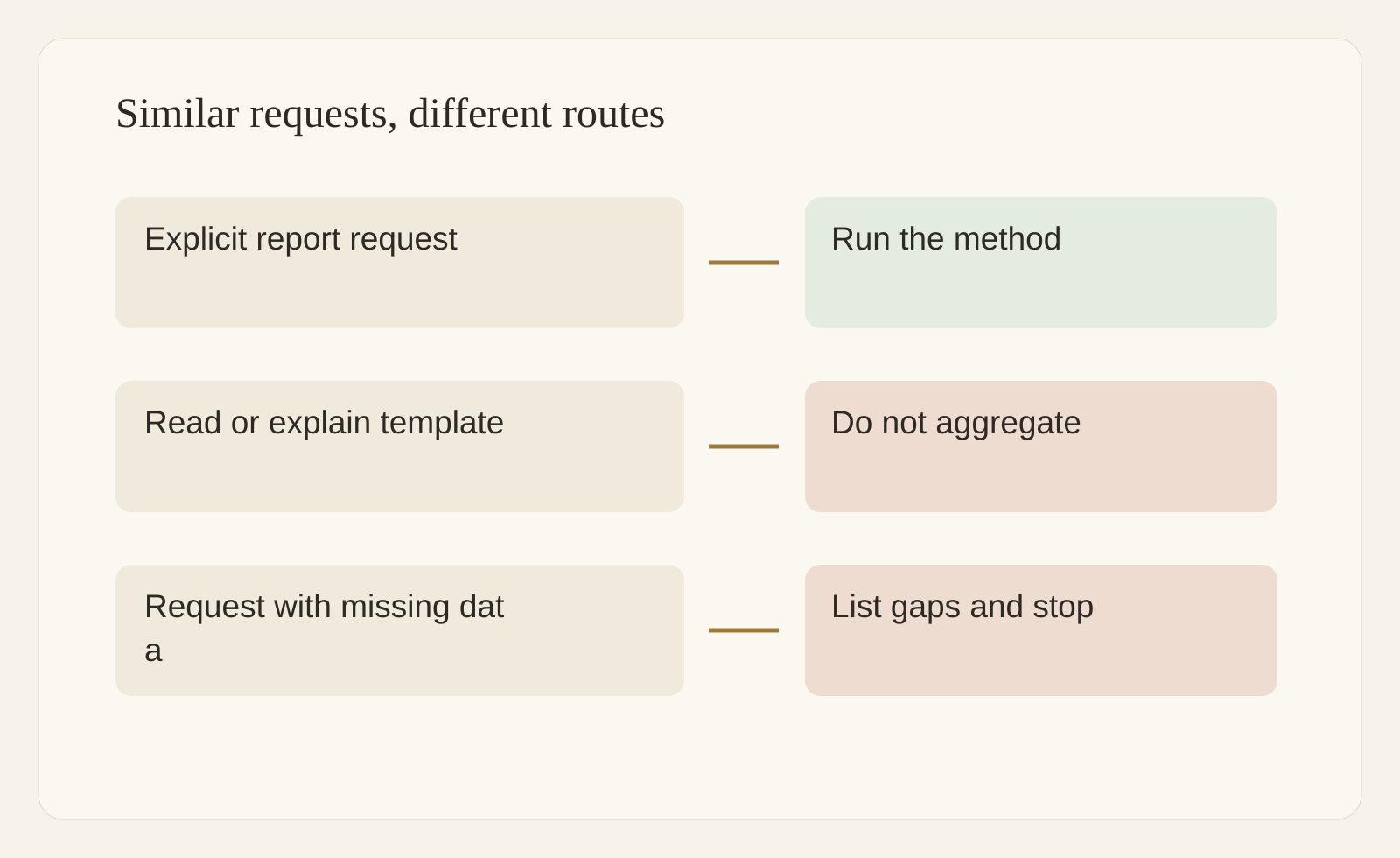
“Summarize this week's support tickets using our template” should invoke the method. “Explain the template's columns” should not start ticket processing. “We have no new file; let's discuss support strategy” is not authorization to manufacture a report.
A description can express those distinctions:
Use when the user explicitly requests a support-ticket report
for a named date range using the team's template.
Do not use for reading the template, explaining fields or discussing strategy.
If execution is requested but required inputs are missing,
list the gaps before generating a report.
This is a description to test, not a guaranteed classifier. Use realistic language, including phrases colleagues would not copy from the manifest. Tool declarations are not an approval system; a “read-only” sentence does not replace checks on actual task behavior.
Write five steps with inspectable outputs
Read: identify the requested window and current file, without scanning unrelated customer materials.
Validate: check dates, ticket IDs and required fields; list conflicts separately from gaps.
Organize: follow the template, retain ticket references and mark unrecorded causes as unresolved.
Check: reconcile counts to inputs, explain duplicates and name owners for escalations.
Deliver: save a draft and gap list, give their paths to the reviewer and stop before sending.
An input and expected result for each step are more testable than “analyze carefully.” Distinguish recorded facts from inference; missing root-cause data must remain missing.
Try three positives, three negatives and two incomplete requests
This is a suggested acceptance set, not measured performance:
| Case | Expected behavior |
|---|---|
| Complete dates, file and template | Run and deliver a draft |
| Same job phrased informally | Recognize it without changing scope |
| Another queue and date window | Use the new inputs |
| Read the template only | Do not aggregate tickets |
| Explain a field | Explain, without inventing a report |
| Discuss strategy | Do not start the report workflow |
| No ticket file | Ask for it and stop |
| File dates conflict with request | Show the mismatch, not old data |
Record the prompt, actual invocation, artifact, error and revision. Separate missed triggers from false triggers. A correct-looking report built from the wrong source fails. Eight passing examples would not establish reliability for every business scenario.
Verify the version before sharing
Apps & Skills shows the full manifest. After editing a Local Skill, Refresh to rescan the workspace, read the changed steps and repeat the case that prompted the edit. Refresh does not certify tests or publish a Marketplace listing.
Try the method at agent scope first. Consider space scope only after the team accepts the outputs and stop conditions. Space-scoped Skills are visible to agents in the Space; keep sensitive information and customer-specific context out of the shared method.
Keep a revision note, changed behavior and affected cases. A description change alters invocation; an output-field change can affect downstream work. Re-run positive, negative and missing-input examples. Scheduling comes later, with explicit per-run dates and data sources. A fixed schedule does not validate the method.
How is a Skill different from an agent?
The agent carries sessions, files and tasks. A Skill supplies a specific method it can load. Packaging the method reduces repeated explanations, but each report still needs its dates and current file.
Why Refresh after editing?
Apps & Skills rescans the workspace to pick up changes. Edit the Local SKILL.md, Refresh, open the manifest to inspect the version and steps, then repeat affected tests.
Which negative example is most useful?
Keep a request that sounds close to the real task but should not execute, such as “just explain this report template.” It exposes an overly broad description. Also retain a mismatched-date case to catch reuse of stale inputs.
Choose one repeated SOP, write its stop conditions and give the eight examples to Skill Creator. A reusable method should make it easier to begin—and clearer when to stop.