GitHub Copilot Semantic Issue Search: Why Agent Work Starts with Better Triage
GitHub Copilot Chat now supports semantic issue search. The real shift is that AI agents can start by understanding the work queue.
GitHub Copilot Chat now supports semantic issue search. Users can search, group, and analyze issues in natural language, with results powered by a semantic issues index.
This sounds like a search feature.
It is also a quiet shift in how agent work begins.
Before an agent writes code, fixes a bug, or opens a pull request, it has to understand the work queue. What is repeated? What is urgent? Which issues are related? Which problems are really the same problem with different words?
Better triage is the first step toward better agent execution.
What happened
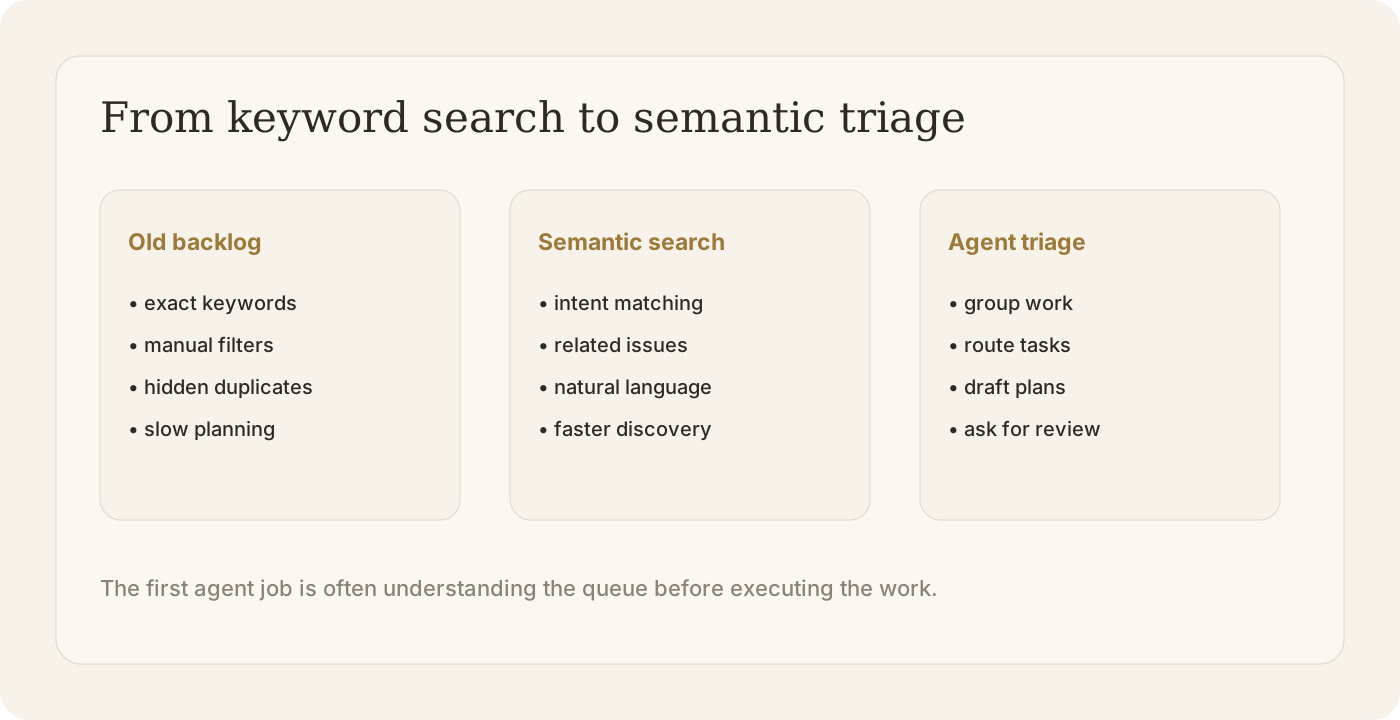
GitHub says Copilot Chat on web can now understand the intent behind a natural language query and surface issues that are semantically related, even when they are worded differently.
That matters for everyday work. Teams often remember the shape of a problem, not the exact issue title. They may know that something is related to a platform, environment, customer workflow, or release blocker, but not which keyword was used when the issue was filed.
Semantic issue search reduces that friction. It lets people ask about work the way they understand it, not the way the backlog happened to be labeled.
Why it matters
Backlogs are messy. They are full of duplicates, half-described bugs, inconsistent labels, old assumptions, and product language that changes over time.
A model can generate code from a clean prompt. But real engineering work rarely starts from a clean prompt. It starts from a pile of issues.
That pile needs interpretation.
This is why semantic issue search is more than convenience. It turns the backlog into something closer to an agent-readable context layer.
Once issues can be searched by intent, they can also be grouped by theme, connected to prior fixes, routed to the right owner, and transformed into executable tasks.
What teams should do next
1. Treat triage as part of the agent workflow
Triage is not administrative noise. It is where the team decides what the work actually is.
If teams want AI agents to execute reliably, they need a clearer path from “messy issue” to “structured task.” Semantic search is one step in that path.
2. Look for patterns, not just tickets
The value is not only finding one issue faster. It is seeing clusters: five issues about the same onboarding friction, three bugs from the same browser, repeated requests from one customer segment.
Those clusters are where agents become useful. A human can decide the direction. An agent can investigate the pattern, collect evidence, draft a fix plan, or prepare a batch of follow-up tasks.
3. Keep the human at the decision point
Semantic search can surface related work. It should not automatically decide priority, scope, or risk.
The best workflow is not “agent decides everything.” It is “agent prepares the work so humans can decide faster.”
How this connects to Buda
Buda is built for this kind of workflow: turn scattered inputs into managed agent execution.
Drive can hold product docs, customer context, research notes, and prior decisions. Skills can capture how a team triages a bug, investigates a regression, or prepares a release. Automations can check repeated signals. Channels can bring the right human into the review point. The Agent Workspace keeps the work, evidence, and outputs in one place.
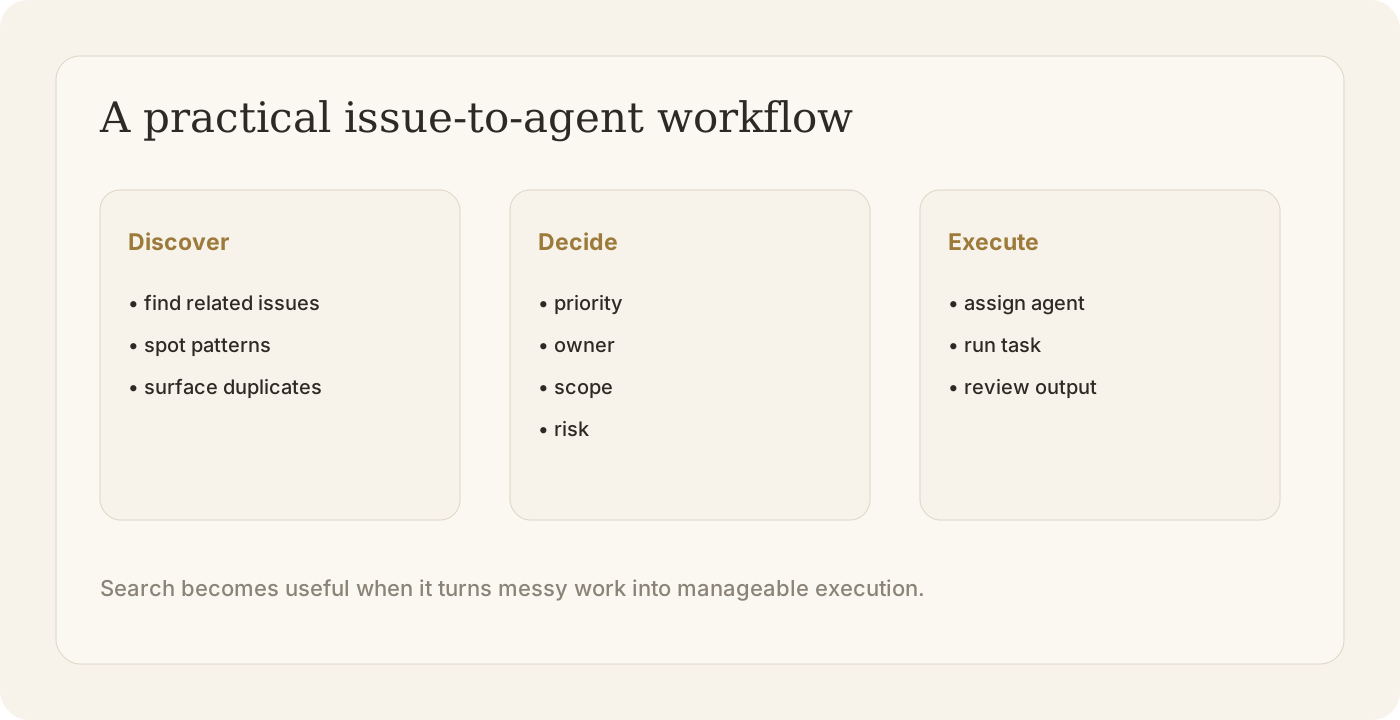
The pattern is simple:
- Find related work.
- Decide what matters.
- Let the agent execute the defined task.
- Review before shipping.
GitHub’s semantic issue search points to the same direction. AI work is not only about generating more output. It is about making the queue of work legible enough that agents can help.
Build your first managed agent workflow at buda.im, or read more about the Buda Agent Workspace.