OpenAI Agents SDK: an approval needs a real pause
Connect paused tools, trusted state and destination results to make consequential actions reviewable.

Tool execution, saved state and human decisions have different jobs. Connecting them determines whether a business action can be reviewed and safely resumed.
OpenAI Agents SDK supplies a programmable runtime for agent applications: instructions, tool selection, execution loops, delegation and traces. For a team connecting agents to business systems, the design question extends beyond choosing a framework. Which actions may continue automatically, which must stop, and who may resume them?
The official introduction describes agents, tools, handoffs and guardrails, alongside sessions, tracing, sandbox agents and human intervention. These are building blocks. An application still connects them to its identities, permissions, storage and destination systems.
Decide who owns the execution loop
Direct Responses API use fits applications that want to control their own loop, tool dispatch and state. Agents SDK fits workflows where the runtime should manage turns, tools, handoffs or sessions. Both approaches can coexist in one product; adopting the SDK does not require rewriting every request path.
Start with what the team wants to maintain. A short-lived answer may need little orchestration. Work that spans steps, real files and inspectable artifacts benefits from explicit state and recovery behavior. The framework reduces repeated implementation, while the application defines the business finish line.
A successful tool response is one event. Confirming that the intended business record changed is another. Giving both the same completion flag makes retries and review harder to reason about.
Tools, checks and approval answer different questions
Tools define available operations. Guardrails validate inputs, outputs or constraints. Approval grants permission for a particular consequential action. Configure these responsibilities separately.
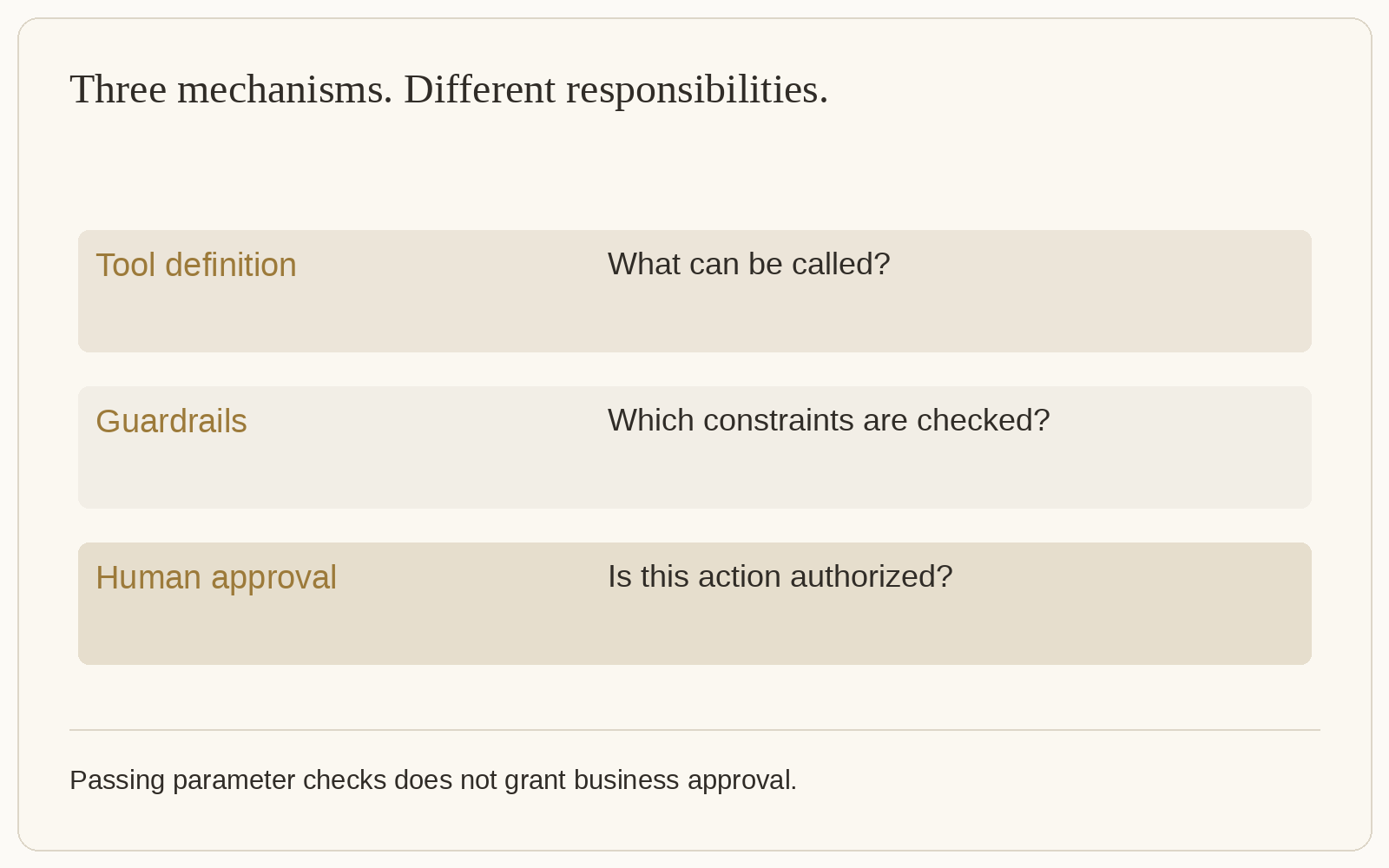
The human-in-the-loop guide describes tools that require approval. A pending call surfaces as an interruption. The application converts the run to RunState, obtains a decision, then resumes. The same pattern can cover tools reached through handoffs and approvals inside nested agent-as-tool execution.
An instruction to ask before sending is not itself an execution barrier. Configure the relevant tool or runtime policy to pause, then handle the interruption. Equally, a valid parameter schema does not mean the responsible person agreed to the action.
Show the request; keep trusted state on the server
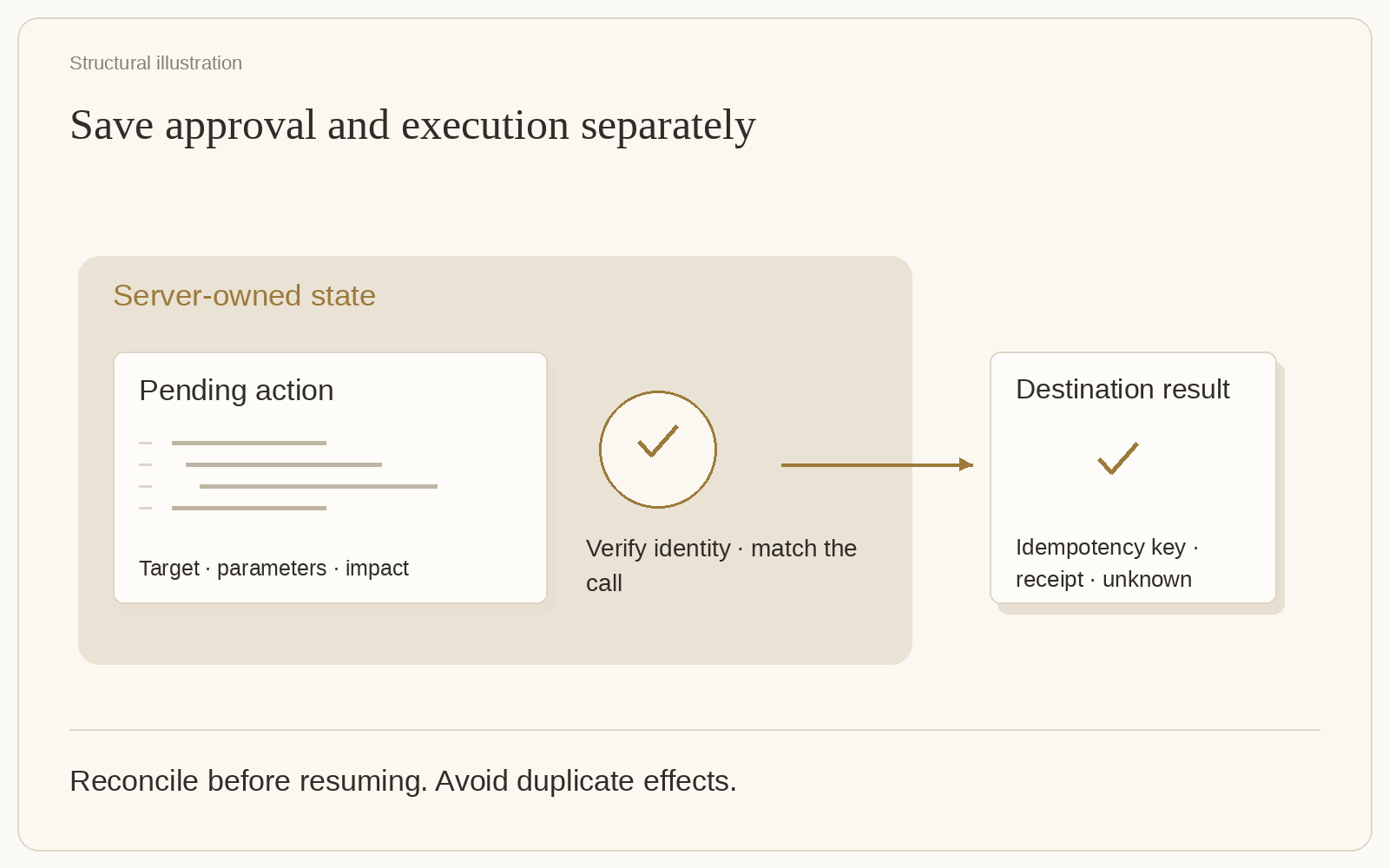
A reviewer needs the destination, parameters, intended effect and supporting evidence. A complete execution snapshot may contain pending calls and sensitive state, so keep it in application-controlled server storage.
The official guide explicitly says deserializing RunState does not authenticate a snapshot or its submitter. A well-formed state object is not proof of authority. Authenticate the reviewer, authorize access to the run, and match the submitted decision to a pending call held on the server.
A browser may submit a decision and an opaque identifier. It should not replace the tool arguments or the complete run state. Escape tool names and arguments when displaying them. The interface expresses a decision; the runtime resumes work; application identity and permissions control who can do either.
Concurrent review requires coordination too. Once one reviewer consumes a request and resumes execution, a stale page must not resume the same snapshot again. Use an atomic, owner-checked storage transition. Disabling a button is only a presentation change.
Approved once does not mean executed once
Consider an external action that completes just before the process crashes, before the new run state is saved. Resuming an older approved snapshot can call the tool again.
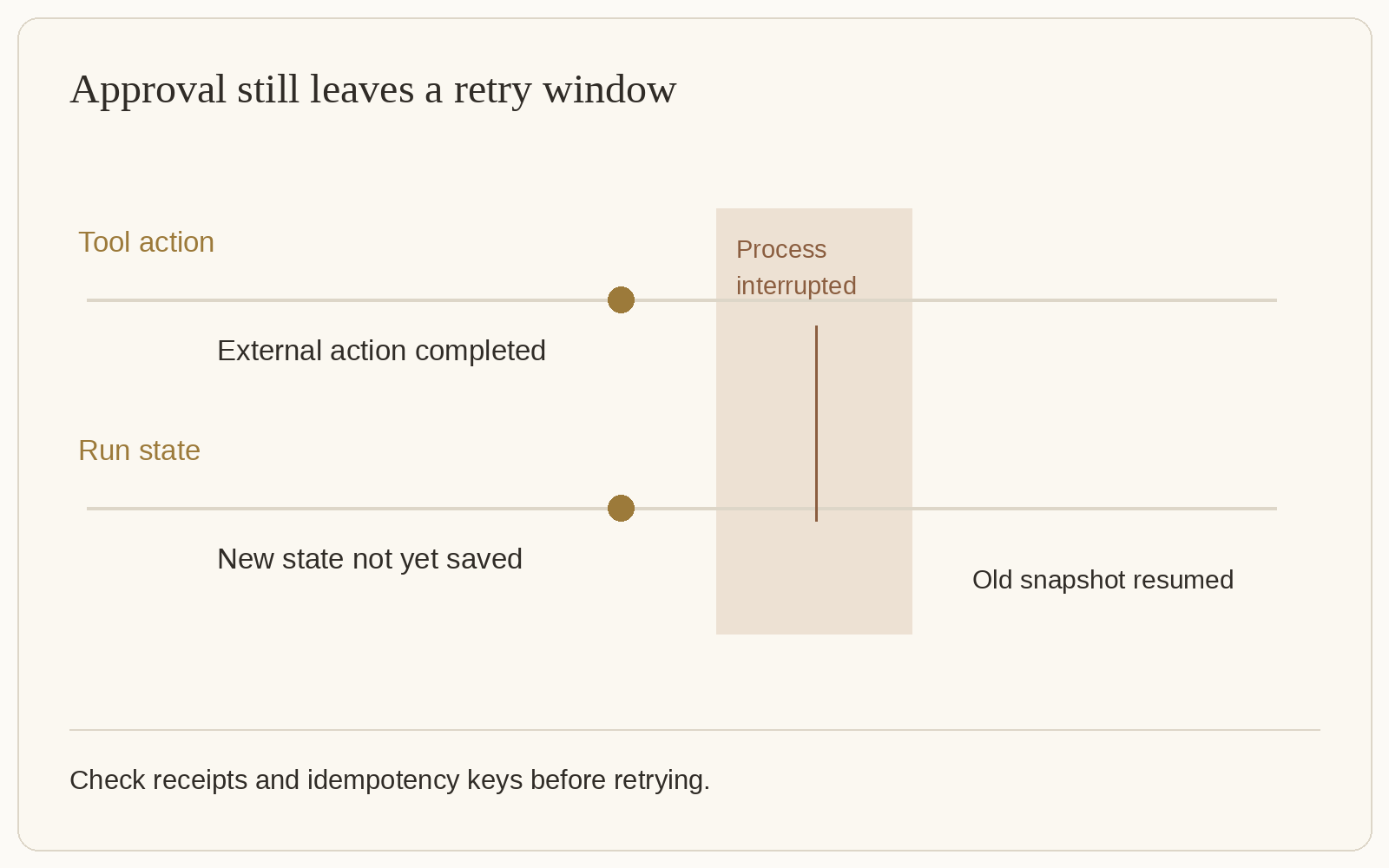
The documentation distinguishes approval from exactly-once effects. For payments, messages and business writes, assign a stable idempotency key to the logical action and use a destination that enforces it. Reuse the same key and parameters on retry, within that destination's retention and retry contract.
Where reliable destination-side idempotency is unavailable, reconcile the actual outcome before retrying. An ordinary query returning no result is insufficient: visibility may lag, or an earlier request may still finish. If the outcome remains uncertain, retain an unknown state instead of automatically replaying the action.
This changes the review surface. Alongside approved, a task needs to distinguish attempted, destination-confirmed and unresolved. Separating the decision from the execution result tells an operator whether the next step is verification or retry.
Persistent approval must match permission scope
The SDK supports both per-call decisions and sticky decisions for future matching tool calls. Sticky decisions reduce interruptions, but their matching scope matters.
The guide warns that local shell and file-edit approvals match tool type and name rather than the owning agent. Where executors have different access, prefer per-call decisions and a fresh approval context for new execution permissions. Identical tool names do not establish identical authority.
For approvals that may wait a long time, retain the SDK or agent-definition version. A paused snapshot needs a compatible restoration path. A later tool or model change can alter what the original request meant.
Connect the mechanism to a team deliverable
Teams can use Buda to build workflows around actual materials, execution and review. Prepare files, constraints and output requirements in an Agent; inspect the resulting artifacts before authorizing the next action. The workspace and Drive and memory support continuing context. Whether to build an SDK application depends on the runtime control required and the maintenance the team can own.
For a custom review service, first complete one end-to-end path: store a pending call, let an authorized reviewer decide, resume the original run, obtain the destination result and write it back to the same task. Then check crash recovery, duplicate submissions and rejection. The approval button is one part of that path.
Implementation questions
Does tracing replace a business audit trail?
Tracing helps debug execution. A business audit also needs identity, approval scope, action parameters, destination results and final state. Associate the trace with the business task while preserving their separate purposes.
Should every tool call need human approval?
Divide actions by impact and existing authorization. Authorized low-risk reads can continue automatically; sensitive writes and external actions can pause under tool policy. The requirement is an enforceable rule and an explanation of why a particular action was permitted.