PPT Master on Buda: Create Editable PowerPoint Decks with an AI Agent
Plan the audience and visual system first, then export a native PPTX teammates can keep editing.

An AI-generated presentation is only useful when the next person can keep working on it.
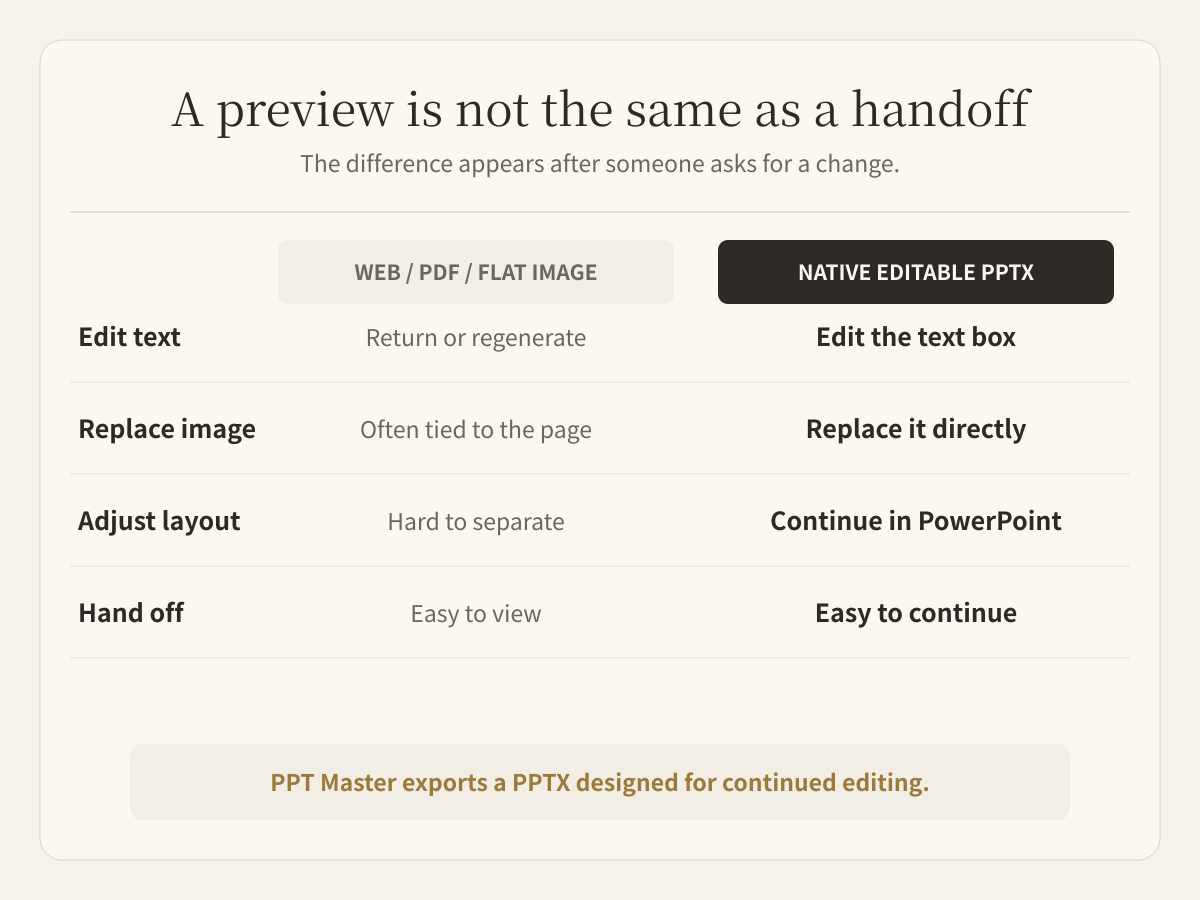
A polished preview is not the same as a handoff. If the final delivery is a webpage, PDF, or flattened slide image, changing one sentence may mean returning to another editor or regenerating the page. A native PowerPoint deck is different: the team can open the .pptx, revise the text, replace images, adjust layouts, and continue the work.
PPT Master brings that workflow into Buda. It is an open-source Skill that guides an Agent from source material and presentation strategy to page generation, quality checks, and an editable PPTX export.
What is PPT Master?
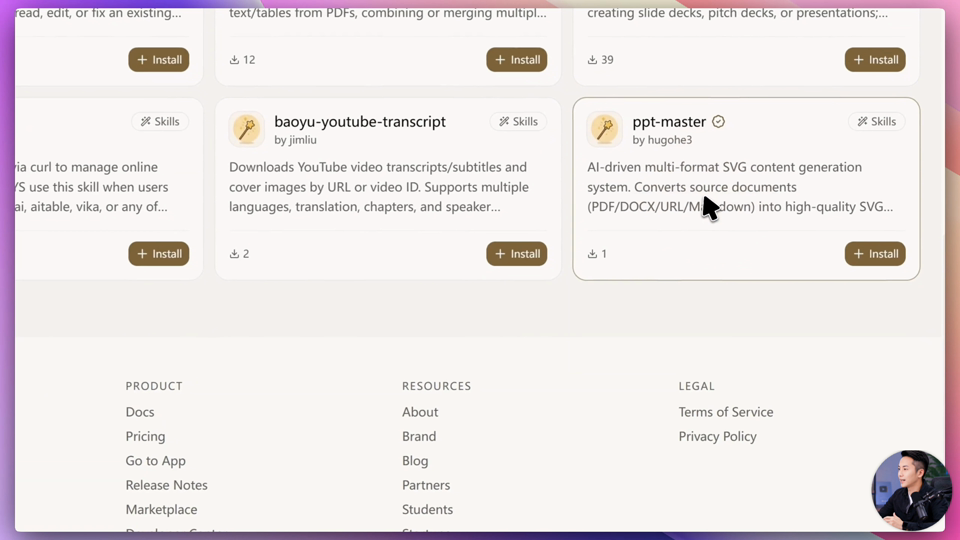
PPT Master is a featured Skill in the Buda Marketplace, created by open-source contributor hugohe3.
It can start from PDFs, DOCX files, URLs, Markdown, research notes, or a topic supplied by the user. The Skill gives an Agent a repeatable presentation workflow instead of one prompt that asks for eight finished slides at once.
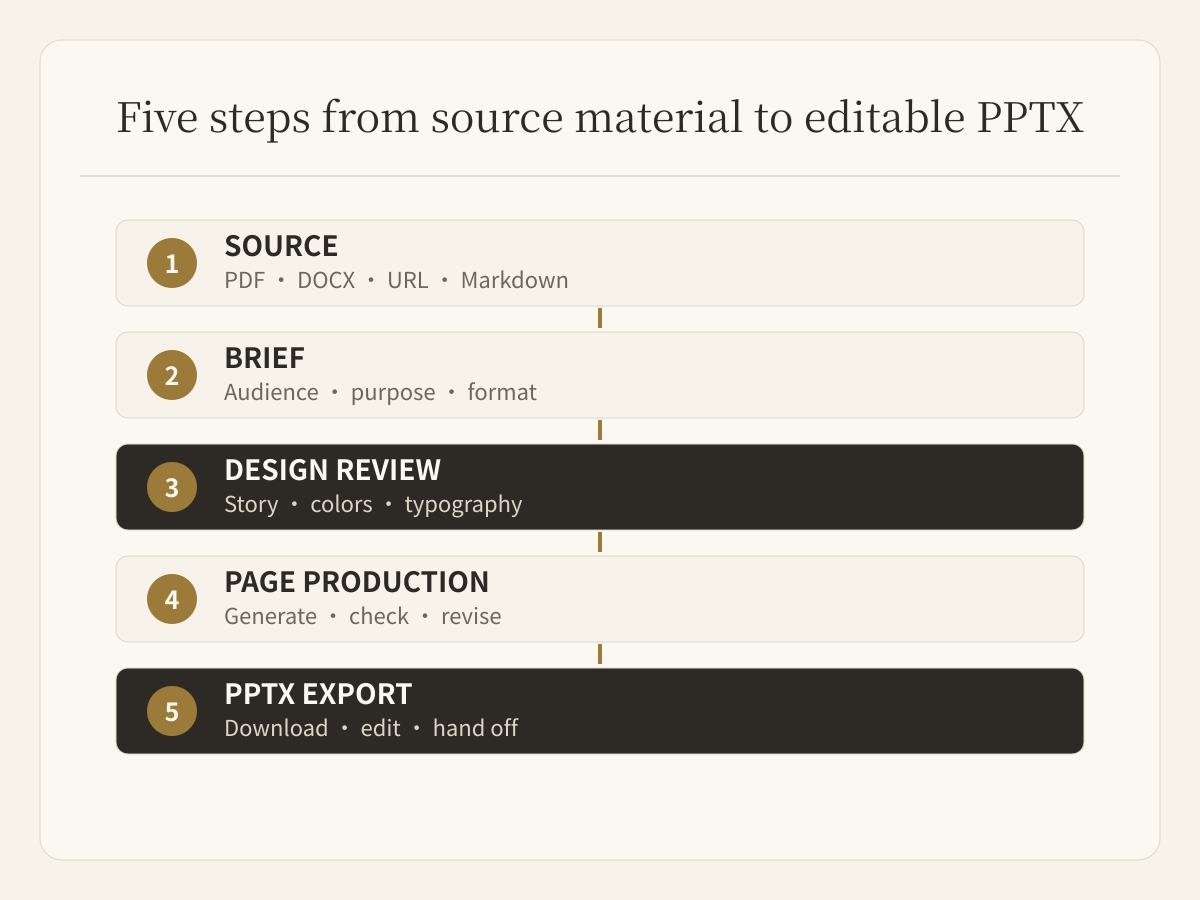
The difference is in the sequence:
- collect and understand the source material;
- define the audience, purpose, format, and story;
- confirm the visual system before production;
- generate and review the pages;
- export an editable PowerPoint deck.
That sequence creates review points before the Agent spends time building every slide.
1. Install PPT Master from the Buda Marketplace
Open the Buda Marketplace and search for PPT Master. Choose the Agent that should receive the Skill, then install it.
The installation gives that Agent the Skill's presentation process. It is not just a saved prompt. The Agent can use the workflow again with a different topic, source file, audience, or deck format.
2. Define the deliverable, not just the topic
In the product demo, the request was to create an eight-slide client proposal explaining how AI Agents can help content teams automate and scale production. The brief also asked the Agent to research current trends and practical examples before writing the deck.
A useful presentation brief should state at least:
- the audience and meeting context;
- the target format and approximate page count;
- the decision or idea the deck must support;
- the source material and research requirements;
- any brand, tone, or visual constraints.
“Make a presentation about AI Agents” leaves most of the important decisions unstated. A clear brief gives the Agent boundaries it can execute against.
3. Confirm the presentation system before generating pages
PPT Master does not need to begin by filling a template immediately. In the demo, the Agent first proposed a design checkpoint covering the canvas format, target audience, narrative, visual style, colors, typography, and image direction.
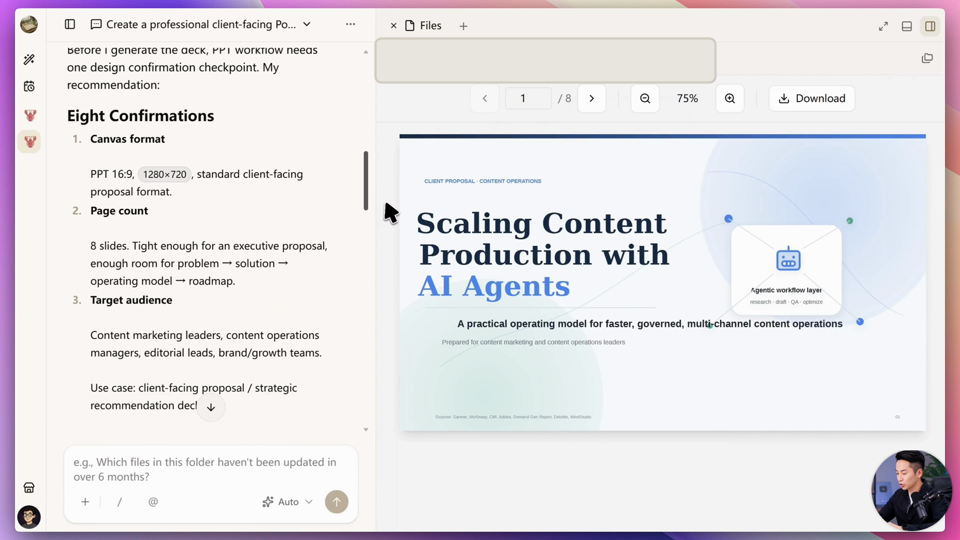
This is the point where human judgment has the highest leverage. Changing the audience or visual direction before production is inexpensive. Discovering the same mistake after eight completed pages creates unnecessary rework.
The person does not need to position every text box. The person needs to decide whether the proposed system is appropriate for the client and the message.
4. Let the Agent build the deck page by page
After confirmation, the Agent combines the source material, presentation structure, and visual rules to produce the pages. In the demo, it created an eight-slide, 16:9 client proposal with speaker notes and exported it as a native editable PPTX.
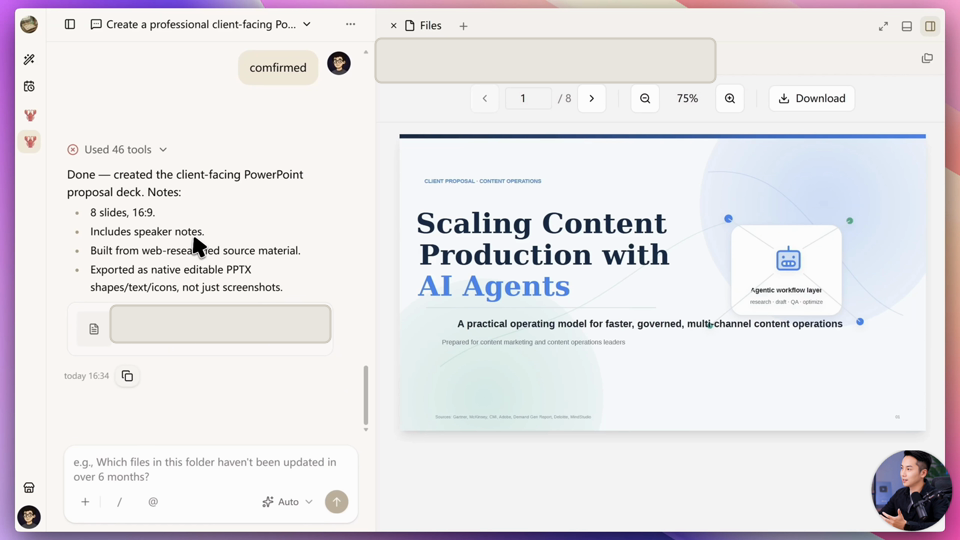
The Agent can handle the execution-heavy work: organizing material, drafting slide copy, creating the first visual hierarchy, checking consistency, and assembling the export. The result is still a first complete deliverable, not an automatic final decision.
Research claims, data, examples, and citations need human verification. A client deck also needs someone accountable for the core argument, brand fit, and what the audience should do next.
5. Download the PPTX and continue in PowerPoint
The generated deck can be previewed, downloaded, and opened in PowerPoint. In the demonstrated output, the team could continue editing the title, text, imagery, and layout instead of treating every page as one flattened screenshot.
That is the practical meaning of an editable AI presentation: the file enters the team's normal handoff process. A colleague can revise a section, a salesperson can remove a slide, and a brand team can adjust the visual system without starting over.
What the Agent should do, and what people should review
The efficient division of work is straightforward.
The Agent handles source processing, first-pass research, structure, page production, repetitive revisions, quality checks, and export. People set the objective, approve the narrative and visual direction, verify factual claims, enforce brand requirements, and decide whether the deck is ready to send.
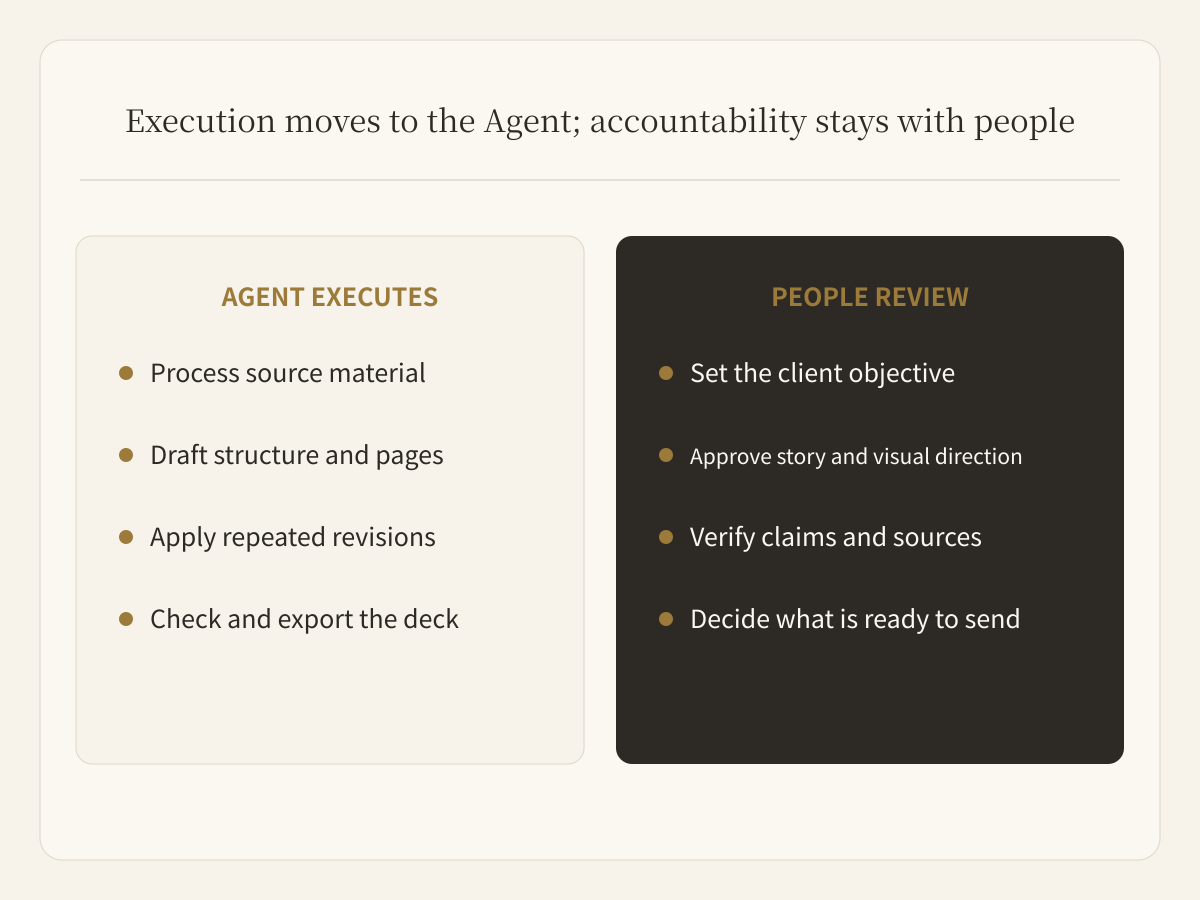
Buda keeps the brief, source files, conversation, generated artifacts, and tool activity together in the Agent Workspace. That context makes the workflow easier to continue: the next deck can reuse the Skill and the working method without rebuilding everything from memory.
Create your first editable deck
Open the PPT Master Skill page, then add it to an Agent from the Buda Marketplace. Give the Agent a real brief, review the proposed structure and visual system, and let it build a PPTX your team can continue editing.
Start in the Buda dashboard.