A Skill can be shared while its runtime requirements are still missing
Check method files, inputs, runtime dependencies and per-Agent connections separately before handing work over.

Adopting a Skill makes a method reusable. Its commands, input directories and service connections may still belong to the original Agent. Copying instructions therefore transfers less than the complete working environment.
Changing the instructions after every failed handoff can create competing versions of the same method. Map the dependencies first: which resources can be shared, and which must be configured for the new Agent?
Separate the method from its requirements
Buda Skills can live at Agent or Space scope. A Space-scoped Skill is available to Agents in that Space, but it runs in each Agent’s own cloud computer. Tools and external connections are configured per Agent. Sharing instructions does not transfer another Agent’s service access.
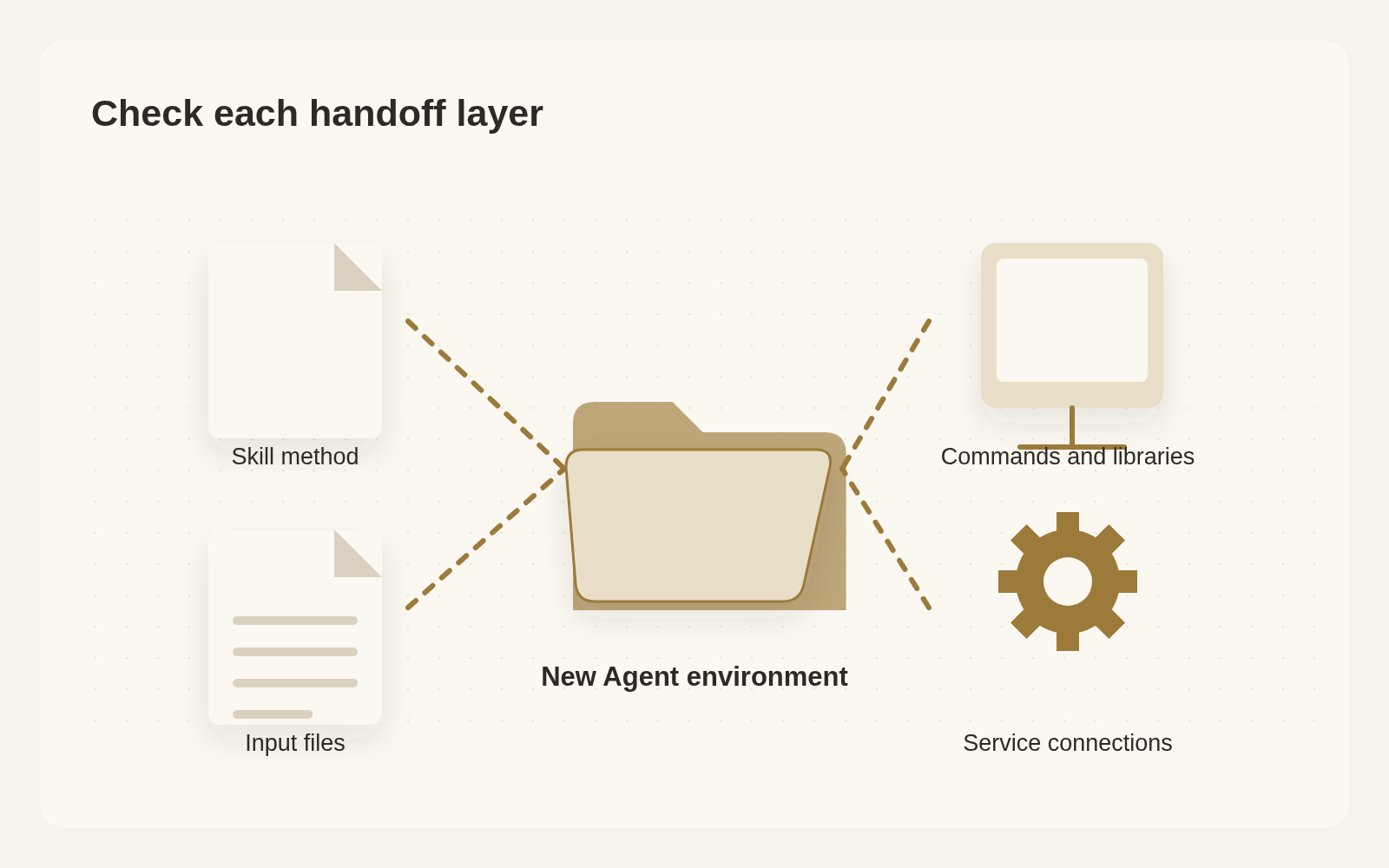
Distinguish four things: the Skill’s instructions and scripts, the task’s inputs, the commands or libraries required by those scripts, and external connections. The same method establishes consistency only for the first layer.
If instructions reference a template, open that actual file from the receiving Agent. If they require a business service, check the selected Agent’s connection and permitted read. An assurance that everything is ready is less useful than an inspectable result.
Start from an identifiable version
Select the receiving Agent in Apps & Skills and open the Skill’s details: manifest, source, version and path. Public Skills can be found and installed through Buda AI’s Marketplace; refresh the appropriate view afterward. For team methods, decide whether the files belong to one Agent or the Space. A private path in the original Agent is not automatically a shared input.
The management guide explains scopes and refresh. Record the actual version or file contents used in the handoff. Then follow references in SKILL.md to the included files and scripts. Do not assume every Skill includes an additional manifest or dependency lockfile. Inspect what is present.
Clarify relative paths, the directory they resolve from, the input location and the expected output location. Record only commands and libraries actually used by the method. A text-only procedure does not need an invented software environment.
Build a gap list that assigns the right work
Reuse a handoff document to compare method files, input format and location, required commands and tools, and external connection status. For every requirement, retain what was checked, the result and the person responsible for a remaining gap. This is a suggested working document, not a native migration feature.
A missing input calls for supplying the input. A missing runtime command calls for environment preparation. A missing account connection calls for an authorized person to connect the service for the receiving Agent. Do not put tokens in a Skill, shared directory or chat. File visibility and service authorization need separate decisions.
Compare a small result before transferring the job
Choose an approved, nonsensitive input and use the same method version in both Agents. Start with reads or local draft generation. Sending messages, editing authoritative records and publishing require their own authorization. The purpose is to check the handoff, not to repeat every production operation.
Compare the inputs actually read, the steps actually completed and the resulting artifacts. Wording need not match exactly. Required fields, evidence, attachments and output locations should satisfy the same acceptance criteria. Open the result rather than accepting a “success” message alone.
Read this Skill and its included files. Identify inputs, relative paths, required commands and external connections. Compare them with your available files and tools using read-only checks. Return gaps with evidence. Do not install dependencies, connect accounts or write externally. After I confirm readiness, use the approved sample to produce a local result.
Keep outcomes and remaining responsibilities in the same handoff document. Drive can retain working material, input agreements and results. Choose Agent-private or Space-shared locations according to who should access the information.
Do not hide an environment gap inside a method change
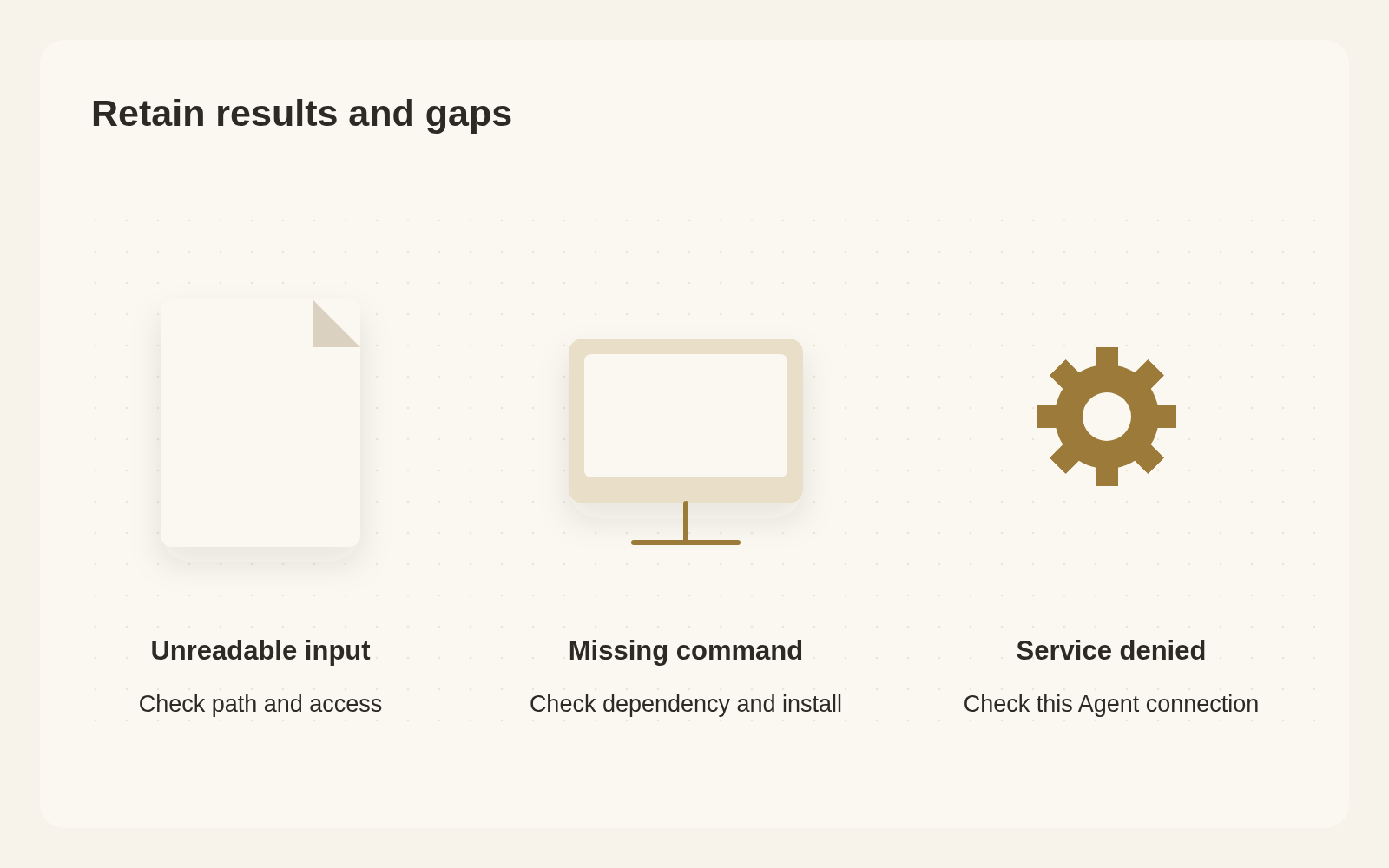
Use the failure location to choose what to fix: unreadable input paths point to input placement; absent commands point to dependencies and approved installation; service denials point to the new Agent’s connections and permissions. Change the Skill when the method itself depends on an unsuitable fixed assumption. Replacing one person’s absolute path with another is not a reusable handoff.
Keep the method version and observed differences. Explain which conditions exist, who supplies missing ones and where execution can resume. If the original operator must keep supplying verbal instructions, capture those missing requirements for the next handoff.
Retain the conditions that made it work
After the receiving Agent passes acceptance, preserve the method version, input requirements, runtime requirements, connection names and authorized artifact locations. When the method changes, revisit the changed requirements. Skill Creator can help improve instructions and test prompts; changing a trigger description does not supply a missing library or service connection.
A useful handoff lets the next person identify which conditions are satisfied and which actual output demonstrates that the method works there. That is what makes a reusable Skill operational rather than merely visible.