YouTube Video to Script: How to Use Whisper and Buda
Turn a YouTube video into a transcript and ready-to-edit talking script with Whisper and the buda-youtube-to-script Skill in Buda AI.

A useful YouTube video is easy to save and surprisingly hard to turn into something you can work with.
Before you can write your own article or talking script, you usually have to download the source, extract the audio, transcribe it, find the relevant passages, and rebuild the material around a new audience and angle. The creative decision may take minutes. The file handling around it can take much longer.
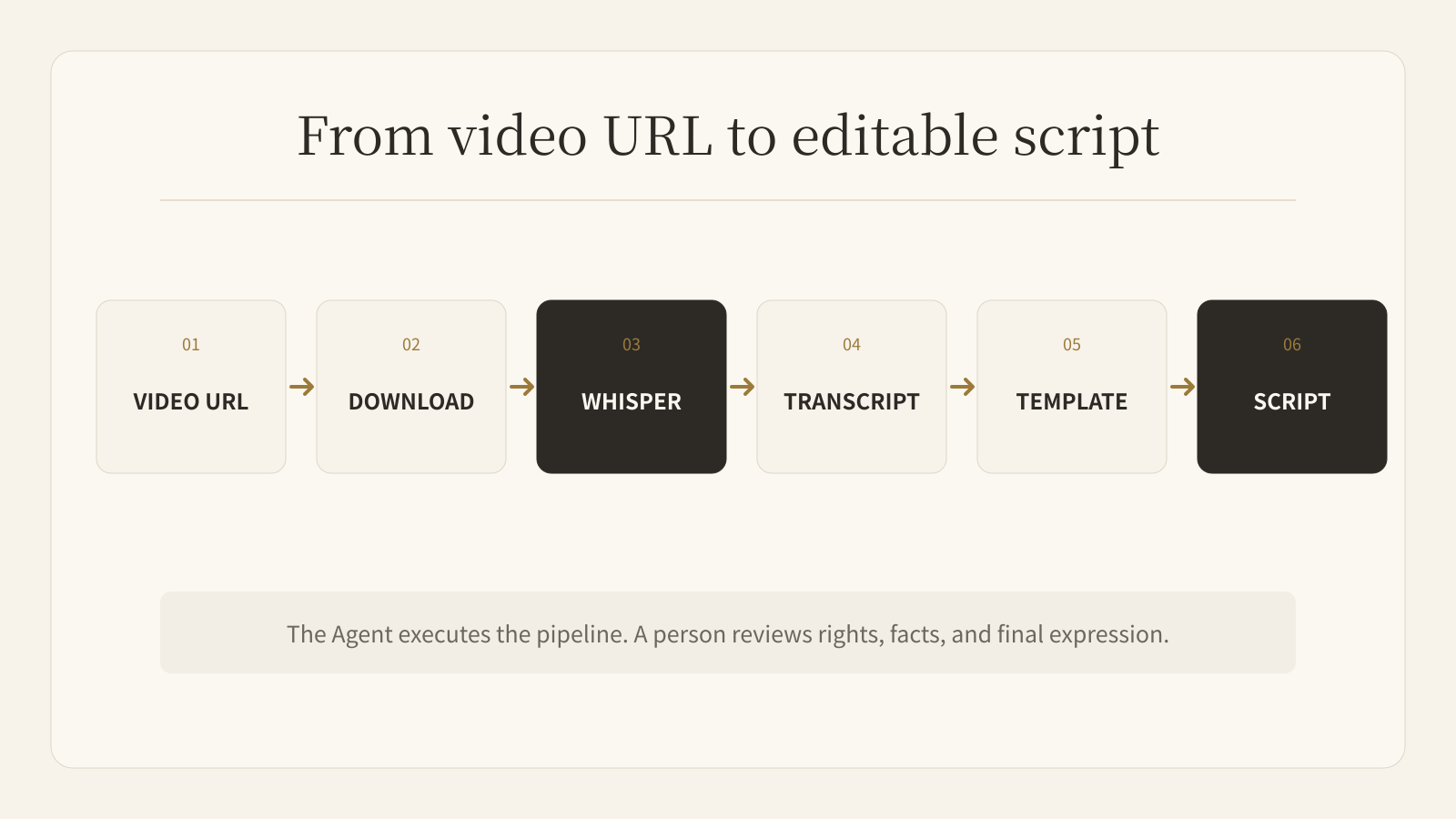
Buda turns that chain into one managed Agent task. Install the buda-youtube-to-script Skill from the Buda AI Marketplace, send a supported video URL, and the Agent can download the media, run Whisper transcription, apply a structured talking-script template, and leave the working files in the same project.
The result is not a license to republish someone else's words. It is a reviewable source package that gets you from a hard-to-search video to an editable script without manually moving files between tools.
The complete YouTube-to-script workflow
The Skill packages the workflow rather than saving a single prompt:
- Download the source video and MP3 audio with its bundled
yt-dlphelper. - Transcribe the audio with Whisper.
- Read the transcript and apply a talking-script template.
- Produce a hook, timeline, full read-through, and title options.
- Save the source video, MP3, transcript, and final script as durable artifacts.
This distinction matters. A prompt can describe what you want, but it does not guarantee that the downloader, transcription step, template, file naming, and outputs will be handled in the same order every time. A Skill preserves the method so the Agent can repeat it.
Step 1: Confirm the source and your intended use
Start with a video you are allowed to process. A public URL does not automatically grant permission to reproduce the creator's expression.
Decide what you are making before the Agent begins:
- a research transcript
- an internal summary
- a new short-form talking script
- an article based on selected facts
- notes for a response or commentary video
Also specify the audience, language, angle, and target length. The Skill defaults to an English short-form script of roughly 60–90 seconds, but a clear instruction can request another language, duration, or point of view.
A useful request looks like this:
Turn this video into a 60-second talking script for small-business owners. Keep the core facts, explain the practical consequence, and write the final script in Simplified Chinese.
The URL tells the Agent where to start. The brief tells it what kind of new work to produce.
Step 2: Install the Skill from the Buda AI Marketplace
Open the Marketplace in Buda AI and search for buda-youtube-to-script. Install it on the Agent that will handle your content work.
The Skill is self-contained. It includes its own download helper, uses Whisper for transcription, and carries the talking-script template needed for the rewrite. You do not have to install a separate downloader Skill or rebuild the sequence in every session.
Once installed, the Agent can recognize a video URL plus a script request and follow the packaged workflow.
Browse available Skills in the Buda AI Marketplace.
Step 3: Send the URL and the creative brief
A URL by itself is enough to trigger the default workflow. A URL plus a useful brief produces a better result.
Include:
- the audience
- the output language
- the intended platform
- the approximate duration
- the angle you want to add
- any facts or wording that must be checked carefully
The Agent then executes the operational work: it prepares a project directory, downloads the source media, extracts an MP3, runs Whisper, reads the transcript, and writes the new script.
You can follow the task through the Agent session rather than waiting for several disconnected apps to finish.
Step 4: Review four different artifacts
A strong content workflow keeps the evidence and the rewrite separate.
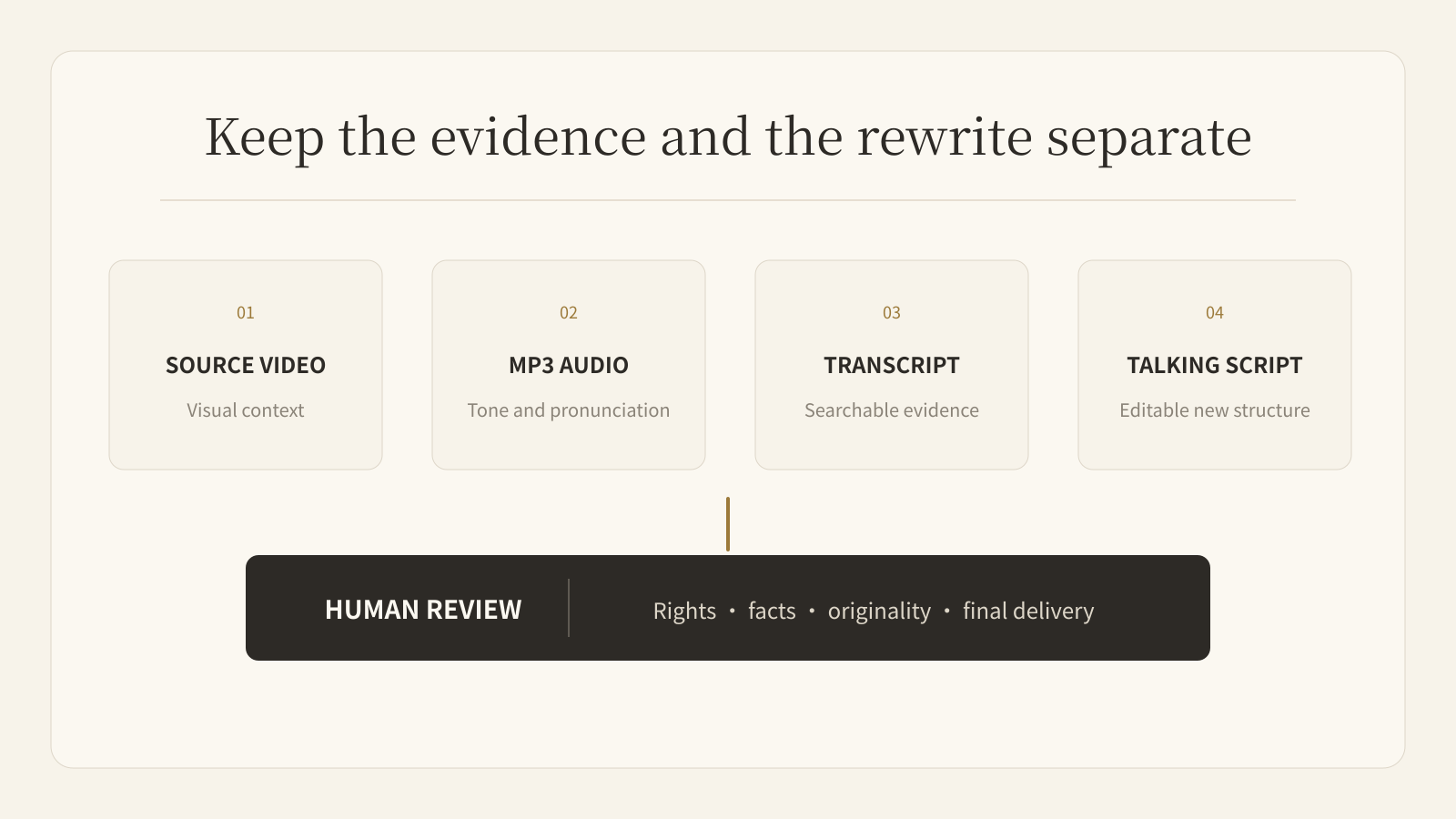
The Skill keeps four useful outputs:
- Source video: preserves visual context and lets you return to the original moment.
- MP3 audio: makes it easy to replay pronunciation, tone, and surrounding context.
- Whisper transcript: provides searchable source text for locating claims, names, and quotes.
- Talking script: gives you an editable structure with a hook, progression, full read-through, and title options.
Do not collapse these files into one. The transcript is evidence; the script is an interpretation. Keeping both makes fact-checking and revision much easier.
Whisper transcription is not the finished script
Whisper solves speech recognition. It does not decide what your audience needs, whether a claim is reliable, or what original judgment you should add.
Transcripts often contain repeated phrases, false starts, filler words, and transcription errors. Names, numbers, product terms, and quotations deserve manual checking against the source. A script also needs a new structure: why the audience should care, what can be shortened, where context is missing, and what conclusion belongs to you.
Before recording or publishing, review:
- names, numbers, and specialist terms
- whether the script preserves the source's meaning
- which wording is still too close to the original
- what facts need a second source
- what personal experience or judgment makes the piece yours
- whether the hook and duration fit the destination platform
The Agent removes execution friction. The creator remains responsible for rights, accuracy, selection, and final expression.
Where this workflow is most useful
The Skill works well when video is a recurring source rather than a one-off task:
- turning product demos into short-form scripts
- converting interviews into research material
- extracting lessons from webinars or talks
- preparing commentary from public announcements
- localizing an authorized video for another audience
- building a searchable archive of video transcripts
It is less useful when the video requires login access, is protected against downloading, has audio too poor to transcribe reliably, or cannot legally be reused for the intended purpose. In those cases, the Agent should stop and ask for a file you can provide or a different source.
From one successful run to a repeatable content system
The first benefit is speed: one URL becomes organized source material and an editable script.
The larger benefit is continuity. The source, transcript, template, and draft can stay together in the Agent's project. Your review notes remain visible. The next run begins from the same method instead of a new chain of instructions.
That is the difference between asking AI for another answer and managing an Agent workflow. The repeatable steps become execution. The consequential choices stay with the person responsible for the work.
FAQ
Can Buda turn a YouTube video into a script automatically?
Yes. After you install buda-youtube-to-script, a Buda Agent can download a supported video, extract audio, transcribe it with Whisper, and create a template-based talking script. You should still review rights, facts, and originality before publishing.
Does the Skill only work with YouTube?
It is designed for YouTube and other video URLs supported by its downloader. Login requirements, geographic restrictions, private videos, and download protections can prevent processing.
What files does the Skill create?
By default it keeps the source video, MP3 audio, Whisper transcript, and final talking script as durable artifacts.
Can it write in languages other than English?
Yes. English is the default, but you can request another output language in the prompt. Always review names, terminology, and localized phrasing.
Is a Whisper transcript ready to publish?
No. A transcript represents recognized speech. A publishable script needs fact-checking, selection, restructuring, original judgment, and a rights review.
Open the Buda AI Marketplace, search for buda-youtube-to-script, and install it on an Agent. Send one video URL with the audience, angle, language, and duration you need. Then review the source and the script side by side before you record.