AI Agents for CRM Automation: 7 Workflows That Keep Sales Data Current
Automate assignment, follow-up, notes, and CRM hygiene while people retain control of stages, amounts, and outbound messages.

AI Agents for CRM Automation: 7 Workflows That Keep Sales Data Current
AI agents can automate the CRM work that sales teams postpone: assigning new leads, preparing account context, creating follow-up tasks, turning notes into structured updates, detecting stale deals, drafting messages, and finding incomplete records.
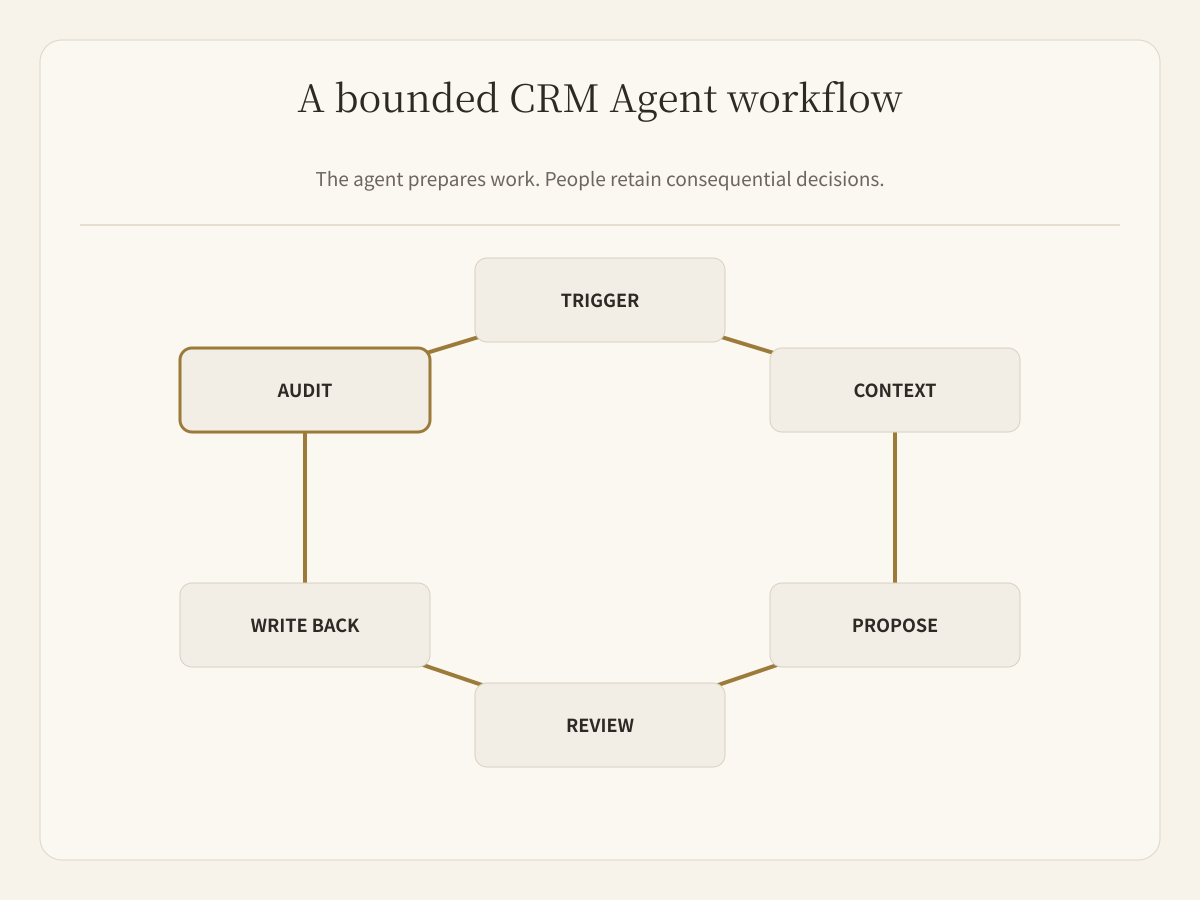
The useful design is not “let an agent control the CRM.” It is a bounded workflow:
Trigger → gather context → propose an action → human review when needed → write back → log the result
Routine preparation can run automatically. Deal stage, amount, close date, ownership changes, deletion, and customer-facing messages should follow explicit approval rules.
What is AI Agent CRM automation?
CRM automation with AI agents uses a model plus connected tools to interpret messy sales context and prepare or perform a defined CRM action. Unlike a fixed rule, an agent can read notes, emails, forms, and account information before deciding what belongs in a field or task.
That flexibility also creates risk. A workflow must define its source records, allowed fields, confidence threshold, reviewer, and evidence. Otherwise the agent can make a clean-looking update from incomplete context.
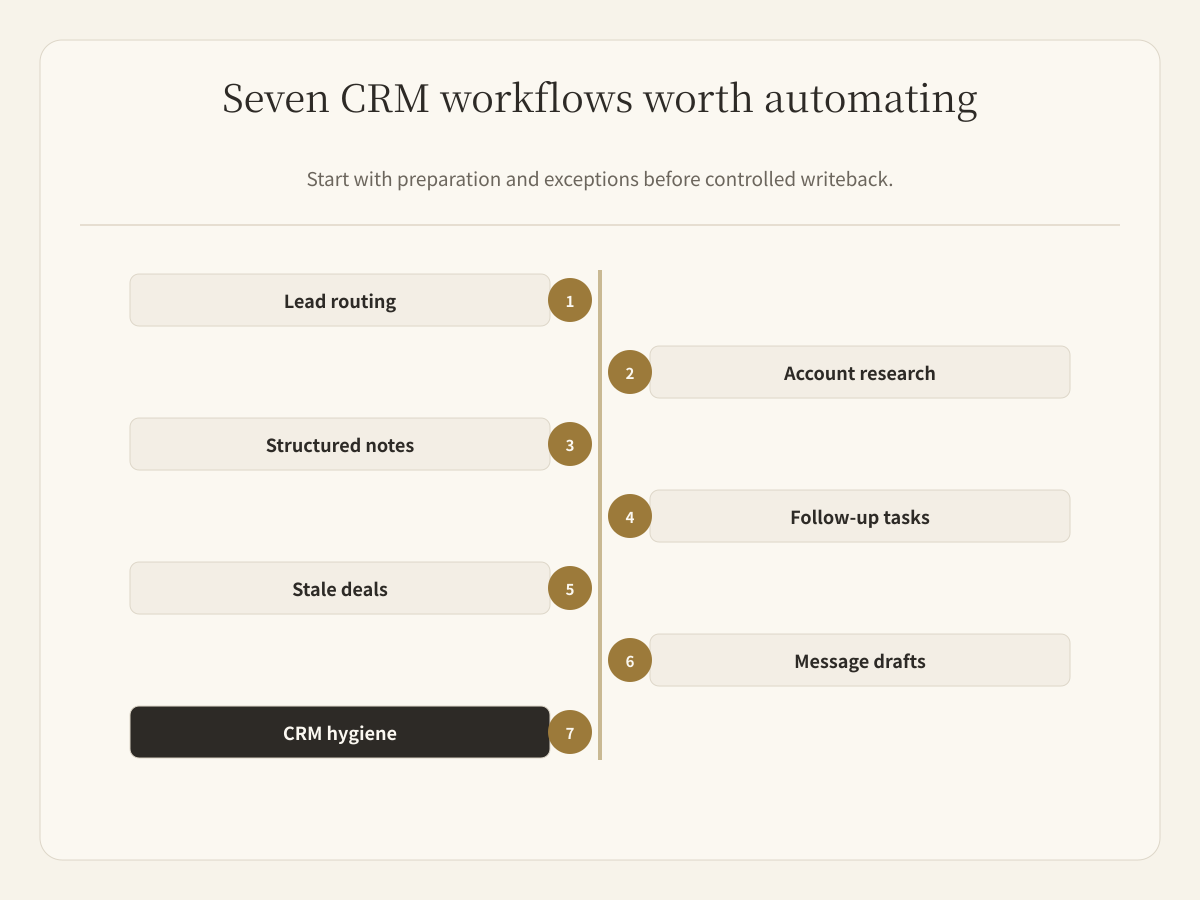
Seven CRM workflows worth automating
1. Normalize and route new leads
An agent can standardize company names, roles, regions, source labels, and other intake fields, then propose an owner or queue based on declared routing rules.
Keep assignment rules outside the prompt. Territory, segment, account ownership, and round-robin logic should be explicit and testable. Ambiguous matches go to a review queue.
2. Prepare account and contact research
Before a rep opens a lead, an agent can collect relevant company context, recent signals, stakeholders, and prior interactions into a short account brief.
The brief should cite its sources and separate known CRM facts from public research and inference. It should not overwrite the CRM merely because a web page looks plausible.
3. Turn meetings and emails into structured notes
Agents can extract decisions, objections, participants, next steps, and dates from call notes or email threads. The output becomes a proposed activity record rather than another free-form summary.
For reliable writeback, define a schema: summary, decision, risk, next_step, owner, due_date, and source. Missing values remain empty; the agent should not guess them.
4. Create and route follow-up tasks
A CRM agent can detect a promised next step, draft the task, assign the proposed owner, and set a due date from explicit evidence.
The safe boundary is important. “Send pricing tomorrow” supports a task proposal. It does not authorize the agent to invent a discount, send a quote, or change the deal stage.
5. Monitor stale deals and missing next steps
Agents can scan open opportunities for inactivity, missing next actions, expired dates, or unresolved blockers. The output should be an exception list ranked by evidence, not an automatic “lost” decision.
This workflow is often a good first pilot because it is read-heavy, reversible, and easy for a manager to verify.
6. Draft contextual follow-up
Using account history and the latest approved next step, an agent can draft a follow-up for the rep. The person responsible for the relationship reviews recipients, claims, tone, commercial terms, and timing before sending.
Drafting and sending are separate permissions. Treat them as separate workflow states.
7. Maintain CRM hygiene
Agents can flag duplicate contacts, inconsistent company names, blank required fields, activities without an opportunity, and records whose next-step date is in the past.
Start with detection. Move to proposed changes after the team agrees on matching rules. Allow controlled writeback only for fields with deterministic validation and a reliable rollback path.
Which CRM fields need human review?
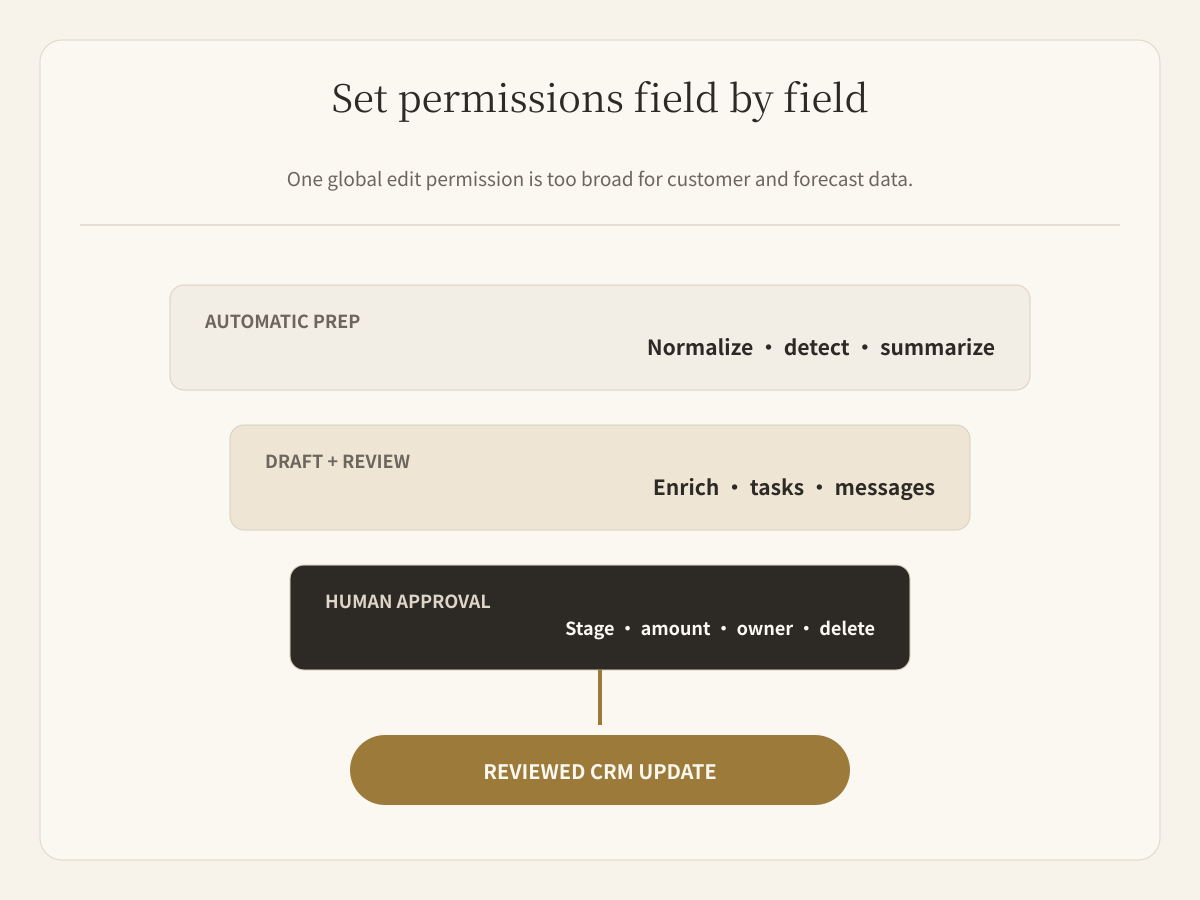
| Field or action | Recommended default | Why |
|---|---|---|
| Formatting and normalized labels | Controlled write | Easy to validate against rules |
| Research brief and activity summary | Draft and review | Source interpretation may be incomplete |
| Follow-up task | Draft or controlled write | Owner and date need evidence |
| Contact enrichment | Draft and review | Public data may be wrong or stale |
| Deal stage, amount, probability, close date | Human approval | Changes forecasts and management decisions |
| Ownership transfer | Human approval | Affects responsibility and routing |
| External email or message | Human approval | Reaches the customer |
| Merge or delete records | Human approval | Hard to reverse and easy to get wrong |
A field-by-field policy is more useful than one global “agent can edit CRM” permission.
A practical inbound lead workflow
Consider a new inbound lead:
- The form creates a source record.
- The agent normalizes the company and contact fields.
- It gathers account context from approved sources.
- It checks the lead against the team's ICP and routing rules.
- It proposes an owner, priority, account brief, and first response.
- A rep reviews the assignment and message.
- Approved fields are written back, and the decision is logged.
The agent handles research and preparation. The rep keeps judgment over qualification, relationship, and outreach.
The data contract matters more than the prompt
Before building the workflow, define:
- the trigger and source record;
- fields the agent may read;
- fields it may propose or write;
- required evidence for every update;
- confidence and escalation rules;
- who reviews each high-impact action;
- idempotency key for retries;
- audit and rollback behavior.
Without an idempotency key, a retry can create duplicate tasks or activities. Without source evidence, a reviewer cannot tell whether a field came from the CRM, an email, or an inference.
How to pilot CRM automation
Start with one workflow and one owner. Stale-deal detection, activity-note extraction, or follow-up task preparation are safer starting points than autonomous stage changes or outbound messages.
Measure:
- records reviewed per week;
- acceptance rate without edits;
- incorrect-field rate;
- duplicate action rate;
- time from trigger to reviewed update;
- rep review time;
- escaped high-impact errors.
Expand only after the workflow performs reliably on real records and reviewers understand its failure modes.
Running CRM agents in Buda
Buda gives sales teams persistent Agents for lead research, qualification, follow-up, proposal preparation, and CRM hygiene. They work from shared context and connected tools, while salespeople review the artifacts and remain responsible for the customer relationship.
Start from the AI Agent for Sales Teams workflow or the AI Sales Operations Team. For the surrounding permission, memory, and review layer, read What Is an AI Agent Workspace?. To distinguish deterministic automation from agent judgment, see Best AI Agent for Automating Tasks.
FAQ
Can an AI agent update CRM records automatically?
Yes, within scoped fields and validation rules. High-impact fields such as deal stage, amount, close date, ownership, deletion, and external communication should normally require human approval.
What is the safest CRM workflow to automate first?
Start with read-heavy work such as stale-deal detection, missing-field checks, activity summaries, or proposed follow-up tasks. These are easier to verify and reverse.
How do you prevent duplicate CRM updates?
Use an idempotency key derived from the source event and intended action. Before writing, check whether that action has already been recorded.
Should an agent decide whether a deal is qualified?
It can prepare a qualification brief and score against declared criteria. A rep should own exceptions and consequential decisions, especially when evidence is incomplete.
Does Buda replace the CRM?
No. Buda provides the Agent workspace and execution layer around connected tools. The CRM remains the system of record; reviewed actions can be written back through the configured workflow.