Buda vs Zoo Code: portable coding modes or persistent team workflows?
Separate portable modes from credential-bearing exports and team acceptance.

A documentation-only mode works in one repository. After moving it to another, does the same file restriction still apply? Should the model profile travel with it—and should the API key?
A useful Zoo Code alternative comparison starts with what the team needs to carry: IDE rules, or a durable cross-role workflow. Configuration portability and business handoff need separate acceptance checks.
Identify the portable object
The Zoo website describes a community-maintained Roo Code fork with Architect, Code, Debug, custom modes, multi-file editing, diff review, BYOK, and MCP. For Zoo’s relationship to Roo Code, see Buda vs Roo Code for that background.
Custom-mode documentation specifies a slug, role definition, tool groups, usage guidance, and custom instructions. A mode and its rules can be exported as YAML. A project import writes .roomodes and .roo/rules-{slug}/; a global import uses global configuration.
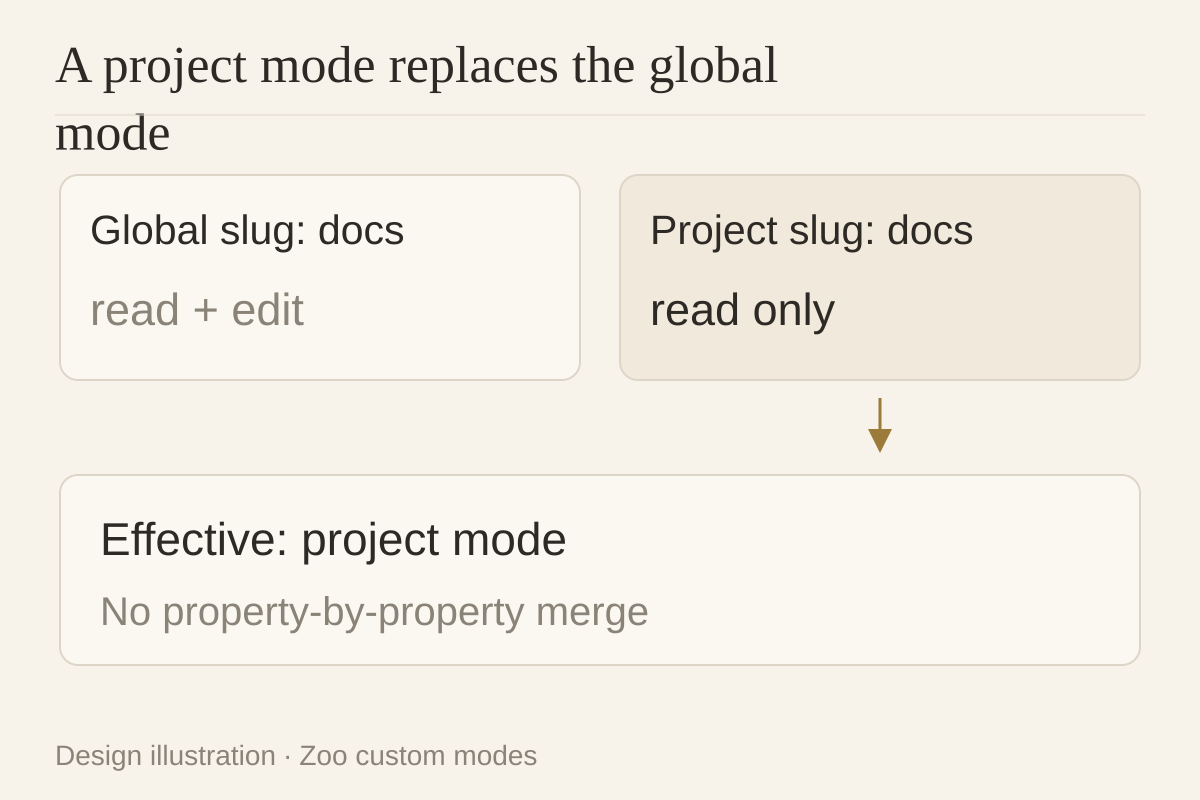
A project mode with the same slug completely overrides the global mode. Properties are not merged individually. Check the effective configuration in the destination repository: identical names do not prove identical permissions.
Two exports, two different risks
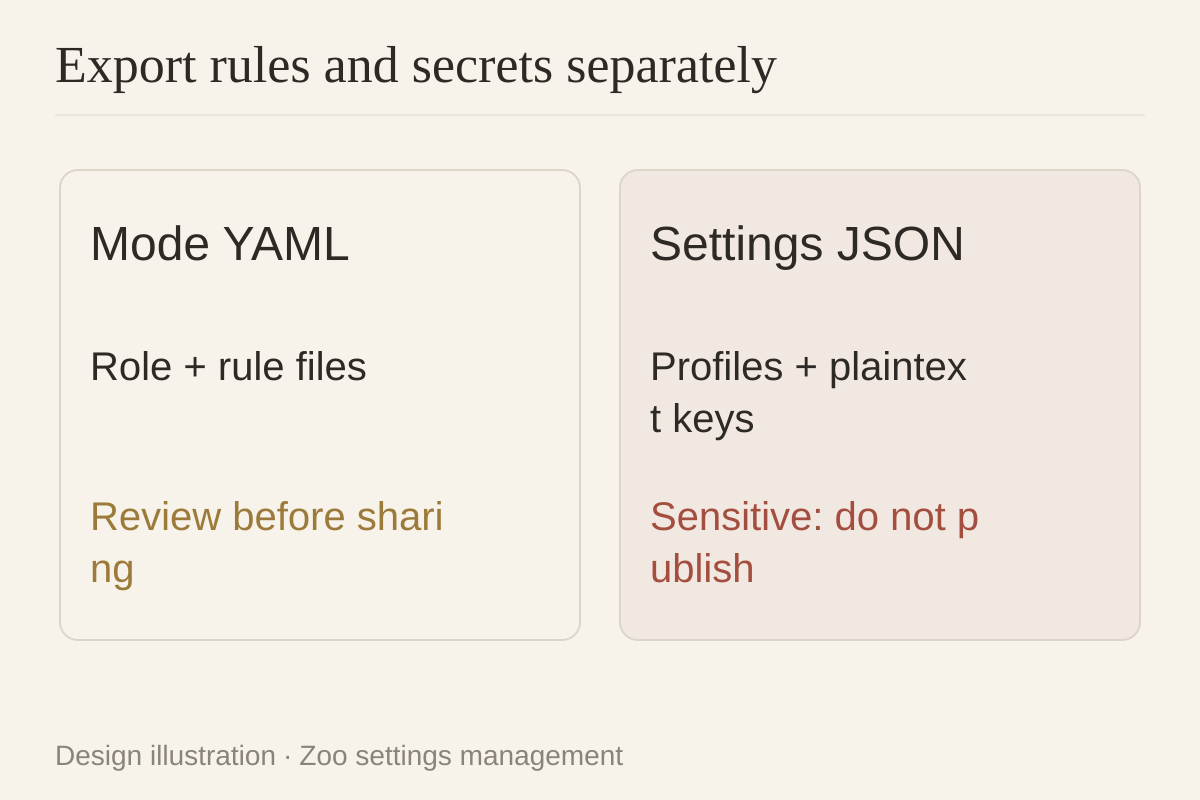
Exporting a mode is different from exporting all settings. The settings guide warns that the complete JSON includes provider profiles, global settings, and plaintext API keys. Treat it as a sensitive credential-bearing file.
Mode YAML is more suitable for sharing roles and rules, but inspect rule files for confidential content too. Open source does not make a complete settings export safe to put in a public repository. Settings import adds profiles and updates matching settings, potentially with warnings; importing a mode with an existing slug overwrites it.
Roo-to-Zoo import support does not establish Zoo-to-Buda compatibility. Transfer goals, permitted actions, artifacts, and reviewers; rebuild tool and credential mappings.
Define four acceptance fields for a mode
For a Documentation Writer, specify:
| Field | Requirement |
|---|---|
| Allowed files | Markdown in approved directories; no application code edits |
| Allowed tools | Read and restricted edit; separately authorize command or MCP |
| Required artifacts | Documentation, sources, change summary, unresolved questions |
| Human reviewer | Who checks accuracy and accepts the record |
Zoo can constrain the edit group with fileRegex. That restriction does not prove every side effect of command or MCP tools is constrained. Test the permissions of each enabled tool.
Buda puts role rules, materials, reusable Skills, and task files in an Agent Workspace. A persistent computer per agent preserves files and visible execution for engineering, product, and operations handoffs. This is a responsibility mapping—not a Zoo YAML converter or a claim of equivalent mode enforcement.
Test three exceptions before standardizing
These are unexecuted acceptance procedures, using nonproduction data and minimal permissions.
- Denied write: ask the documentation mode to modify a test file outside its permitted scope. Inspect the real error, file hash, attempts through other tools, and visibility of the failure.
- Revoked API authorization: revoke a disposable test credential and repeat the task. Require an explicit authorization failure, not a cached success or unapproved provider switch.
- Repository change: introduce a project mode with the same slug in a second repository. Inspect the effective tools and paths after override; do not rely on the unchanged name.
Retain input, effective configuration, calls or commands, actual files, and reviewer decisions. No coding-quality or cost ranking was measured here.
Decide where rules should live
For teams working primarily in the IDE and willing to maintain profiles and repository rules, Zoo’s portability is useful. The extension is free and open source, but BYOK usage is paid to the provider; optional Zoo Gateway credits are a separate billing system.
For work that must leave durable files and context for other roles, evaluate Buda’s persistent workspace. Start with one cross-role artifact and a named reviewer. To reuse a procedure, search and install a suitable Skill in the Buda AI Marketplace and inspect its tool permissions. Do not migrate an entire configuration before identifying the missing accountability.
FAQ
Is Zoo a community fork of Roo Code?
Yes, according to its website, with Roo’s foundation and Apache 2.0 license. Verify current functionality in Zoo’s own documentation.
How do custom modes differ from built-in modes?
They can define role, groups, file restrictions, and instructions at project or global scope; built-in modes supply default task approaches.
Can I send a settings export to a colleague?
Treat it as sensitive first. Official documentation says it includes plaintext API keys. Share reviewed rules separately and provision credentials through an approved secret-management method.
Do profiles, modes, and task history move together?
Different export functions include different objects. Do not infer complete history or approval transfer from settings or mode export.
Can Buda import Zoo configuration?
No automatic compatibility was tested. Rebuild steps, tool authorizations, artifact requirements, and review responsibility.
Sources verified October 9, 2026. Vendor descriptions are not independent benchmarks; exception tests have not been run.