How to Choose an AI Agent Schedule: Cron, Interval, or Once
Start with the decision deadline, then set the run limit, delivery destination, and review rule.

A weekly report that arrives after the planning meeting has missed its purpose. A ticket summary that repeats every few minutes without new material has a different problem: the schedule produces noise. Choosing an AI agent schedule starts with when a result becomes useful.
In Buda, Cron repeats at calendar times in a specified timezone, Interval repeats every N minutes, and Once runs at one future moment. Those are three different ways to initiate work. None establishes that the result is good enough to use.
Choose the business rhythm before the timer
The following are proposed examples, not results from a deployed pilot.
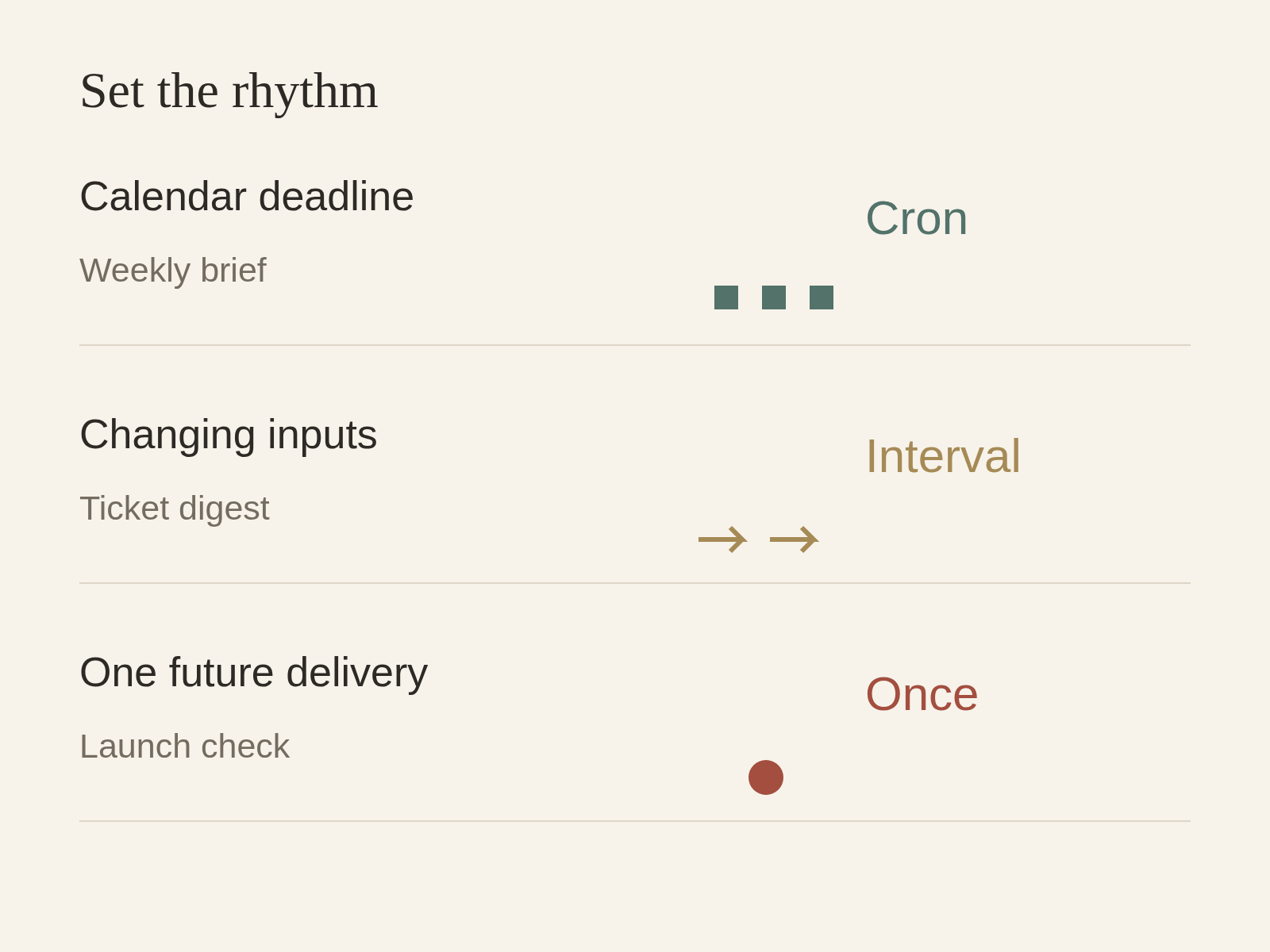
| Work | Useful result | Starting choice | When to reconsider |
|---|---|---|---|
| Weekly operating brief | A reviewed brief before Monday planning | Cron | Inputs are still incomplete at the chosen time |
| Support-ticket digest | A changing queue summarized periodically | Interval | Most runs repeat the same material |
| Launch readiness check | One review packet before a specific launch | Once | The launch date moves or the scope changes |
Cron: work backwards from a recurring decision
Suppose an operations lead needs a brief before a Monday planning session. Choose a time that leaves room for review, rather than the meeting's start. An illustrative expression, 0 8 * * 1, means Monday at 08:00 in the explicitly selected timezone. Have the agent read the schedule back before saving it.
Define what the brief must contain: changes since the agreed previous cutoff, supporting sources, unresolved exceptions, and decisions for the owner. Check whether the inputs are ready before 08:00. If the data arrives at 09:00, moving the task earlier does not solve the dependency.
Cron is a poor starting choice for work with no calendar deadline and highly irregular inputs. A fixed daily run can produce an empty report while important material waits until tomorrow. Keep the data window explicit; the schedule time alone does not define which records belong in the report.
Interval: choose a tolerable wait, then check for useful change
A support manager might propose a digest every 120 minutes. That is a polling rhythm, not a promise to react immediately when a ticket arrives. Use authorized input files or a separately configured and permitted source; a timer does not grant access to the helpdesk.
Specify how a run identifies new or changed tickets using stable IDs and the previous accepted checkpoint. If nothing changed, ask for a concise no-change result rather than a freshly rewritten backlog. Define who checks urgent exceptions outside the digest cadence.
Start with a reasonable interval and inspect how often the result changes enough to merit review. If five consecutive runs contain the same queue, extend the interval or revise the input rule. Conversely, a two-hour digest is unsuitable when a human must respond within minutes. Scheduling more frequently cannot establish a reliable real-time escalation service.
Once: keep a one-off check one-off
For an illustrative launch review, request one check at a specified future time, with the exact launch scope and evidence cutoff. Ask for route checks, unresolved items, and a named review owner. Producing that packet does not authorize a release.
Use a complete future datetime, not only “tomorrow afternoon.” If the launch moves, confirm whether the old task should be paused or edited and which new time applies. Do not leave a recurring task running merely because setting it up was convenient.
Make one run useful before repeating it
Run the underlying task once and inspect its output. Does every important statement have a source? Are unknown inputs visible? Can the reviewer identify the next decision without opening the full conversation?
For the weekly brief, require a draft with sources and unresolved questions. For the ticket digest, compare record coverage against the authorized input. For the launch check, verify that each requested route or checklist item has a result or an explicit unresolved status. These are proposed acceptance checks, not built-in guarantees.
Only then save the recurring instruction. Write the prompt as the work to do on each execution: “Read the approved ticket export and produce a change digest.” Do not put “create a recurring automation” inside that instruction; the instruction itself is replayed on each run.
Confirm four controls before enabling
- Schedule and timezone: read back the chosen type and exact timing.
- Run cap: use max-runs for a bounded trial; omitting a cap means ongoing runs.
- Destination: choose the task session or an explicitly selected notification session/channel. A named recipient is not permission to contact anyone else.
- Review and pause rule: name the owner and the conditions that require a pause, such as inaccessible sources, repeated missing inputs, or output that cannot be checked.
Available schedule types, automation counts, and minimum intervals depend on the plan. Check the current Automations documentation before choosing a short interval; do not assume that every account supports the same configuration.
Read the output behind the run status
Buda keeps run history, timing, run count, next-run information, and failure details. A completed run links to its session. Open that session and inspect the artifact: completion records execution, while acceptance belongs to the person responsible for the work.
Keep a small review log for the first few runs: expected output, actual output, missing inputs, correction needed, and whether the next run should continue. Pause when the sources or review owner change. Resume after checking that the instruction still matches the work.
Questions before scheduling
Is every 24 hours the same as every morning at 09:00?
No. An interval describes elapsed minutes; a Cron schedule describes calendar times with a timezone. Use the latter when the business requires a particular local clock time, and confirm the saved schedule.
Does a completed run mean the deliverable passed review?
No. Open the linked session, inspect sources and coverage, and record acceptance separately. A successful execution can still produce a report with missing information.
When should a task be paused?
Pause when permission or source access changes, repeated runs provide no useful result, the owner cannot review the output, or the business decision no longer exists. Keep the earlier artifacts so the revised task can be compared against them.
Start with one repeatable responsibility
Search for Buda Automations in the Buda AI Marketplace and install the Skill. Pick one task with an inspectable result, verify a single run, then choose its rhythm and a bounded trial. The daily AI news report example shows one recurring use case; your operating deadline should determine whether that pattern fits your work.