OpenClaw 2.0 Upgrade Guide: What Changed and the Rollback Risk
The practical boundary is SQLite session storage, verified backups, and a deliberate downgrade path.

OpenClaw 2.0 Upgrade Guide: What Changed and the Rollback Risk
OpenClaw 2.0 is the project's largest update so far. OpenClaw says 933 contributors—including 569 first-time contributors—produced more than 16,000 pull requests across installation, messaging, memory, skills, models, automations, browser and native apps, plugins, security, and reliability.
The numbers are not the main reason to plan the upgrade carefully. Two structural changes matter more:
- Setup can reuse subscriptions, API keys, and local models already on the computer, then hand the user directly into a first conversation.
- Sessions and transcripts move to SQLite, which creates a specific backup and downgrade boundary.
The short answer: new installations can start on 2.0. Existing installations should create and verify a backup before upgrading. If rollback to an older file-backed release is possible, learn the legacy-transcript restore process first.
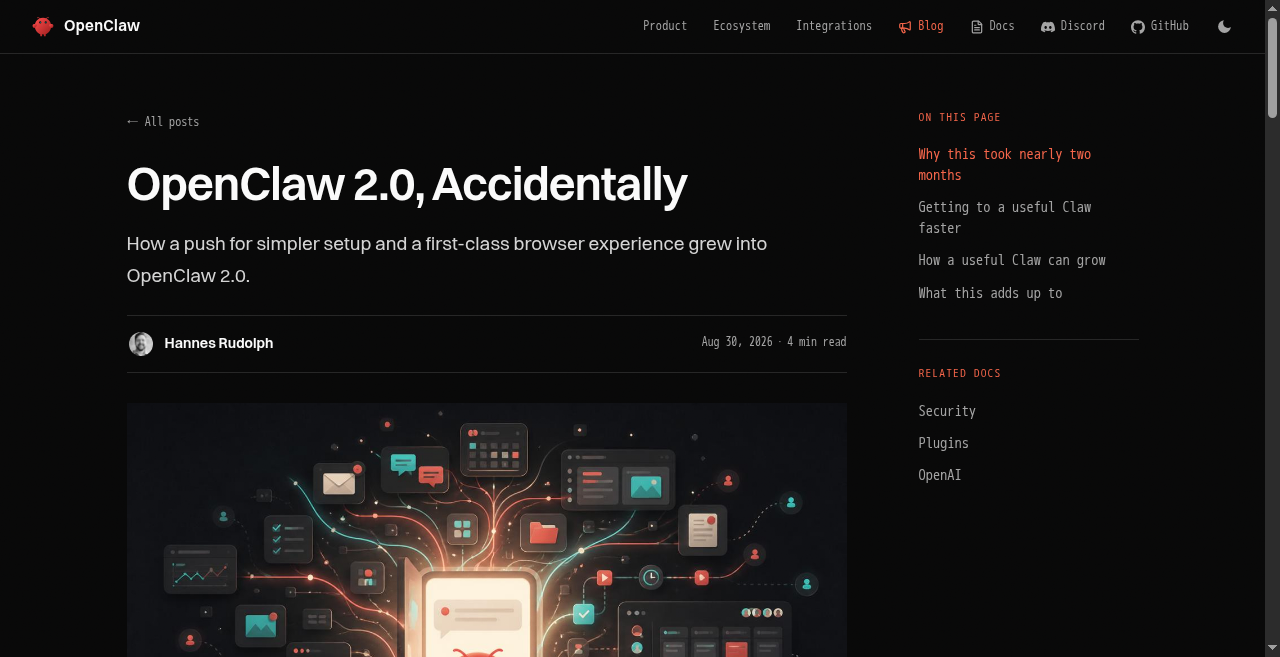
Source: OpenClaw official Blog. Captured September 2, 2026.
What is OpenClaw 2.0?
OpenClaw 2.0 is the name used for release v2026.8.1, published August 30, 2026. It is a broad redesign of first-run setup, everyday conversation, session continuity, collaboration, and reliability rather than one isolated feature launch.
The work began as an attempt to simplify installation and rebuild the browser app. According to OpenClaw, carrying those changes through the rest of the product turned the release into 2.0.
The four changes users will notice
1. A shorter path to the first useful conversation
Guided setup looks for supported ChatGPT, Claude, or Codex sign-ins, API keys, and qualifying Ollama or LM Studio models already available. It verifies the exact model before saving it, then hands the user to the web app or terminal.
Skills, web search, and external channels can be configured later in conversation. The product no longer treats complete configuration as a prerequisite for doing anything useful.
2. A conversation-first web interface
The rebuilt Control UI puts conversations at the center, with files, approvals, settings, and live work nearby. Sessions can be organized by project or person and opened in real browser tabs.
That matters beyond appearance. Long-running work depends on returning to the right session, seeing the current files, and knowing whether an approval needs attention.
3. Sessions and transcripts move to SQLite
This is the important upgrade boundary. The official release notes say:
- Create a verified backup before upgrading to protect broader OpenClaw state.
- New sessions after migration use SQLite storage.
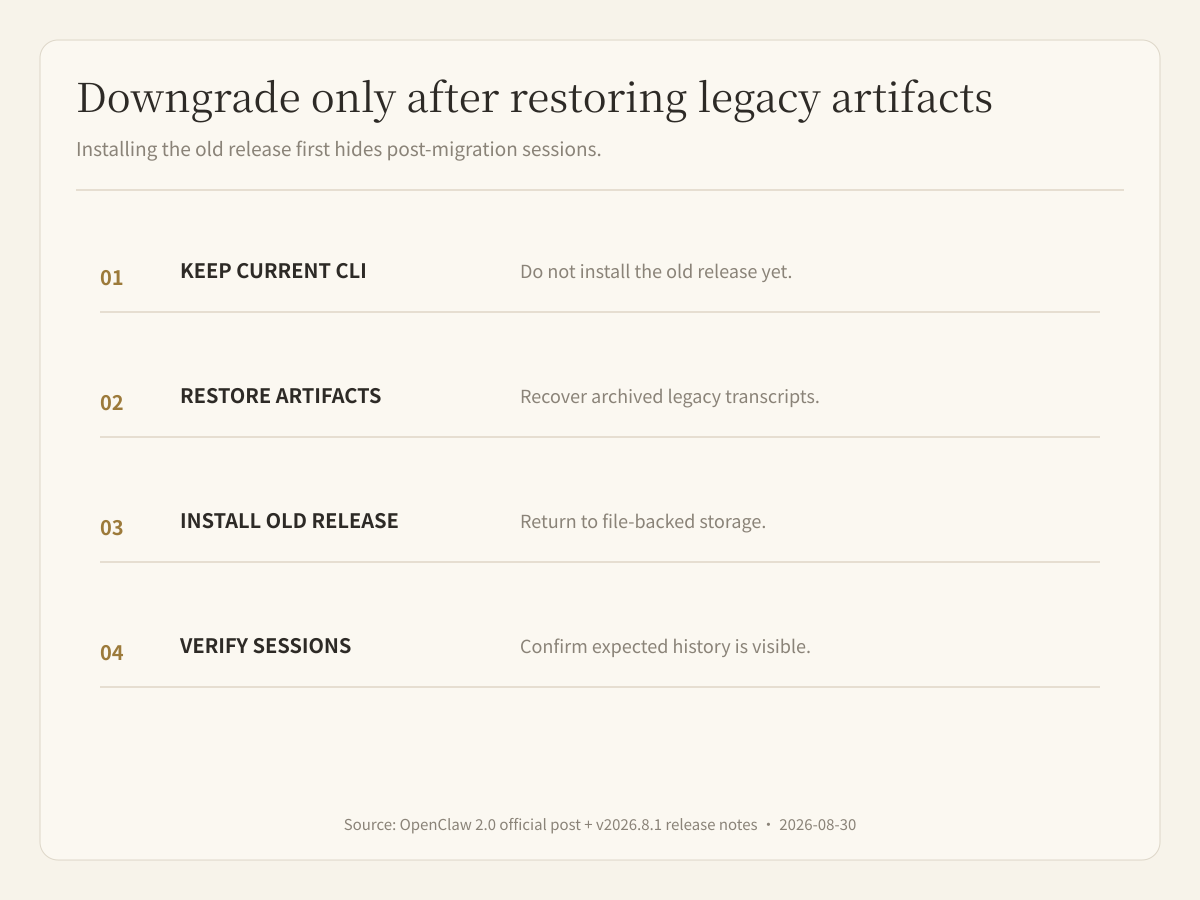
- Before downgrading to an older file-backed release, use the current CLI to restore archived legacy transcript artifacts.
- Sessions created after the migration will not appear in older releases if that restore step is skipped.
This warning does not say that an upgrade will necessarily lose data. It says rollback is now a data-migration procedure, not merely a package downgrade.
4. Shared cloud sessions introduce a collaboration path
OpenClaw describes bringing another person into live work or handing a task over while keeping context intact. That is a meaningful shift from a personal assistant toward collaborative agent work.
It also creates operating questions: who can view a session, who can continue execution, who approves external actions, and how responsibility is recorded after a handoff. The release announcement does not by itself prove every enterprise permission or audit capability, so teams should verify the exact build they plan to deploy.
Who should upgrade?
New users
Start with 2.0. The new onboarding and web experience are designed for first use; there is little value in learning the old path first.
Existing personal installations
Upgrade after creating a verified backup. Then test the model route, main channels, important skills, automations, old sessions, new-session persistence, and restart behavior.
Teams and production environments
Do not upgrade every instance at once. Use a copy or a low-risk instance to validate:
- Gateway and authentication
- Provider and model sign-ins
- Channel delivery
- Skills, plugins, and automations
- Session and transcript migration
- Backup restore and downgrade procedure
- Shared-session permissions and handoff rules
Pre-upgrade checklist
- Record the current version, install method, and Gateway mode.
- Create and verify a backup; do not stop at a successful command exit.
- Inventory configuration, plugins, skills, automations, and critical sessions.
- Read the official SQLite storage and downgrade warning.
- Upgrade a copy or low-risk environment first.
- Verify old sessions, transcripts, files, and memory.
- Create a new session and confirm it survives a restart.
- Test primary models, channels, browser work, tools, and approvals.
- If rolling back, restore legacy transcript artifacts with the current CLI before installing the older release.
What OpenClaw 2.0 does not remove
Simpler onboarding does not eliminate self-hosting work. Someone still owns:
- the computer, server, and network;
- provider credentials and model costs;
- Gateway authentication and exposure;
- plugin and skill permissions;
- backups and recovery;
- upgrades, downgrades, and troubleshooting;
- responsibility boundaries in shared sessions.
OpenClaw 2.0 is a substantial maturity update for people who want that control. Teams that prefer a managed cloud environment, shared workspace, isolated execution, visible work, and human review can compare a hosted agent workspace instead.
Buda is an independently developed cloud AI Agent Workspace; it is not built on OpenClaw. The practical difference is who operates the environment and collaboration layer. See Buda vs OpenClaw, How to Install OpenClaw, and OpenClaw Alternative.
FAQ
Which release is OpenClaw 2.0?
OpenClaw labels release v2026.8.1 as OpenClaw 2.0.
Can I downgrade directly after upgrading?
Do not treat it as a direct package downgrade. The release notes say to restore archived legacy transcript artifacts with the current CLI before returning to an older file-backed release.
Is OpenClaw 2.0 easier for non-technical users?
Onboarding and the browser experience are substantially simpler. Operating the host, permissions, backups, providers, and failures still requires ownership.
Do shared cloud sessions provide a complete enterprise permission system?
The announcement confirms collaboration and handoff. It does not establish every enterprise permission, audit, or compliance property. Verify the deployed version against your requirements.