Grok Build の codebase upload 問題:AI coding agents には data boundary が必要
Grok Build が codebase 全体を cloud storage に upload していたと報じられました。企業に必要なのは AI coding agents の禁止ではなく、file boundaries、tool permissions、audit logs、human review です。

Grok Build に関する最近の報道は、AI coding agents を導入するすべての企業にとって重要な warning です。
The Verge によると、researchers はこの tool が simple task の実行中に、user の entire codebase と history を cloud storage に upload する可能性を確認しました。ある test では、user は何も変更せず OK と返すだけを依頼しました。表面上の answer は harmless でしたが、問題は background behavior でした。
個人 developer にとっても不安です。企業にとっては data-boundary problem です。Source code、internal architecture、configuration files、product logic、repository に残った secrets が、AI coding tool が必要だと判断する context に入る可能性があります。
What Left the Local Boundary
AI coding tools は useful であるために context を必要とします。Open file だけでなく、nearby modules、dependencies、tests、docs、configuration、history を読むことがあります。
その context は code suggestions を改善します。同時に、team が local だと思っていた boundary の外へ sensitive company knowledge を移すこともあります。
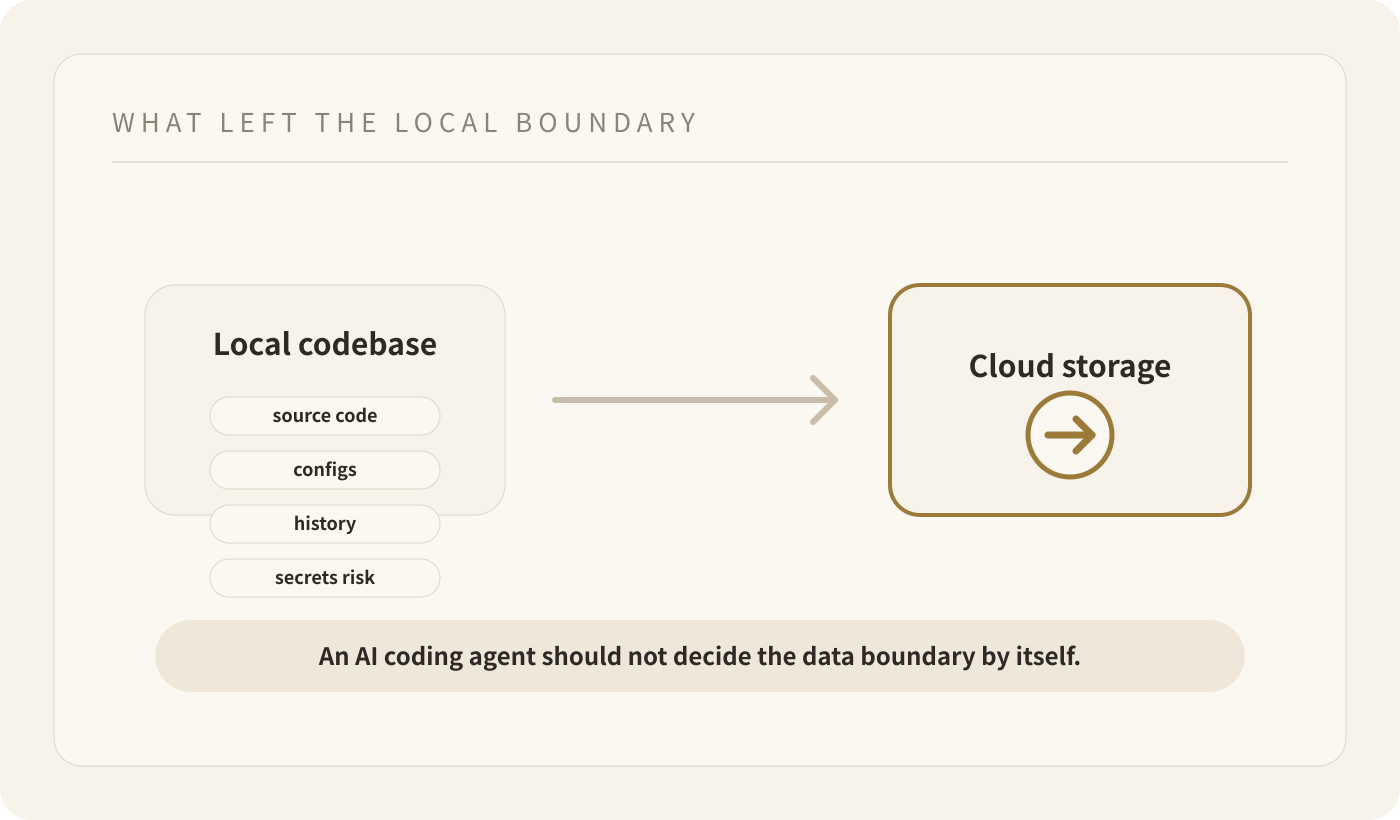
問題は training に使われるかどうかだけではありません。Training opt-out は local-only guarantee ではありません。Data は processing、logging、debugging、storage のために machine から出ることがあります。
Enterprise teams に必要な問いはもっと具体的です。Agent は何を読めるのか。何を送れるのか。何を実行できるのか。あとから誰が evidence を見られるのか。
Shadow AI は善意から始まる
ほとんどの employees は company data を漏らすために AI tools を使うわけではありません。仕事を速くするために使います。
Developer は bug を直したい。Product engineer は quick refactor をしたい。Founder は prototype を作りたい。Tool はよりよい answer のために more context を求めます。
Risk は、default behavior が quietly 「この file を見て」から「この project のより多くの内容を inspect and transmit する」に変わることです。
これが shadow AI が operational problem になる流れです。Company は tool を承認していないかもしれない。Workspace を定義していないかもしれない。Network behavior を確認していないかもしれない。どの repositories と files が out of bounds かを説明していないかもしれない。
解決策は AI coding tools の禁止だけではない
すべての AI coding tools を禁止するのは現実的ではありません。Developers は speed を求め続け、best tools は改善し続けます。
実務的な解決策は、coding agents を control layer の中に置くことです。
Teams は次を定義すべきです。
- agent が読める repositories と directories;
- agent に渡してはいけない files と secrets;
- agent が実行できる commands;
- remote processing や uploads を許可するか;
- merge 前に human review が必要な changes;
- logs と evidence をどこに保存するか。
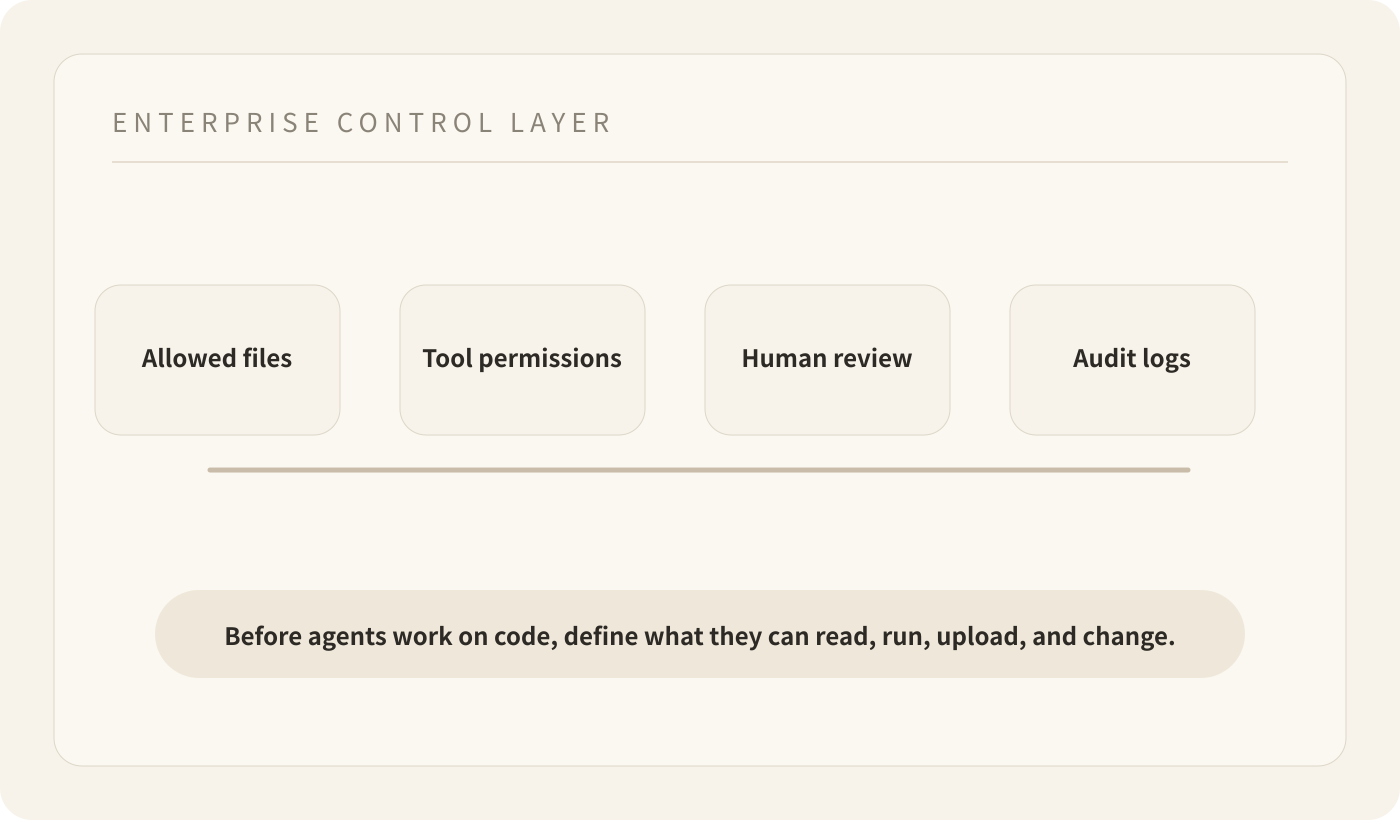
これにより AI coding は personal plugin decision ではなく managed workflow decision になります。
Buda がこの問題に向いている理由
Buda の Agent Workspace は visible agent work のために設計されています。Sessions、Drive files、tools、browser and terminal surfaces、channels、Skills、human review を一つの場所に置きます。
Coding and technical workflows では、重要なのは model quality だけではありません。Agent がどこで作業し、どの boundary の中で動くかです。
Enterprise-grade agent workflow は work を observable にすべきです。Team は agent がどの files を使い、どの tools を動かし、何を produced し、どこで human が review または take over する必要があるかを知るべきです。
これは、AI tool を codebase の中で自由に動かすことと、agent に defined workspace を与えることの違いです。
AI coding を広げる前に問うべきこと
AI coding agents が company の normal tool になる前に、leaders は次を問うべきです。
- どの codebases を agent use に承認するか。
- どの directories、files、credentials、customer data は context に入れてはいけないか。
- Training を無効化することは upload、logging、remote processing も止めるのか。
- Tool calls、file access、generated changes はどこに記録されるか。
- Production code や systems に影響する前に human review が必要な actions は何か。
Grok Build がすべてではありません。これは、AI coding agents がもはや autocomplete だけではないことを示しています。Agents は context を inspect し、tools を使い、product と company が boundary を定義していなければ boundary を越える可能性があります。
Buda dashboard で managed agent workflows を始めるか、Buda Agent Workspace を読んでください。