Buda vs GitHub Copilot: Repository Delivery or Cross-Functional Agent Operations?
GitHub Copilot organizes AI work around software delivery. Buda organizes persistent agents around broader team outcomes.

Buda vs GitHub Copilot: Repository Delivery or Cross-Functional Agent Operations?
GitHub Copilot now spans far more than code completion. It includes chat, CLI, coding agents, cloud sessions, custom agents, MCP, Skills, code review, agent management, automations, sandboxes, memory, enterprise policy, and integrations across the GitHub workflow.
That makes the decision clearer, not harder: GitHub Copilot is the natural choice when GitHub is the system where work is assigned, executed, reviewed, and accepted. Buda is the alternative when the operating process must extend beyond repositories into persistent agents, business files, browser work, Channels, schedules, and non-engineering reviewers.
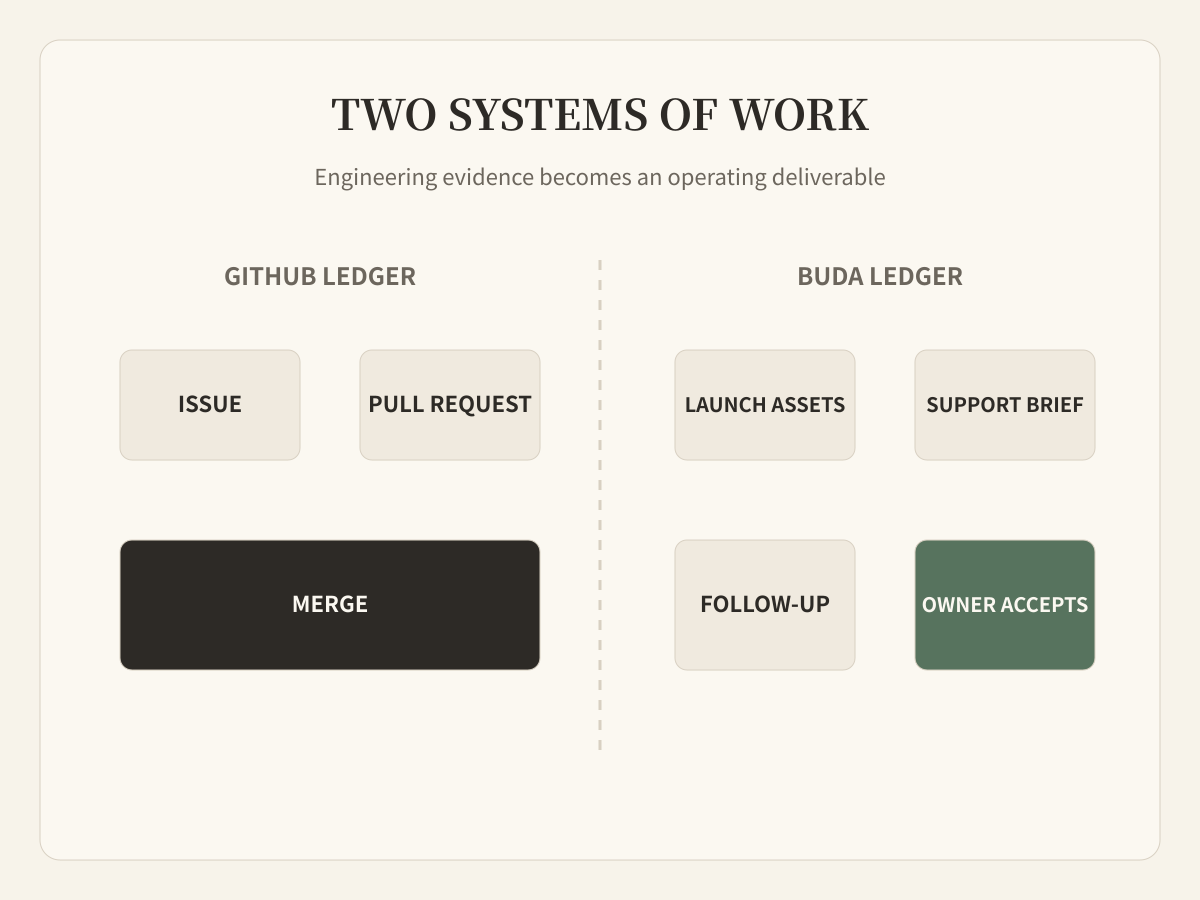
Start with the system of record
A useful comparison starts by asking where the authoritative work item lives.
For a software team, an Issue can become a branch, agent session, pull request, code review, merge, and deployment signal without leaving GitHub. Copilot fits this chain because the repository and its surrounding development controls are the main operating surface.
For a cross-functional team, the accepted result may be a research report, campaign package, support response, reconciled dataset, meeting follow-up, or scheduled operational check. A repository can support some of that work, but it is not naturally the shared desk for every reviewer.
GitHub Copilot's current agent surface
Copilot supports local and cloud agents, custom agents, parallel work, MCP, Skills, isolated sandboxes, code review, CLI automation, and scheduled or event-driven agentic workflows. Organizations can manage access, models, policies, budgets, activity, and MCP usage. Copilot Spaces and repository instructions add shared context.
The strongest reason to choose Copilot is therefore not a single model or editor feature. It is the tight connection between AI execution and GitHub's software-delivery objects.
A product launch contains work GitHub does not own
Suppose an engineering team merges a new billing feature. GitHub can retain the Issue, implementation, tests, review, and pull request history. The launch still needs work with different evidence and reviewers:
- product documentation must match the shipped behavior;
- support needs approved customer language;
- marketing needs screenshots and a verified feature claim;
- operations may monitor activation or failure signals;
- management needs a concise result, not the full repository history.
The question is not whether Copilot can draft text or call tools. It can. The question is whether GitHub should become the operating home for every downstream function.
Compare the control surfaces
| Control surface | GitHub Copilot | Buda |
|---|---|---|
| Primary object | Repository, Issue, branch, pull request | Agent, Session, file, task, reusable workflow |
| Execution center | GitHub, IDE, CLI, local/cloud sandbox | Isolated cloud computer with browser, terminal, files, Git |
| Shared context | Repository, instructions, Spaces, memory | Persistent Drive, memory, Space resources, Skills |
| Review center | Developer review, pull request, enterprise policy | Artifact review by the responsible functional owner |
| Recurring trigger | Repository events, Actions, agent automations | Schedule, channel message, reusable Automation |
| Natural audience | Developers and software organizations | Founders and cross-functional operating teams |
One launch, two ledgers
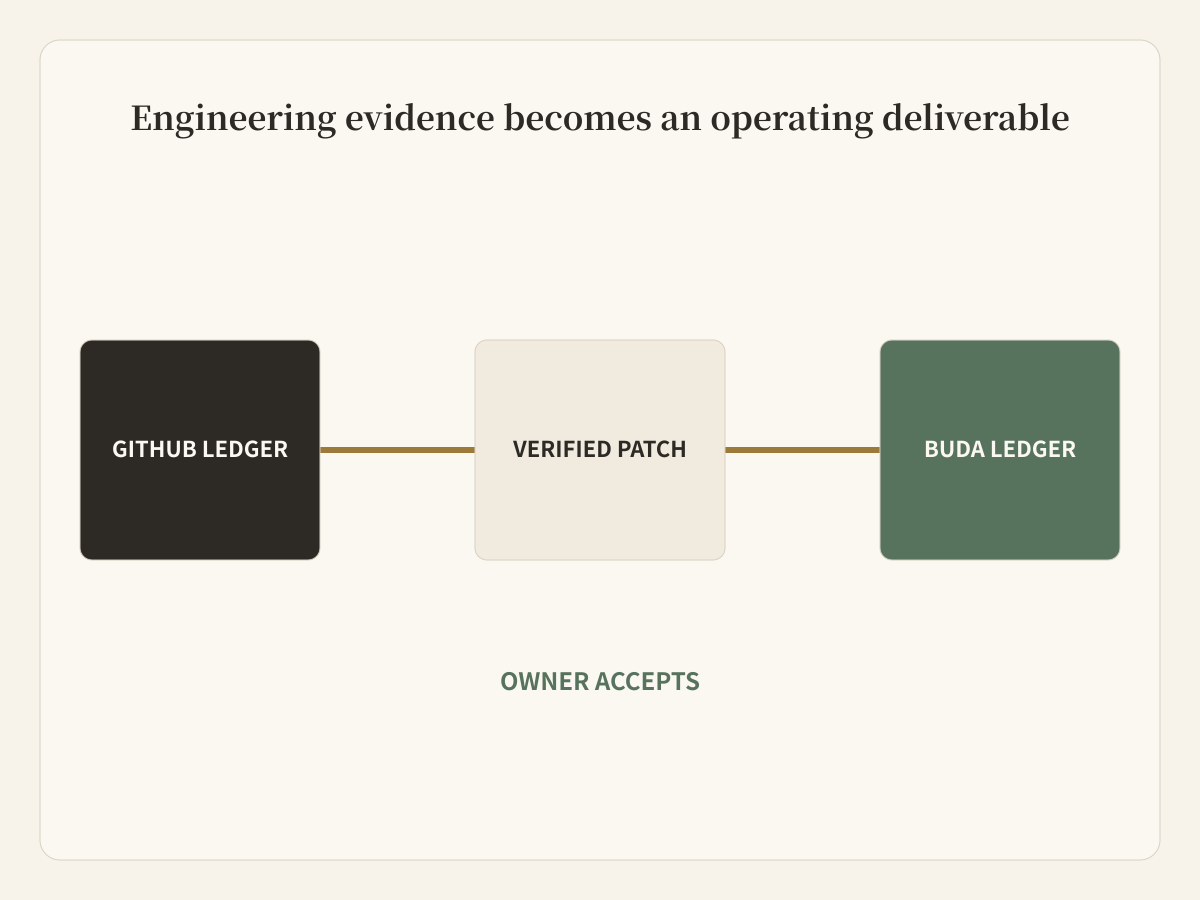
The cleanest combined workflow keeps two linked records rather than forcing everything into one system.
- GitHub owns the engineering ledger: Issue, implementation, tests, pull request, review, and merge.
- Buda owns the operating ledger: verified behavior, documentation, launch assets, support brief, scheduled checks, and human acceptance.
- The handoff links to immutable engineering evidence instead of copying an agent conversation.
When GitHub Copilot is enough
Stay with Copilot when the workflow is primarily software delivery and downstream work already lives comfortably in GitHub. It is especially strong when developers need AI close to code, Issues, pull requests, review rules, sandboxes, and enterprise governance.
When Buda is the better operating home
Choose Buda when different Agent roles must persist across time, use business files and web tools, receive work from team Channels, run on schedules, and present non-code artifacts to accountable reviewers. The value is not “more agents”; it is a clearer home for work outside the repository.
Avoid a false migration
Do not move healthy software-delivery workflows out of GitHub merely to adopt another AI product. Add Buda at the boundary where repository evidence becomes company work. Keep links, owners, and acceptance criteria explicit so both systems remain auditable.
Frequently asked questions
Is GitHub Copilot only a coding assistant?
No. Current Copilot includes coding agents, cloud and local sandboxes, agent management, custom agents, MCP, Skills, automations, code review, CLI, and enterprise controls.
Can Buda replace GitHub?
No. Buda is not a source-control or pull-request system. GitHub should remain the engineering system of record when the team uses it for software delivery.
Can Copilot handle non-code work?
It can research, draft, use tools, and work with broader context. The decision is whether non-engineering teams should operate and review their recurring work through GitHub objects.
How should permissions cross the boundary?
They usually should not. Pass verified evidence and narrowly scoped files to downstream agents. Do not give a content, support, or operations agent repository write access merely because the workflow began in GitHub.
What proves the combined workflow is better?
Measure time from merge to accepted launch package, factual corrections, reviewer effort, missed handoffs, and whether scheduled follow-up checks ran. Count accepted outcomes, not agent sessions.
Put each reviewer in the right system
Developers should review software where software lives. Product, support, content, and operations owners should review their deliverables in a workspace built for those artifacts. The connection between them should be evidence, not shared ambiguity.
See how Buda organizes Agent work