Buda vs GitHub Copilot:Repository DeliveryとCross-Functional Agent Operations
GitHub Copilotはsoftware delivery、Budaはより広いteam outcomeを中心にpersistent agentsを組織します。

Buda vs GitHub Copilot:Repository DeliveryとCross-Functional Agent Operations
GitHub Copilotはcode completionを超え、chat、CLI、coding agents、cloud sessions、custom agents、MCP、Skills、code review、agent management、automations、sandboxes、memory、enterprise policyを含みます。
GitHubでworkをassign、execute、review、acceptするならCopilot。Persistent agents、business files、browser work、Channels、schedules、non-engineering reviewersまで広がるならBudaがalternativeです。
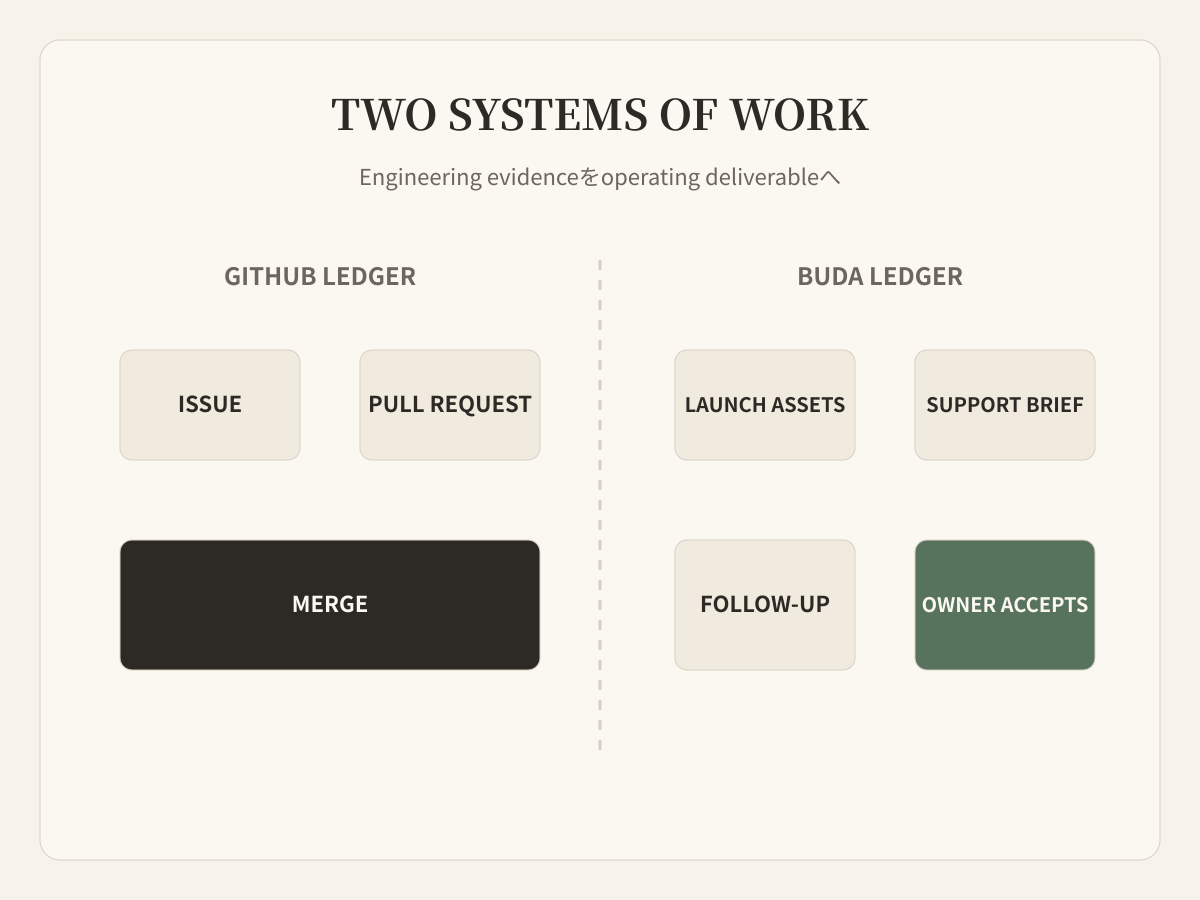
System of recordから考える
Software teamではIssueがbranch、agent session、Pull Request、code review、merge、deployment signalへ進みます。Repositoryとdevelopment controlsがoperating surfaceなのでCopilotが自然です。
Cross-functional teamのaccepted resultはresearch report、campaign package、support reply、dataset、meeting follow-up、scheduled checkかもしれません。Repositoryは支援できますが、全Reviewerの共有deskとは限りません。
Copilotの現在のagent surface
Local/cloud agents、custom agents、parallel work、MCP、Skills、isolated sandboxes、code review、CLI automation、scheduled/event-driven workflowsをサポートします。Organizationはaccess、models、policies、budgets、activity、MCP usageを管理し、Spacesとrepository instructionsがshared contextを提供します。
Copilotの強みは単一featureではなく、AI executionとGitHub software-delivery objectsの接続です。
Product launchにはrepository外のworkがある
Billing featureをmergeすると、GitHubはIssue、implementation、tests、review、Pull Request historyを保持します。一方でdocs、support language、marketing evidence、operations monitoring、management summaryが必要です。Copilotがdraftやtool useをできるかではなく、GitHubが全functionのoperating homeであるべきかが論点です。
Control surfaceの比較
| Control | GitHub Copilot | Buda |
|---|---|---|
| Primary object | Repository、Issue、branch、Pull Request | Agent、Session、file、task、workflow |
| Execution | GitHub、IDE、CLI、local/cloud sandbox | Cloud computer、browser、terminal、files、Git |
| Context | Repository、instructions、Spaces、memory | Drive、memory、Space resources、Skills |
| Review | Developer、Pull Request、enterprise policy | Functional ownerによるartifact review |
| Trigger | Repository event、Actions、automation | Schedule、channel message、Automation |
| Audience | Developers、software organizations | Founders、cross-functional teams |
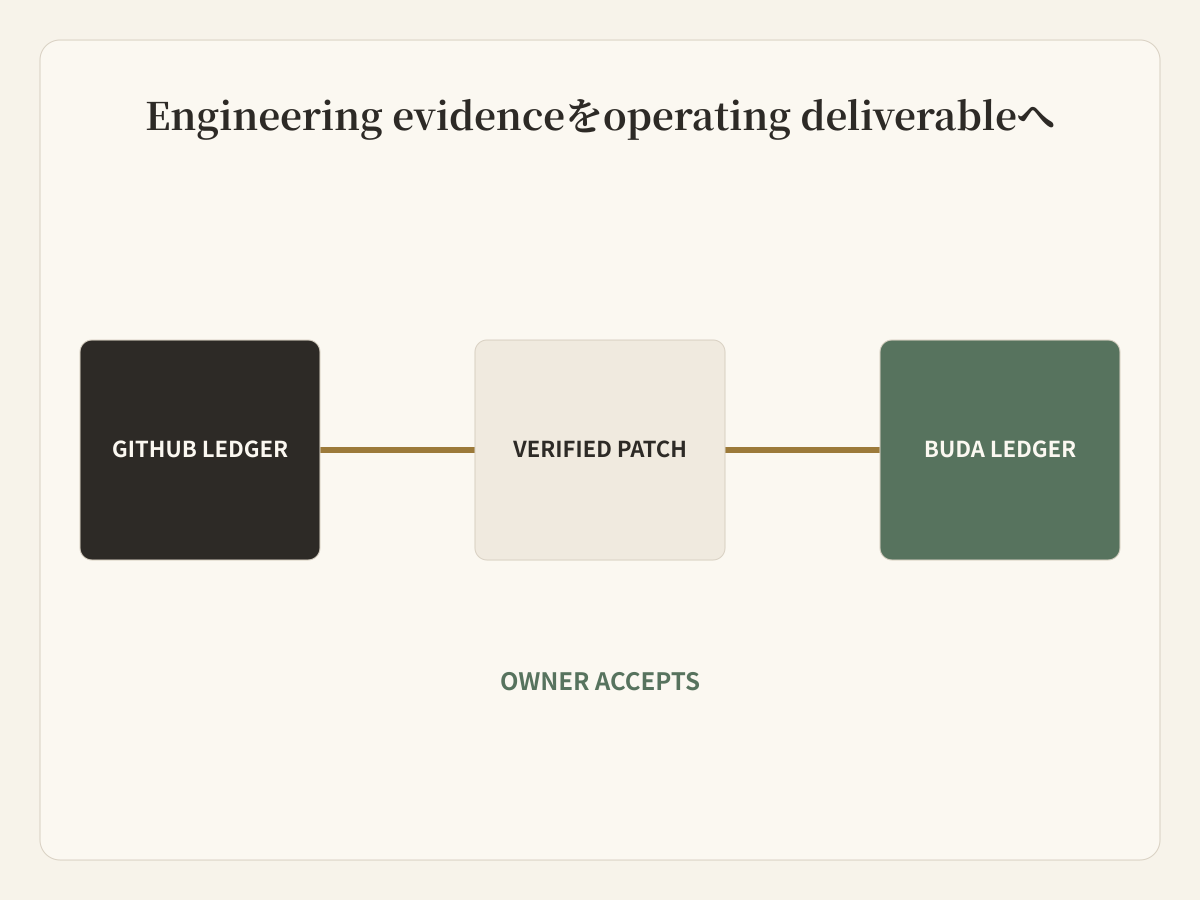
一つのlaunchに二つのledger
GitHubはengineering ledgerとしてIssue、implementation、tests、PR、review、mergeを持ちます。Budaはoperating ledgerとしてverified behavior、docs、launch assets、support brief、scheduled checks、human acceptanceを持ちます。Handoffはagent chatではなくimmutable evidenceへlinkします。
Copilotだけで十分な場合
Workflowがsoftware delivery中心でdownstream workもGitHubに合う場合です。AIをcode、Issues、PR、review rules、sandboxes、enterprise governanceの近くに置けます。
Budaがoperating homeになる場合
異なるAgent rolesが持続し、business filesとweb toolsを使い、Channelsからworkを受け、scheduleで動き、non-code artifactsをaccountable reviewersへ渡す場合です。
False migrationを避ける
AI product導入のために健全なsoftware deliveryをGitHubから移しません。Repository evidenceがcompany workへ変わる境界にBudaを追加し、links、owners、acceptance criteriaを明確にします。
FAQ
Copilotはcoding assistantだけですか?
いいえ。Coding agents、cloud/local sandboxes、agent management、custom agents、MCP、Skills、automations、review、CLI、enterprise controlsがあります。
BudaはGitHubを置き換えますか?
いいえ。Source controlやPull Request systemではありません。GitHubはengineering system of recordとして残します。
Copilotはnon-code workを扱えますか?
Research、draft、tools、broader contextを扱えます。Non-engineering teamがGitHub objectsでrecurring workを運営・reviewすべきかが判断点です。
Permissionをどう渡しますか?
Verified evidenceとnarrow filesだけを渡します。Content、support、operations Agentにrepository write permissionを自動継承させません。
Combined workflowをどう評価しますか?
Mergeからaccepted launch packageまでの時間、fact correction、reviewer effort、missed handoff、scheduled follow-upを測ります。
Reviewerを正しいsystemに置く
Developerはsoftwareの場所でreviewし、product、support、content、operations ownerは自分のartifactに合うworkspaceでreviewします。両者はevidenceで接続します。